YOUR APP NEEDS A WINDOW?! XFrame Windows & Dialogs — 28 Hand-Drawn X11 Windows, Zero GTK, Zero Qt!
28 windows and dialogs — application windows, forms, file/colour/font choosers, message boxes, wizards — every one hand-drawn in raw X11 by the XFrame library. Full API, signals, and a working example for each. No GTK, no Qt, no toolkit at all.
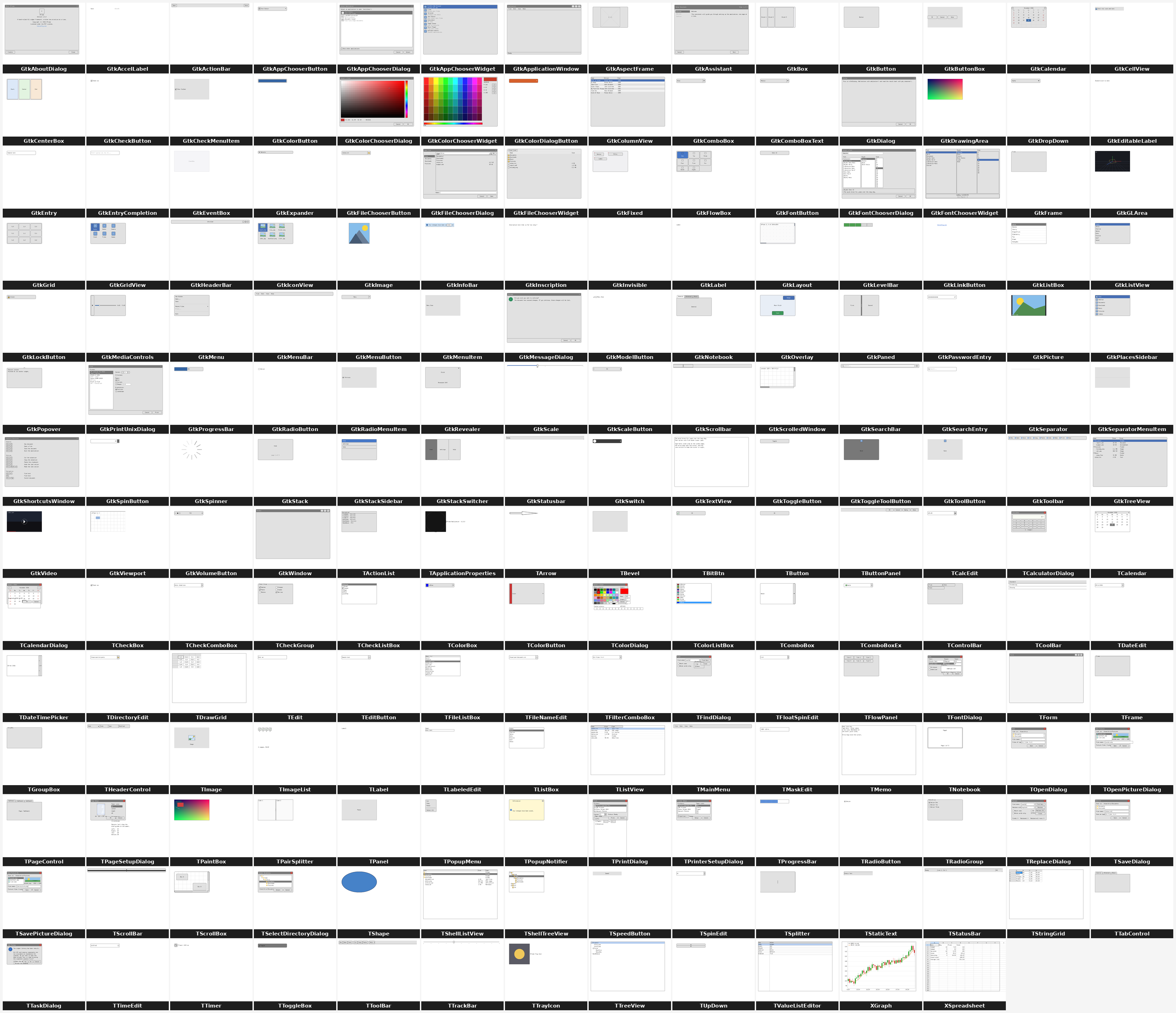
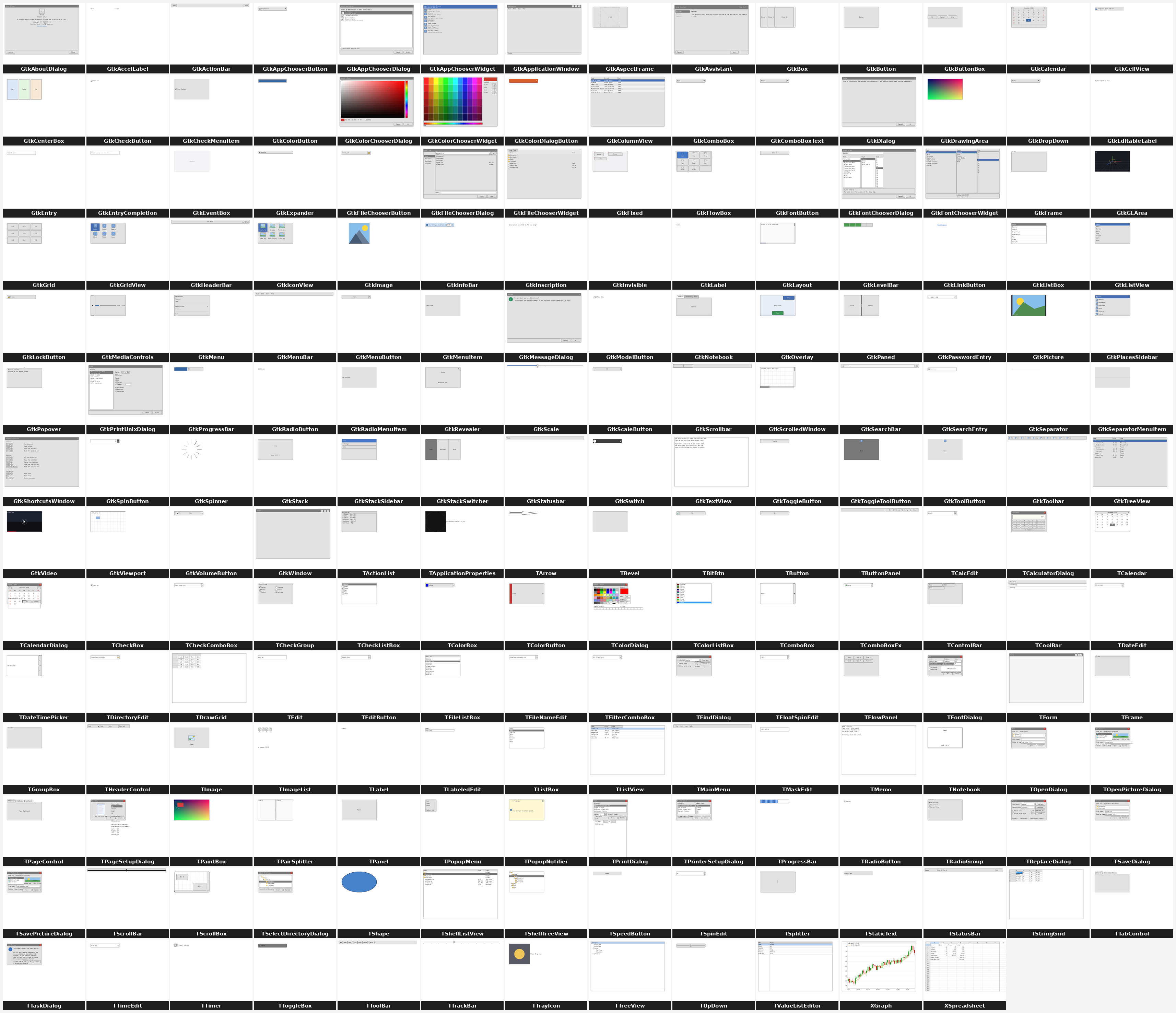
Every application starts the same way: a window. A frame on the screen, a title bar, a close button, and somewhere to put everything else. Toolkits have been handing you that window for thirty years — and charging you a dependency tree the size of a small country for the privilege. Not here.
This is article 11 of a nine-part series documenting all 194 widgets of XFrame — a pure X11/Xlib hand-drawn C++17 widget library. No GTK. No Qt. No toolkit at all. Every pixel of every window below is drawn by hand with raw Xlib calls, despite the Gtk* names — those components recreate the look of GTK widgets as standalone X11 classes, and the T* ones do the same in Lazarus/Delphi style. This group covers the windows and dialogs themselves: application windows, the generic dialog shell, file, colour and font choosers, message boxes, wizards, print dialogs, and the Lazarus-style dialogs. Twenty-eight of them, each with its full API, its signals, and a working example you can compile and run.
Every widget below shares one identical constructor and one common contract — construction, geometry, visibility, styles, drawing, and the four event handlers — and that contract is reproduced in full in this article so it stands alone. The code lives at github.com/cnmcdee/CWidgets: clone it, build it, and every demo in this article is a real file in components/ that already compiled clean and ran under Xvfb.
CWidgets Documentation
XFrame — a pure X11/Xlib hand-drawn C++17 widget library. Every widget is drawn by hand with raw Xlib calls. There is no GTK here, no Qt, no toolkit at all — despite the Gtk* names. The Gtk* components recreate the look of GTK widgets as standalone X11 classes; the T* components are the same idea in Lazarus/Delphi style; plus XGraph and XSpreadsheet.
Start with the project README for the repo layout, build instructions, and test status. This index documents the widget API itself: the contract every widget shares, then one page per section with every widget in it.
Contents
| Section | Widgets | Page |
|---|---|---|
| Windows & Dialogs | 28 | windows-dialogs.md |
| Containers & Layout | 34 | containers-layout.md |
| Buttons | 24 | buttons.md |
| Display | 33 | display.md |
| Text & Entry | 28 | text-entry.md |
| Choosers | 10 | choosers.md |
| Views & Lists | 17 | views-lists.md |
| Menus & Toolbars | 16 | menus-toolbars.md |
| Misc / X | 4 | misc-x.md |
| Total | 194 |
Section assignment is defined in tools/sections.py and verified by tools/sections.py itself (run it: python3 tools/sections.py) — every widget belongs to exactly one section.
The shared widget contract
This is the part that is the same for all 194 widgets (verified by inspection across all 194 headers: every member below exists in every header). Each section page therefore lists only what is specific to each widget — constructor, widget-specific methods, signals — and does not repeat this contract.
Construction
Every widget has the identical constructor:
<Name>(Display* display, int screen, Window window, GC gc,
       SStyle_Manager* styles, int x, int y, int width, int height)
display,screen,window,gc— the X connection and the window the widget draws into, fromXOpenDisplay/XCreateSimpleWindow/DefaultGC.styles— anSStyle_Manager(fromcore/xframe_core.h) holding the named styles. Register at least a"default"style withadd_style_ex(...)and activate it withset_active_style_byName(...)before constructing widgets.x, y, width, height— the widget's initial bounds in window coordinates.
Geometry
void set_bounds(int x, int y, int width, int height);
int  width();    // x2_ - x1_
int  height();   // y2_ - y1_
bool contains(int x, int y);  // false when not visible
Visibility and enabled state
void set_visible(bool v);
bool get_visible();
void set_enabled(bool e);
bool get_enabled();
A disabled widget still draws, but greyed out (text colour forced to grey) and its event handlers refuse input. An invisible widget does not draw and contains() returns false for it.
Style
void   set_style_name(std::string s);  // "" = the manager's active style
SStyle style();                        // styles_->resolve(style_name_)
Drawing
void draw();
Draws the widget into its window with the resolved style. Returns immediately when the widget is not visible. Call it after construction and again after any handled event (the standard demo loop clears the window and redraws on every handled event).
Events
Every widget implements the same four handlers. Each returns true when it handled the event (the demo loop then clears and redraws) and false otherwise:
bool on_button_press(int x, int y, unsigned int button);   // button 1 = left
bool on_button_release(int x, int y, unsigned int button);
bool on_motion(int x, int y);
bool on_key(KeySym key, const char* str);
Typical behaviour: on_button_press sets pressed_/focused_ when the click lands inside the widget; on_button_release fires the widget's callback if the release is still inside; on_key fires the callback on Return/Space when the widget has focus. on_motion is a no-op on most widgets — only a few headers carry hover state, and the test suite found only 12 of 194 demos show a visible hover response. Do not assume a widget reacts to hover unless its section page says so.
Signals
Widgets expose their callbacks as public std::function members, e.g.:
std::function<void()> on_click; // the most common signal (85 widgets)
Assign them like any member:
widget.on_click = [] { printf("clicked\n"); };
Signal names and signatures vary by widget — on_change, on_response, on_toggled, on_value_changed, on_selection_changed, on_color_changed, on_page_selected, ... — with payloads such as void(int), void(std::string), void(bool), void(double), void(Srgb), void(TTreeNode&). The exact name and signature for each widget are listed on its section page. Never guess a signal name: if it is not in the header, it does not exist.
Minimal program skeleton
Every demo in components/<Name>/main_<Name>.cpp follows this shape (shown here for GtkButton — the section pages trim it further per widget):
#include "GtkButton.h"
#include <cstdio>

int main() {
    Display* display = XOpenDisplay(nullptr);
    if (!display) return 1;
    int screen = DefaultScreen(display);
    Window window = XCreateSimpleWindow(display, RootWindow(display, screen),
        100, 100, 800, 600, 1,
        BlackPixel(display, screen), WhitePixel(display, screen));
    XStoreName(display, window, "GtkButton - XFrame demo");
    XSelectInput(display, window, ExposureMask | KeyPressMask |
        StructureNotifyMask | ButtonPressMask | ButtonReleaseMask |
        PointerMotionMask);
    Atom wmDelete = XInternAtom(display, "WM_DELETE_WINDOW", False);
    XSetWMProtocols(display, window, &wmDelete, 1);
    XMapWindow(display, window);

    GC gc = DefaultGC(display, screen);
    SStyle_Manager styles(display, window, screen, gc);
    styles.add_style_ex("default", Srgb{225, 225, 225}, Srgb{120, 120, 120},
        Srgb{60, 60, 60}, Srgb{20, 20, 20}, 6, 1,
        "-misc-fixed-medium-r-normal--13-*");
    styles.set_active_style_byName("default");

    GtkButton widget(display, screen, window, gc, &styles, 40, 40, 340, 200);
    widget.on_click = [] { printf("clicked\n"); };
    widget.draw();

    bool running = true;
    while (running) {
        XEvent event;
        XNextEvent(display, &event);
        bool handled = false;
        switch (event.type) {
        case Expose:        handled = true; break;
        case ButtonPress:   handled = widget.on_button_press(
                                event.xbutton.x, event.xbutton.y,
                                event.xbutton.button); break;
        case ButtonRelease: handled = widget.on_button_release(
                                event.xbutton.x, event.xbutton.y,
                                event.xbutton.button); break;
        case MotionNotify:  handled = widget.on_motion(
                                event.xmotion.x, event.xmotion.y); break;
        case KeyPress: {
            char buffer[32];
            KeySym key = 0;
            int n = XLookupString(&event.xkey, buffer, sizeof(buffer) - 1,
                                  &key, nullptr);
            buffer[n] = 0;
            handled = widget.on_key(key, buffer);
            break;
        }
        case ClientMessage:
            if ((Atom)event.xclient.data.l[0] == wmDelete) running = false;
            break;
        }
        if (handled) {
            XClearWindow(display, window);
            widget.draw();
            XFlush(display);
        }
    }
    XCloseDisplay(display);
    return 0;
}
Build a single example (from the repo root, with the header's component directory on the include path):
g++ -std=c++17 -I components/GtkButton example.cpp -lX11 -o example
Or build the shipped demo instead — components/<Name>/CMakeLists.txt builds it standalone, and the top-level build builds all 194 (see the README).
Tools
- Selector palette —
palette/buildscwidgets_palette(part of the top-level build). A pure X11/XFrame window listing all 194 widgets in their 9 sections, each with its 16x16 icon. Click (or Up/Down + Enter) to select; the selection is written to the shared selection file (/tmp/cwidgets-selection.txt) for the layout tool. Self-test: 194/194 selections OK. - Layout window —
layout/buildscwidgets_layout. Instantiates the real widget classes via the generated factory incommon/registry.h(generated bytools/gen_registry.py— do not edit by hand). Click to place the selected widget, drag to move, Delete to remove,sto save/load the layout,qto quit. Double-click a placed widget for 8 orange resize handles (corners + edges); drag a handle to resize live; Escape dismisses the handles, Delete removes the widget. - Icons —
icons/<Name>.ico, one real 16x16 ICO per widget, purpose-drawn glyphs generated bytools/gen_icons.py(70 glyph kinds, section accent colours — not downscaled screenshots). Verified bytools/verify_icons.py: 194/194 parse as 16x16, all non-blank.
Test status
Tested Nov 26, 2026 on the VPS (Debian 12, g++ 12.2, Xvfb) with the autonomous driver test-driver/run_tests.py: all 194 demos build with 0 warnings (-Wall -Wextra); 193 draw (GtkInvisible is non-visual by design); 125 show a visible click response (the rest are display-only by design); all 194 survive keypresses and exit cleanly; zero crashes, zero hangs. Full table: test-results/results.md. Palette self-test 194/194; layout placement 194/194, draw 194/194, all 194 alive at once (test-results/palette_layout_results.csv).
License
MIT — see LICENSE. Copyright (c) 2026 cnmcdee.
Windows & Dialogs
Top level windows and modal style dialogs: application windows, forms, file and colour and font choosers, message boxes, wizards and the Lazarus style T-prefixed dialogs. Every widget here draws its own window chrome inside the host window, with a title bar, buttons and a client area.
Every widget here shares the common XFrame widget API - same constructor, set_bounds/draw/event handlers, visible/enabled state. The shared contract is documented in docs/index.md (written by the coordinator). Each subsection below lists only what is specific to that widget.
GtkAboutDialog
An about box for an application. It draws a title bar reading About followed by the program name, then the program name and version, copyright, comments, license and website lines, and author and artist lists under Written by and Artwork by headings, with Back, Credits and Close buttons.
Constructor: GtkAboutDialog(Display* display, int screen, Window window, GC gc, SStyle_Manager* styles, int x, int y, int width, int height)
API (widget-specific methods/properties/signals ONLY - skip the common ones): - signal on_response (std::function<void(int)>) - Fires with the response id when a button is pressed. - void set_program_name(std::string n) - Sets the program name. - std::string get_program_name() - Returns the program name. - void set_version(std::string v) - Sets the version. - std::string get_version() - Returns the version. - void set_copyright(std::string c) - Sets the copyright. - std::string get_copyright() - Returns the copyright. - void set_comments(std::string c) - Sets the comments. - std::string get_comments() - Returns the comments. - void set_license(std::string l) - Sets the license. - std::string get_license() - Returns the license. - void set_website(std::string w) - Sets the website. - std::string get_website() - Returns the website. - void set_authors(std::vector<std::string> a) - Sets the authors. - void add_author(std::string a) - Adds author. - void set_artists(std::vector<std::string> a) - Sets the artists. - void add_artist(std::string a) - Adds artist. - int get_response() - Returns the last response id, or RESPONSE_NONE (-1) if none yet. - void respond(int response_id) - Records the response id and fires on_response(int). - Constants: RESPONSE_NONE = -1, RESPONSE_DELETE_EVENT = -4, RESPONSE_CANCEL = -6, RESPONSE_CLOSE = -7
Example:
#include "GtkAboutDialog.h"
#include <cstdio>

int main()
{
    Display* display = XOpenDisplay(nullptr);
    if (!display) { return 1; }
    int screen = DefaultScreen(display);
    Window window = XCreateSimpleWindow(display, RootWindow(display, screen), 100, 100, 800, 600, 1, BlackPixel(display, screen), WhitePixel(display, screen));
    XStoreName(display, window, "GtkAboutDialog - XFrame demo");
    XSelectInput(display, window, ExposureMask | KeyPressMask | StructureNotifyMask | ButtonPressMask | ButtonReleaseMask | PointerMotionMask);
    Atom deleteWindowMessage = XInternAtom(display, "WM_DELETE_WINDOW", False);
    XSetWMProtocols(display, window, &deleteWindowMessage, 1);
    XMapWindow(display, window);
    GC gc = DefaultGC(display, screen);
    SStyle_Manager styles(display, window, screen, gc);
    styles.add_style_ex("default", Srgb{225, 225, 225}, Srgb{120, 120, 120}, Srgb{60, 60, 60}, Srgb{20, 20, 20}, 6, 1, "-misc-fixed-medium-r-normal--13-*");
    styles.set_active_style_byName("default");
    GtkAboutDialog widget(display, screen, window, gc, &styles, 20, 20, 760, 560);
    widget.set_program_name("DemoApp");
    widget.set_version("1.0");
    widget.on_response = [](int r) { std::printf("response %d\n", r); };
    widget.draw();
    bool running = true;
    while (running)
    {
        XEvent event;
        XNextEvent(display, &event);
        bool handled = false;
        switch (event.type)
        {
        case Expose:
            handled = true;
            break;
        case ButtonPress:
            handled = widget.on_button_press(event.xbutton.x, event.xbutton.y, event.xbutton.button);
            break;
        case ButtonRelease:
            handled = widget.on_button_release(event.xbutton.x, event.xbutton.y, event.xbutton.button);
            break;
        case MotionNotify:
            handled = widget.on_motion(event.xmotion.x, event.xmotion.y);
            break;
        case KeyPress:
        {
            char buffer[32];
            KeySym key = 0;
            int n = XLookupString(&event.xkey, buffer, (int)sizeof(buffer) - 1, &key, nullptr);
            buffer[n] = 0;
            handled = widget.on_key(key, buffer);
            break;
        }
        case ClientMessage:
            if ((Atom)event.xclient.data.l[0] == deleteWindowMessage)
            {
                running = false;
            }
            break;
        }
        if (handled)
        {
            XClearWindow(display, window);
            widget.draw();
            XFlush(display);
        }
    }
    XCloseDisplay(display);
    return 0;
}
Notes: The Credits button toggles a credits view. The response constants defined here are RESPONSE_NONE, RESPONSE_DELETE_EVENT, RESPONSE_CANCEL and RESPONSE_CLOSE; there is no RESPONSE_OK in this header.
GtkAppChooserDialog
A dialog for picking an application to open a file with. It shows the heading Select an application to open followed by the content type, one row per added application with its description, a Show other applications checkbox, and Cancel and Select buttons.
Constructor: GtkAppChooserDialog(Display* display, int screen, Window window, GC gc, SStyle_Manager* styles, int x, int y, int width, int height)
API (widget-specific methods/properties/signals ONLY - skip the common ones): - signal on_response (std::function<void(int)>) - Fires with the response id when a button is pressed. - void set_content_type(std::string content_type) - Sets the content type. - std::string get_content_type() - Returns the content type. - void add_application(std::string app_name, std::string description) - Adds one application (name and description) to the list. - std::string get_selected_app() - Returns the selected app. - void set_show_other(bool s) - Sets whether the Show other applications row is shown. - bool get_show_other() - Reports whether the Show other applications row is shown. - int get_response() - Returns the last response id, or RESPONSE_NONE (-1) if none yet. - void respond(int response_id) - Records the response id and fires on_response(int). - Constants: RESPONSE_NONE = -1, RESPONSE_DELETE_EVENT = -4, RESPONSE_ACCEPT = -3, RESPONSE_CANCEL = -6, RESPONSE_OK = -5
Example:
#include "GtkAppChooserDialog.h"
#include <cstdio>

int main()
{
    Display* display = XOpenDisplay(nullptr);
    if (!display) { return 1; }
    int screen = DefaultScreen(display);
    Window window = XCreateSimpleWindow(display, RootWindow(display, screen), 100, 100, 800, 600, 1, BlackPixel(display, screen), WhitePixel(display, screen));
    XStoreName(display, window, "GtkAppChooserDialog - XFrame demo");
    XSelectInput(display, window, ExposureMask | KeyPressMask | StructureNotifyMask | ButtonPressMask | ButtonReleaseMask | PointerMotionMask);
    Atom deleteWindowMessage = XInternAtom(display, "WM_DELETE_WINDOW", False);
    XSetWMProtocols(display, window, &deleteWindowMessage, 1);
    XMapWindow(display, window);
    GC gc = DefaultGC(display, screen);
    SStyle_Manager styles(display, window, screen, gc);
    styles.add_style_ex("default", Srgb{225, 225, 225}, Srgb{120, 120, 120}, Srgb{60, 60, 60}, Srgb{20, 20, 20}, 6, 1, "-misc-fixed-medium-r-normal--13-*");
    styles.set_active_style_byName("default");
    GtkAppChooserDialog widget(display, screen, window, gc, &styles, 20, 20, 760, 560);
    widget.set_content_type("text/plain");
    widget.add_application("TextEdit", "Plain text editor");
    widget.on_response = [](int r) { std::printf("response %d\n", r); };
    widget.draw();
    bool running = true;
    while (running)
    {
        XEvent event;
        XNextEvent(display, &event);
        bool handled = false;
        switch (event.type)
        {
        case Expose:
            handled = true;
            break;
        case ButtonPress:
            handled = widget.on_button_press(event.xbutton.x, event.xbutton.y, event.xbutton.button);
            break;
        case ButtonRelease:
            handled = widget.on_button_release(event.xbutton.x, event.xbutton.y, event.xbutton.button);
            break;
        case MotionNotify:
            handled = widget.on_motion(event.xmotion.x, event.xmotion.y);
            break;
        case KeyPress:
        {
            char buffer[32];
            KeySym key = 0;
            int n = XLookupString(&event.xkey, buffer, (int)sizeof(buffer) - 1, &key, nullptr);
            buffer[n] = 0;
            handled = widget.on_key(key, buffer);
            break;
        }
        case ClientMessage:
            if ((Atom)event.xclient.data.l[0] == deleteWindowMessage)
            {
                running = false;
            }
            break;
        }
        if (handled)
        {
            XClearWindow(display, window);
            widget.draw();
            XFlush(display);
        }
    }
    XCloseDisplay(display);
    return 0;
}
Notes: The application list holds only what add_application() adds; it does not scan installed applications. get_selected_app() returns the name of the highlighted row.
GtkApplicationWindow
A top level application window with a title bar, minimise, maximise and close buttons, an optional menu bar row and a status bar. The title bar can be dragged to move the window, and maximise grows it to fill the host window.
Constructor: GtkApplicationWindow(Display* display, int screen, Window window, GC gc, SStyle_Manager* styles, int x, int y, int width, int height)
API (widget-specific methods/properties/signals ONLY - skip the common ones): - signal on_close (std::function<void()>) - Fires when the window is closed. - signal on_menu (std::function<void(std::string)>) - Fires with the name of the clicked menu. - void set_title(std::string t) - Sets the title. - std::string get_title() - Returns the title. - bool is_closed() - Reports whether the window is closed. - bool is_iconified() - Reports whether the window is minimised. - bool is_maximized() - Reports whether the window is maximised. - void close() - Closes the window and fires on_close(). - void iconify() - Minimises the window and fires on_minimize(). - void deiconify() - Restores the window from minimised. - void maximize() - Grows the window to fill the host window and fires on_maximize(). - void unmaximize() - Restores the bounds saved by maximise(). - void set_show_menubar(bool s) - Sets the show menubar. - bool get_show_menubar() - Returns the show menubar. - void add_menu(std::string menu_name) - Adds menu. - std::string get_last_menu() - Returns the name of the last menu added. - void set_status_text(std::string t) - Sets the status text. - std::string get_status_text() - Returns the status text. - int content_x() - Returns the content area x. - int content_y() - Returns the content area y. - int content_width() - Returns the content area width. - int content_height() - Returns the content area height.
Example:
#include "GtkApplicationWindow.h"
#include <cstdio>

int main()
{
    Display* display = XOpenDisplay(nullptr);
    if (!display) { return 1; }
    int screen = DefaultScreen(display);
    Window window = XCreateSimpleWindow(display, RootWindow(display, screen), 100, 100, 800, 600, 1, BlackPixel(display, screen), WhitePixel(display, screen));
    XStoreName(display, window, "GtkApplicationWindow - XFrame demo");
    XSelectInput(display, window, ExposureMask | KeyPressMask | StructureNotifyMask | ButtonPressMask | ButtonReleaseMask | PointerMotionMask);
    Atom deleteWindowMessage = XInternAtom(display, "WM_DELETE_WINDOW", False);
    XSetWMProtocols(display, window, &deleteWindowMessage, 1);
    XMapWindow(display, window);
    GC gc = DefaultGC(display, screen);
    SStyle_Manager styles(display, window, screen, gc);
    styles.add_style_ex("default", Srgb{225, 225, 225}, Srgb{120, 120, 120}, Srgb{60, 60, 60}, Srgb{20, 20, 20}, 6, 1, "-misc-fixed-medium-r-normal--13-*");
    styles.set_active_style_byName("default");
    GtkApplicationWindow widget(display, screen, window, gc, &styles, 20, 20, 760, 560);
    widget.add_menu("File");
    widget.set_status_text("Ready");
    widget.on_menu = [](std::string m) { std::printf("menu %s\n", m.c_str()); };
    widget.draw();
    bool running = true;
    while (running)
    {
        XEvent event;
        XNextEvent(display, &event);
        bool handled = false;
        switch (event.type)
        {
        case Expose:
            handled = true;
            break;
        case ButtonPress:
            handled = widget.on_button_press(event.xbutton.x, event.xbutton.y, event.xbutton.button);
            break;
        case ButtonRelease:
            handled = widget.on_button_release(event.xbutton.x, event.xbutton.y, event.xbutton.button);
            break;
        case MotionNotify:
            handled = widget.on_motion(event.xmotion.x, event.xmotion.y);
            break;
        case KeyPress:
        {
            char buffer[32];
            KeySym key = 0;
            int n = XLookupString(&event.xkey, buffer, (int)sizeof(buffer) - 1, &key, nullptr);
            buffer[n] = 0;
            handled = widget.on_key(key, buffer);
            break;
        }
        case ClientMessage:
            if ((Atom)event.xclient.data.l[0] == deleteWindowMessage)
            {
                running = false;
            }
            break;
        }
        if (handled)
        {
            XClearWindow(display, window);
            widget.draw();
            XFlush(display);
        }
    }
    XCloseDisplay(display);
    return 0;
}
Notes: on_menu(std::string) fires with the name of the clicked menu. content_x(), content_y(), content_width() and content_height() give the client area below the title bar and above the status bar.
GtkAssistant
A multi page setup wizard. It draws a header bar with the title and a Step N of M indicator, a sidebar listing the page titles, the current page content, and Back, Next, Apply and Close buttons.
Constructor: GtkAssistant(Display* display, int screen, Window window, GC gc, SStyle_Manager* styles, int x, int y, int width, int height)
API (widget-specific methods/properties/signals ONLY - skip the common ones): - signal on_response (std::function<void(int)>) - Fires with the response id when a button is pressed. - signal on_apply (std::function<void()>) - Fires when Apply is pressed. - signal on_page_changed (std::function<void(int)>) - Fires with the new page index. - int append_page(std::string title, std::string content, int type) - Appends a page with a title, content and type; returns its index. - int get_n_pages() - Returns the number of pages. - void set_page_complete(int page, bool complete) - Sets whether a page is complete. - bool get_page_complete(int page) - Reports whether a page is complete. - void set_current_page(int page) - Sets the current page. - int get_current_page() - Returns the current page. - std::string get_page_title(int page) - Returns the page title. - int get_response() - Returns the last response id, or RESPONSE_NONE (-1) if none yet. - void respond(int response_id) - Records the response id and fires on_response(int). - void next_page() - Moves to the next page. - void previous_page() - Moves to the previous page. - Constants: PAGE_CONTENT = 0, PAGE_INTRO = 1, PAGE_CONFIRM = 2, PAGE_SUMMARY = 3, PAGE_PROGRESS = 4, RESPONSE_NONE = -1, RESPONSE_DELETE_EVENT = -4, RESPONSE_CANCEL = -6, RESPONSE_CLOSE = -7, RESPONSE_APPLY = -10
Example:
#include "GtkAssistant.h"
#include <cstdio>

int main()
{
    Display* display = XOpenDisplay(nullptr);
    if (!display) { return 1; }
    int screen = DefaultScreen(display);
    Window window = XCreateSimpleWindow(display, RootWindow(display, screen), 100, 100, 800, 600, 1, BlackPixel(display, screen), WhitePixel(display, screen));
    XStoreName(display, window, "GtkAssistant - XFrame demo");
    XSelectInput(display, window, ExposureMask | KeyPressMask | StructureNotifyMask | ButtonPressMask | ButtonReleaseMask | PointerMotionMask);
    Atom deleteWindowMessage = XInternAtom(display, "WM_DELETE_WINDOW", False);
    XSetWMProtocols(display, window, &deleteWindowMessage, 1);
    XMapWindow(display, window);
    GC gc = DefaultGC(display, screen);
    SStyle_Manager styles(display, window, screen, gc);
    styles.add_style_ex("default", Srgb{225, 225, 225}, Srgb{120, 120, 120}, Srgb{60, 60, 60}, Srgb{20, 20, 20}, 6, 1, "-misc-fixed-medium-r-normal--13-*");
    styles.set_active_style_byName("default");
    GtkAssistant widget(display, screen, window, gc, &styles, 20, 20, 760, 560);
    widget.append_page("Welcome", "Welcome to the setup.", GtkAssistant::PAGE_INTRO);
    widget.append_page("Done", "Setup complete.", GtkAssistant::PAGE_SUMMARY);
    widget.on_page_changed = [](int p) { std::printf("page %d\n", p); };
    widget.draw();
    bool running = true;
    while (running)
    {
        XEvent event;
        XNextEvent(display, &event);
        bool handled = false;
        switch (event.type)
        {
        case Expose:
            handled = true;
            break;
        case ButtonPress:
            handled = widget.on_button_press(event.xbutton.x, event.xbutton.y, event.xbutton.button);
            break;
        case ButtonRelease:
            handled = widget.on_button_release(event.xbutton.x, event.xbutton.y, event.xbutton.button);
            break;
        case MotionNotify:
            handled = widget.on_motion(event.xmotion.x, event.xmotion.y);
            break;
        case KeyPress:
        {
            char buffer[32];
            KeySym key = 0;
            int n = XLookupString(&event.xkey, buffer, (int)sizeof(buffer) - 1, &key, nullptr);
            buffer[n] = 0;
            handled = widget.on_key(key, buffer);
            break;
        }
        case ClientMessage:
            if ((Atom)event.xclient.data.l[0] == deleteWindowMessage)
            {
                running = false;
            }
            break;
        }
        if (handled)
        {
            XClearWindow(display, window);
            widget.draw();
            XFlush(display);
        }
    }
    XCloseDisplay(display);
    return 0;
}
Notes: Pages carry a type (PAGE_CONTENT, PAGE_INTRO, PAGE_CONFIRM, PAGE_SUMMARY, PAGE_PROGRESS). set_page_complete() gates the Next button. next_page() and previous_page() move without a click.
GtkColorChooserDialog
A colour picker dialog. It draws a 32 by 20 palette grid, the current colour with R, G and B values and a hex readout, and Cancel and OK buttons.
Constructor: GtkColorChooserDialog(Display* display, int screen, Window window, GC gc, SStyle_Manager* styles, int x, int y, int width, int height)
API (widget-specific methods/properties/signals ONLY - skip the common ones): - signal on_response (std::function<void(int)>) - Fires with the response id when a button is pressed. - signal on_color_changed (std::function<void()>) - Fires when the picked colour changes. - void set_color(Srgb c) - Sets the color. - Srgb get_color() - Returns the color. - std::string get_hex() - Returns the current colour as a #RRGGBB string. - void set_use_alpha(bool u) - Sets the use alpha. - bool get_use_alpha() - Returns the use alpha. - void set_alpha(double a) - Sets the alpha. - double get_alpha() - Returns the alpha. - int get_response() - Returns the last response id, or RESPONSE_NONE (-1) if none yet. - void respond(int response_id) - Records the response id and fires on_response(int). - Srgb get_color() - Returns the color. - Constants: RESPONSE_NONE = -1, RESPONSE_DELETE_EVENT = -4, RESPONSE_ACCEPT = -3, RESPONSE_OK = -5, RESPONSE_CANCEL = -6
Example:
#include "GtkColorChooserDialog.h"
#include <cstdio>

int main()
{
    Display* display = XOpenDisplay(nullptr);
    if (!display) { return 1; }
    int screen = DefaultScreen(display);
    Window window = XCreateSimpleWindow(display, RootWindow(display, screen), 100, 100, 800, 600, 1, BlackPixel(display, screen), WhitePixel(display, screen));
    XStoreName(display, window, "GtkColorChooserDialog - XFrame demo");
    XSelectInput(display, window, ExposureMask | KeyPressMask | StructureNotifyMask | ButtonPressMask | ButtonReleaseMask | PointerMotionMask);
    Atom deleteWindowMessage = XInternAtom(display, "WM_DELETE_WINDOW", False);
    XSetWMProtocols(display, window, &deleteWindowMessage, 1);
    XMapWindow(display, window);
    GC gc = DefaultGC(display, screen);
    SStyle_Manager styles(display, window, screen, gc);
    styles.add_style_ex("default", Srgb{225, 225, 225}, Srgb{120, 120, 120}, Srgb{60, 60, 60}, Srgb{20, 20, 20}, 6, 1, "-misc-fixed-medium-r-normal--13-*");
    styles.set_active_style_byName("default");
    GtkColorChooserDialog widget(display, screen, window, gc, &styles, 20, 20, 760, 560);
    widget.set_color(Srgb{200, 60, 60});
    widget.on_color_changed = [] { std::printf("colour changed\n"); };
    widget.draw();
    bool running = true;
    while (running)
    {
        XEvent event;
        XNextEvent(display, &event);
        bool handled = false;
        switch (event.type)
        {
        case Expose:
            handled = true;
            break;
        case ButtonPress:
            handled = widget.on_button_press(event.xbutton.x, event.xbutton.y, event.xbutton.button);
            break;
        case ButtonRelease:
            handled = widget.on_button_release(event.xbutton.x, event.xbutton.y, event.xbutton.button);
            break;
        case MotionNotify:
            handled = widget.on_motion(event.xmotion.x, event.xmotion.y);
            break;
        case KeyPress:
        {
            char buffer[32];
            KeySym key = 0;
            int n = XLookupString(&event.xkey, buffer, (int)sizeof(buffer) - 1, &key, nullptr);
            buffer[n] = 0;
            handled = widget.on_key(key, buffer);
            break;
        }
        case ClientMessage:
            if ((Atom)event.xclient.data.l[0] == deleteWindowMessage)
            {
                running = false;
            }
            break;
        }
        if (handled)
        {
            XClearWindow(display, window);
            widget.draw();
            XFlush(display);
        }
    }
    XCloseDisplay(display);
    return 0;
}
Notes: set_color() takes an Srgb value; get_hex() returns the colour as a #RRGGBB string. on_color_changed() fires when the picked colour changes.
GtkDialog
A generic dialog shell: a title bar, a wrapped message area, and a row of buttons. Buttons are added with add_button() and each carries a response id.
Constructor: GtkDialog(Display* display, int screen, Window window, GC gc, SStyle_Manager* styles, int x, int y, int width, int height)
API (widget-specific methods/properties/signals ONLY - skip the common ones): - signal on_response (std::function<void(int)>) - Fires with the response id when a button is pressed. - void set_title(std::string t) - Sets the title. - std::string get_title() - Returns the title. - void set_message(std::string m) - Sets the message. - std::string get_message() - Returns the message. - void add_button(std::string label, int response_id) - Adds a button with a label and a response id. - void clear_buttons() - Removes all buttons. - int button_count() - Returns the number of buttons. - void run() - Marks the dialog running and visible; it does not block. - bool is_running() - Reports whether the dialog is running. - int get_response() - Returns the last response id, or RESPONSE_NONE (-1) if none yet. - void respond(int response_id) - Records the response id and fires on_response(int). - int content_x() - Returns the content area x. - int content_y() - Returns the content area y. - int content_width() - Returns the content area width. - int content_height() - Returns the content area height. - Constants: RESPONSE_NONE = -1, RESPONSE_REJECT = -2, RESPONSE_ACCEPT = -3, RESPONSE_DELETE_EVENT = -4, RESPONSE_OK = -5, RESPONSE_CANCEL = -6, RESPONSE_CLOSE = -7, RESPONSE_YES = -8, RESPONSE_NO = -9, RESPONSE_APPLY = -10, RESPONSE_HELP = -11
Example:
#include "GtkDialog.h"
#include <cstdio>

int main()
{
    Display* display = XOpenDisplay(nullptr);
    if (!display) { return 1; }
    int screen = DefaultScreen(display);
    Window window = XCreateSimpleWindow(display, RootWindow(display, screen), 100, 100, 800, 600, 1, BlackPixel(display, screen), WhitePixel(display, screen));
    XStoreName(display, window, "GtkDialog - XFrame demo");
    XSelectInput(display, window, ExposureMask | KeyPressMask | StructureNotifyMask | ButtonPressMask | ButtonReleaseMask | PointerMotionMask);
    Atom deleteWindowMessage = XInternAtom(display, "WM_DELETE_WINDOW", False);
    XSetWMProtocols(display, window, &deleteWindowMessage, 1);
    XMapWindow(display, window);
    GC gc = DefaultGC(display, screen);
    SStyle_Manager styles(display, window, screen, gc);
    styles.add_style_ex("default", Srgb{225, 225, 225}, Srgb{120, 120, 120}, Srgb{60, 60, 60}, Srgb{20, 20, 20}, 6, 1, "-misc-fixed-medium-r-normal--13-*");
    styles.set_active_style_byName("default");
    GtkDialog widget(display, screen, window, gc, &styles, 20, 20, 760, 560);
    widget.set_message("Hello from GtkDialog.");
    widget.add_button("OK", GtkDialog::RESPONSE_OK);
    widget.add_button("Cancel", GtkDialog::RESPONSE_CANCEL);
    widget.run();
    widget.on_response = [](int r) { std::printf("response %d\n", r); };
    widget.draw();
    bool running = true;
    while (running)
    {
        XEvent event;
        XNextEvent(display, &event);
        bool handled = false;
        switch (event.type)
        {
        case Expose:
            handled = true;
            break;
        case ButtonPress:
            handled = widget.on_button_press(event.xbutton.x, event.xbutton.y, event.xbutton.button);
            break;
        case ButtonRelease:
            handled = widget.on_button_release(event.xbutton.x, event.xbutton.y, event.xbutton.button);
            break;
        case MotionNotify:
            handled = widget.on_motion(event.xmotion.x, event.xmotion.y);
            break;
        case KeyPress:
        {
            char buffer[32];
            KeySym key = 0;
            int n = XLookupString(&event.xkey, buffer, (int)sizeof(buffer) - 1, &key, nullptr);
            buffer[n] = 0;
            handled = widget.on_key(key, buffer);
            break;
        }
        case ClientMessage:
            if ((Atom)event.xclient.data.l[0] == deleteWindowMessage)
            {
                running = false;
            }
            break;
        }
        if (handled)
        {
            XClearWindow(display, window);
            widget.draw();
            XFlush(display);
        }
    }
    XCloseDisplay(display);
    return 0;
}
Notes: run() only sets the running and visible flags; it does not block, the host event loop still drives the dialog. respond() records the response, clears the running flag and fires on_response(int). content_x() and friends give the area inside the frame.
GtkFileChooserDialog
A file picker dialog with a places sidebar, a file list with Name and Size columns, an Up button and a filename field, plus Cancel and Open style buttons.
Constructor: GtkFileChooserDialog(Display* display, int screen, Window window, GC gc, SStyle_Manager* styles, int x, int y, int width, int height)
API (widget-specific methods/properties/signals ONLY - skip the common ones): - signal on_response (std::function<void(int)>) - Fires with the response id when a button is pressed. - void set_action(int a) - Sets the chooser action (ACTION_OPEN, ACTION_SAVE, ACTION_SELECT_FOLDER, ACTION_CREATE_FOLDER). - int get_action() - Returns the action. - void set_current_folder(std::string folder) - Sets the current folder. - std::string get_current_folder() - Returns the current folder. - void set_filename(std::string f) - Sets the filename. - std::string get_filename() - Returns the filename. - std::string get_selected_name() - Returns the selected name. - void add_filter(std::string filter_name) - Adds a filter name to the filter list. - int get_response() - Returns the last response id, or RESPONSE_NONE (-1) if none yet. - void respond(int response_id) - Records the response id and fires on_response(int). - Constants: ACTION_OPEN = 0, ACTION_SAVE = 1, ACTION_SELECT_FOLDER = 2, ACTION_CREATE_FOLDER = 3, RESPONSE_NONE = -1, RESPONSE_DELETE_EVENT = -4, RESPONSE_ACCEPT = -3, RESPONSE_CANCEL = -6
Example:
#include "GtkFileChooserDialog.h"
#include <cstdio>

int main()
{
    Display* display = XOpenDisplay(nullptr);
    if (!display) { return 1; }
    int screen = DefaultScreen(display);
    Window window = XCreateSimpleWindow(display, RootWindow(display, screen), 100, 100, 800, 600, 1, BlackPixel(display, screen), WhitePixel(display, screen));
    XStoreName(display, window, "GtkFileChooserDialog - XFrame demo");
    XSelectInput(display, window, ExposureMask | KeyPressMask | StructureNotifyMask | ButtonPressMask | ButtonReleaseMask | PointerMotionMask);
    Atom deleteWindowMessage = XInternAtom(display, "WM_DELETE_WINDOW", False);
    XSetWMProtocols(display, window, &deleteWindowMessage, 1);
    XMapWindow(display, window);
    GC gc = DefaultGC(display, screen);
    SStyle_Manager styles(display, window, screen, gc);
    styles.add_style_ex("default", Srgb{225, 225, 225}, Srgb{120, 120, 120}, Srgb{60, 60, 60}, Srgb{20, 20, 20}, 6, 1, "-misc-fixed-medium-r-normal--13-*");
    styles.set_active_style_byName("default");
    GtkFileChooserDialog widget(display, screen, window, gc, &styles, 20, 20, 760, 560);
    widget.set_action(GtkFileChooserDialog::ACTION_OPEN);
    widget.set_current_folder("/tmp");
    widget.on_response = [](int r) { std::printf("response %d\n", r); };
    widget.draw();
    bool running = true;
    while (running)
    {
        XEvent event;
        XNextEvent(display, &event);
        bool handled = false;
        switch (event.type)
        {
        case Expose:
            handled = true;
            break;
        case ButtonPress:
            handled = widget.on_button_press(event.xbutton.x, event.xbutton.y, event.xbutton.button);
            break;
        case ButtonRelease:
            handled = widget.on_button_release(event.xbutton.x, event.xbutton.y, event.xbutton.button);
            break;
        case MotionNotify:
            handled = widget.on_motion(event.xmotion.x, event.xmotion.y);
            break;
        case KeyPress:
        {
            char buffer[32];
            KeySym key = 0;
            int n = XLookupString(&event.xkey, buffer, (int)sizeof(buffer) - 1, &key, nullptr);
            buffer[n] = 0;
            handled = widget.on_key(key, buffer);
            break;
        }
        case ClientMessage:
            if ((Atom)event.xclient.data.l[0] == deleteWindowMessage)
            {
                running = false;
            }
            break;
        }
        if (handled)
        {
            XClearWindow(display, window);
            widget.draw();
            XFlush(display);
        }
    }
    XCloseDisplay(display);
    return 0;
}
Notes: The places sidebar lists four hard coded locations under /home/user (Home, Documents, Downloads, Pictures). set_action() takes ACTION_OPEN, ACTION_SAVE, ACTION_SELECT_FOLDER or ACTION_CREATE_FOLDER. get_selected_name() returns the clicked entry.
GtkFontChooserDialog
A font picker dialog with a Search field, Font, Style and Size lists, a preview line and Cancel and OK buttons.
Constructor: GtkFontChooserDialog(Display* display, int screen, Window window, GC gc, SStyle_Manager* styles, int x, int y, int width, int height)
API (widget-specific methods/properties/signals ONLY - skip the common ones): - signal on_response (std::function<void(int)>) - Fires with the response id when a button is pressed. - std::string get_font_name() - Returns the font name. - void set_font_name(std::string font_name) - Sets the font name. - std::string get_family() - Returns the family. - std::string get_style_name() - Returns the style name. - int get_size() - Returns the size. - void set_preview_text(std::string t) - Sets the preview text. - std::string get_preview_text() - Returns the preview text. - int get_response() - Returns the last response id, or RESPONSE_NONE (-1) if none yet. - void respond(int response_id) - Records the response id and fires on_response(int). - Constants: RESPONSE_NONE = -1, RESPONSE_DELETE_EVENT = -4, RESPONSE_ACCEPT = -3, RESPONSE_OK = -5, RESPONSE_CANCEL = -6
Example:
#include "GtkFontChooserDialog.h"
#include <cstdio>

int main()
{
    Display* display = XOpenDisplay(nullptr);
    if (!display) { return 1; }
    int screen = DefaultScreen(display);
    Window window = XCreateSimpleWindow(display, RootWindow(display, screen), 100, 100, 800, 600, 1, BlackPixel(display, screen), WhitePixel(display, screen));
    XStoreName(display, window, "GtkFontChooserDialog - XFrame demo");
    XSelectInput(display, window, ExposureMask | KeyPressMask | StructureNotifyMask | ButtonPressMask | ButtonReleaseMask | PointerMotionMask);
    Atom deleteWindowMessage = XInternAtom(display, "WM_DELETE_WINDOW", False);
    XSetWMProtocols(display, window, &deleteWindowMessage, 1);
    XMapWindow(display, window);
    GC gc = DefaultGC(display, screen);
    SStyle_Manager styles(display, window, screen, gc);
    styles.add_style_ex("default", Srgb{225, 225, 225}, Srgb{120, 120, 120}, Srgb{60, 60, 60}, Srgb{20, 20, 20}, 6, 1, "-misc-fixed-medium-r-normal--13-*");
    styles.set_active_style_byName("default");
    GtkFontChooserDialog widget(display, screen, window, gc, &styles, 20, 20, 760, 560);
    widget.set_font_name("DejaVu Sans");
    widget.set_preview_text("AaBbYyZz 123");
    widget.on_response = [](int r) { std::printf("response %d\n", r); };
    widget.draw();
    bool running = true;
    while (running)
    {
        XEvent event;
        XNextEvent(display, &event);
        bool handled = false;
        switch (event.type)
        {
        case Expose:
            handled = true;
            break;
        case ButtonPress:
            handled = widget.on_button_press(event.xbutton.x, event.xbutton.y, event.xbutton.button);
            break;
        case ButtonRelease:
            handled = widget.on_button_release(event.xbutton.x, event.xbutton.y, event.xbutton.button);
            break;
        case MotionNotify:
            handled = widget.on_motion(event.xmotion.x, event.xmotion.y);
            break;
        case KeyPress:
        {
            char buffer[32];
            KeySym key = 0;
            int n = XLookupString(&event.xkey, buffer, (int)sizeof(buffer) - 1, &key, nullptr);
            buffer[n] = 0;
            handled = widget.on_key(key, buffer);
            break;
        }
        case ClientMessage:
            if ((Atom)event.xclient.data.l[0] == deleteWindowMessage)
            {
                running = false;
            }
            break;
        }
        if (handled)
        {
            XClearWindow(display, window);
            widget.draw();
            XFlush(display);
        }
    }
    XCloseDisplay(display);
    return 0;
}
Notes: The family list is a hard coded set of 11 families (Cantarell, DejaVu Sans, DejaVu Sans Mono, DejaVu Serif, Liberation Mono, Liberation Sans, Liberation Serif, Noto Sans, Noto Serif, Ubuntu, Ubuntu Mono), not a scan of installed fonts. get_font_name() returns the family plus style and size as one string.
GtkMessageDialog
A message box with a coloured icon glyph, a wrapped message line, optional secondary text and a row of buttons.
Constructor: GtkMessageDialog(Display* display, int screen, Window window, GC gc, SStyle_Manager* styles, int x, int y, int width, int height)
API (widget-specific methods/properties/signals ONLY - skip the common ones): - signal on_response (std::function<void(int)>) - Fires with the response id when a button is pressed. - void set_message_text(std::string t) - Sets the message text. - std::string get_message_text() - Returns the message text. - void set_secondary_text(std::string t) - Sets the secondary text. - std::string get_secondary_text() - Returns the secondary text. - void set_message_type(int t) - Sets the message type. - int get_message_type() - Returns the message type. - void set_buttons_type(int t) - Sets the buttons type. - int get_buttons_type() - Returns the buttons type. - int get_response() - Returns the last response id, or RESPONSE_NONE (-1) if none yet. - void respond(int response_id) - Records the response id and fires on_response(int). - Constants: MESSAGE_INFO = 0, MESSAGE_WARNING = 1, MESSAGE_QUESTION = 2, MESSAGE_ERROR = 3, BUTTONS_NONE = 0, BUTTONS_OK = 1, BUTTONS_CLOSE = 2, BUTTONS_CANCEL = 3, BUTTONS_YES_NO = 4, BUTTONS_OK_CANCEL = 5, RESPONSE_NONE = -1, RESPONSE_DELETE_EVENT = -4, RESPONSE_OK = -5, RESPONSE_CANCEL = -6, RESPONSE_CLOSE = -7, RESPONSE_YES = -8, RESPONSE_NO = -9
Example:
#include "GtkMessageDialog.h"
#include <cstdio>

int main()
{
    Display* display = XOpenDisplay(nullptr);
    if (!display) { return 1; }
    int screen = DefaultScreen(display);
    Window window = XCreateSimpleWindow(display, RootWindow(display, screen), 100, 100, 800, 600, 1, BlackPixel(display, screen), WhitePixel(display, screen));
    XStoreName(display, window, "GtkMessageDialog - XFrame demo");
    XSelectInput(display, window, ExposureMask | KeyPressMask | StructureNotifyMask | ButtonPressMask | ButtonReleaseMask | PointerMotionMask);
    Atom deleteWindowMessage = XInternAtom(display, "WM_DELETE_WINDOW", False);
    XSetWMProtocols(display, window, &deleteWindowMessage, 1);
    XMapWindow(display, window);
    GC gc = DefaultGC(display, screen);
    SStyle_Manager styles(display, window, screen, gc);
    styles.add_style_ex("default", Srgb{225, 225, 225}, Srgb{120, 120, 120}, Srgb{60, 60, 60}, Srgb{20, 20, 20}, 6, 1, "-misc-fixed-medium-r-normal--13-*");
    styles.set_active_style_byName("default");
    GtkMessageDialog widget(display, screen, window, gc, &styles, 20, 20, 760, 560);
    widget.set_message_text("File saved.");
    widget.set_message_type(GtkMessageDialog::MESSAGE_INFO);
    widget.set_buttons_type(GtkMessageDialog::BUTTONS_OK);
    widget.on_response = [](int r) { std::printf("response %d\n", r); };
    widget.draw();
    bool running = true;
    while (running)
    {
        XEvent event;
        XNextEvent(display, &event);
        bool handled = false;
        switch (event.type)
        {
        case Expose:
            handled = true;
            break;
        case ButtonPress:
            handled = widget.on_button_press(event.xbutton.x, event.xbutton.y, event.xbutton.button);
            break;
        case ButtonRelease:
            handled = widget.on_button_release(event.xbutton.x, event.xbutton.y, event.xbutton.button);
            break;
        case MotionNotify:
            handled = widget.on_motion(event.xmotion.x, event.xmotion.y);
            break;
        case KeyPress:
        {
            char buffer[32];
            KeySym key = 0;
            int n = XLookupString(&event.xkey, buffer, (int)sizeof(buffer) - 1, &key, nullptr);
            buffer[n] = 0;
            handled = widget.on_key(key, buffer);
            break;
        }
        case ClientMessage:
            if ((Atom)event.xclient.data.l[0] == deleteWindowMessage)
            {
                running = false;
            }
            break;
        }
        if (handled)
        {
            XClearWindow(display, window);
            widget.draw();
            XFlush(display);
        }
    }
    XCloseDisplay(display);
    return 0;
}
Notes: set_message_type() takes MESSAGE_INFO (0), MESSAGE_WARNING (1), MESSAGE_QUESTION (2) or MESSAGE_ERROR (3); set_buttons_type() takes BUTTONS_NONE (0), BUTTONS_OK (1), BUTTONS_CLOSE (2), BUTTONS_CANCEL (3), BUTTONS_YES_NO (4) or BUTTONS_OK_CANCEL (5). The icon is drawn, not an image.
GtkPrintUnixDialog
A print dialog with a printer list, copies field, collate checkbox, page range controls and a landscape toggle.
Constructor: GtkPrintUnixDialog(Display* display, int screen, Window window, GC gc, SStyle_Manager* styles, int x, int y, int width, int height)
API (widget-specific methods/properties/signals ONLY - skip the common ones): - signal on_response (std::function<void(int)>) - Fires with the response id when a button is pressed. - void add_printer(std::string printer_name, std::string status) - Adds a printer (name and status) to the list. - int printer_count() - Returns the number of printers. - std::string get_selected_printer() - Returns the selected printer. - void set_copies(int c) - Sets the copies. - int get_copies() - Returns the copies. - void set_collate(bool c) - Sets the collate. - bool get_collate() - Returns the collate. - void set_pages_mode(int m) - Sets the pages mode. - int get_pages_mode() - Returns the pages mode. - void set_page_range(std::string r) - Sets the page range. - std::string get_page_range() - Returns the page range. - void set_landscape(bool l) - Sets the landscape. - bool get_landscape() - Returns the landscape. - int get_response() - Returns the last response id, or RESPONSE_NONE (-1) if none yet. - void respond(int response_id) - Records the response id and fires on_response(int). - Constants: RESPONSE_NONE = -1, RESPONSE_DELETE_EVENT = -4, RESPONSE_ACCEPT = -3, RESPONSE_CANCEL = -6, RESPONSE_APPLY = -10, PAGES_ALL = 0, PAGES_CURRENT = 1, PAGES_RANGES = 2
Example:
#include "GtkPrintUnixDialog.h"
#include <cstdio>

int main()
{
    Display* display = XOpenDisplay(nullptr);
    if (!display) { return 1; }
    int screen = DefaultScreen(display);
    Window window = XCreateSimpleWindow(display, RootWindow(display, screen), 100, 100, 800, 600, 1, BlackPixel(display, screen), WhitePixel(display, screen));
    XStoreName(display, window, "GtkPrintUnixDialog - XFrame demo");
    XSelectInput(display, window, ExposureMask | KeyPressMask | StructureNotifyMask | ButtonPressMask | ButtonReleaseMask | PointerMotionMask);
    Atom deleteWindowMessage = XInternAtom(display, "WM_DELETE_WINDOW", False);
    XSetWMProtocols(display, window, &deleteWindowMessage, 1);
    XMapWindow(display, window);
    GC gc = DefaultGC(display, screen);
    SStyle_Manager styles(display, window, screen, gc);
    styles.add_style_ex("default", Srgb{225, 225, 225}, Srgb{120, 120, 120}, Srgb{60, 60, 60}, Srgb{20, 20, 20}, 6, 1, "-misc-fixed-medium-r-normal--13-*");
    styles.set_active_style_byName("default");
    GtkPrintUnixDialog widget(display, screen, window, gc, &styles, 20, 20, 760, 560);
    widget.add_printer("OfficeJet", "Ready");
    widget.set_copies(2);
    widget.on_response = [](int r) { std::printf("response %d\n", r); };
    widget.draw();
    bool running = true;
    while (running)
    {
        XEvent event;
        XNextEvent(display, &event);
        bool handled = false;
        switch (event.type)
        {
        case Expose:
            handled = true;
            break;
        case ButtonPress:
            handled = widget.on_button_press(event.xbutton.x, event.xbutton.y, event.xbutton.button);
            break;
        case ButtonRelease:
            handled = widget.on_button_release(event.xbutton.x, event.xbutton.y, event.xbutton.button);
            break;
        case MotionNotify:
            handled = widget.on_motion(event.xmotion.x, event.xmotion.y);
            break;
        case KeyPress:
        {
            char buffer[32];
            KeySym key = 0;
            int n = XLookupString(&event.xkey, buffer, (int)sizeof(buffer) - 1, &key, nullptr);
            buffer[n] = 0;
            handled = widget.on_key(key, buffer);
            break;
        }
        case ClientMessage:
            if ((Atom)event.xclient.data.l[0] == deleteWindowMessage)
            {
                running = false;
            }
            break;
        }
        if (handled)
        {
            XClearWindow(display, window);
            widget.draw();
            XFlush(display);
        }
    }
    XCloseDisplay(display);
    return 0;
}
Notes: Printers appear only if added with add_printer(); there is no printer discovery. set_pages_mode() takes PAGES_ALL (0), PAGES_CURRENT (1) or PAGES_RANGES (2); the range text is used only in ranges mode.
GtkShortcutsWindow
A reference window listing keyboard shortcuts grouped into sections. Each shortcut row draws its keys as key caps followed by a description.
Constructor: GtkShortcutsWindow(Display* display, int screen, Window window, GC gc, SStyle_Manager* styles, int x, int y, int width, int height)
API (widget-specific methods/properties/signals ONLY - skip the common ones): - signal on_response (std::function<void(int)>) - Fires with the response id when a button is pressed. - void add_section(std::string title) - Adds section. - void add_shortcut(std::string section, std::string keys, std::string description) - Adds one shortcut row to a section. - int section_count() - Returns the number of sections. - int get_response() - Returns the last response id, or RESPONSE_NONE (-1) if none yet. - void respond(int response_id) - Records the response id and fires on_response(int). - void scroll_by(int lines) - Scrolls by a number of lines. - Constants: RESPONSE_NONE = -1, RESPONSE_DELETE_EVENT = -4, RESPONSE_CLOSE = -7
Example:
#include "GtkShortcutsWindow.h"
#include <cstdio>

int main()
{
    Display* display = XOpenDisplay(nullptr);
    if (!display) { return 1; }
    int screen = DefaultScreen(display);
    Window window = XCreateSimpleWindow(display, RootWindow(display, screen), 100, 100, 800, 600, 1, BlackPixel(display, screen), WhitePixel(display, screen));
    XStoreName(display, window, "GtkShortcutsWindow - XFrame demo");
    XSelectInput(display, window, ExposureMask | KeyPressMask | StructureNotifyMask | ButtonPressMask | ButtonReleaseMask | PointerMotionMask);
    Atom deleteWindowMessage = XInternAtom(display, "WM_DELETE_WINDOW", False);
    XSetWMProtocols(display, window, &deleteWindowMessage, 1);
    XMapWindow(display, window);
    GC gc = DefaultGC(display, screen);
    SStyle_Manager styles(display, window, screen, gc);
    styles.add_style_ex("default", Srgb{225, 225, 225}, Srgb{120, 120, 120}, Srgb{60, 60, 60}, Srgb{20, 20, 20}, 6, 1, "-misc-fixed-medium-r-normal--13-*");
    styles.set_active_style_byName("default");
    GtkShortcutsWindow widget(display, screen, window, gc, &styles, 20, 20, 760, 560);
    widget.add_section("General");
    widget.add_shortcut("General", "Ctrl+S", "Save the file");
    widget.on_response = [](int r) { std::printf("response %d\n", r); };
    widget.draw();
    bool running = true;
    while (running)
    {
        XEvent event;
        XNextEvent(display, &event);
        bool handled = false;
        switch (event.type)
        {
        case Expose:
            handled = true;
            break;
        case ButtonPress:
            handled = widget.on_button_press(event.xbutton.x, event.xbutton.y, event.xbutton.button);
            break;
        case ButtonRelease:
            handled = widget.on_button_release(event.xbutton.x, event.xbutton.y, event.xbutton.button);
            break;
        case MotionNotify:
            handled = widget.on_motion(event.xmotion.x, event.xmotion.y);
            break;
        case KeyPress:
        {
            char buffer[32];
            KeySym key = 0;
            int n = XLookupString(&event.xkey, buffer, (int)sizeof(buffer) - 1, &key, nullptr);
            buffer[n] = 0;
            handled = widget.on_key(key, buffer);
            break;
        }
        case ClientMessage:
            if ((Atom)event.xclient.data.l[0] == deleteWindowMessage)
            {
                running = false;
            }
            break;
        }
        if (handled)
        {
            XClearWindow(display, window);
            widget.draw();
            XFlush(display);
        }
    }
    XCloseDisplay(display);
    return 0;
}
Notes: Sections and shortcuts are added with add_section() and add_shortcut(); there is no search or filtering. scroll_by() scrolls by a number of lines.
GtkWindow
A plain top level window with a title bar, minimise, maximise and close buttons and a client area. The title bar can be dragged to move it.
Constructor: GtkWindow(Display* display, int screen, Window window, GC gc, SStyle_Manager* styles, int x, int y, int width, int height)
API (widget-specific methods/properties/signals ONLY - skip the common ones): - signal on_close (std::function<void()>) - Fires when the window is closed. - signal on_minimize (std::function<void()>) - Fires when the window is minimised. - signal on_maximize (std::function<void()>) - Fires when the window is maximised. - void set_title(std::string t) - Sets the title. - std::string get_title() - Returns the title. - void set_resizable(bool r) - Sets the resizable. - bool get_resizable() - Returns the resizable. - void set_decorated(bool d) - Sets the decorated. - bool get_decorated() - Returns the decorated. - bool is_closed() - Reports whether the window is closed. - bool is_iconified() - Reports whether the window is minimised. - bool is_maximized() - Reports whether the window is maximised. - void close() - Closes the window and fires on_close(). - void iconify() - Minimises the window and fires on_minimize(). - void deiconify() - Restores the window from minimised. - void maximize() - Grows the window to fill the host window and fires on_maximize(). - void unmaximize() - Restores the bounds saved by maximise(). - int content_x() - Returns the content area x. - int content_y() - Returns the content area y. - int content_width() - Returns the content area width. - int content_height() - Returns the content area height.
Example:
#include "GtkWindow.h"
#include <cstdio>

int main()
{
    Display* display = XOpenDisplay(nullptr);
    if (!display) { return 1; }
    int screen = DefaultScreen(display);
    Window window = XCreateSimpleWindow(display, RootWindow(display, screen), 100, 100, 800, 600, 1, BlackPixel(display, screen), WhitePixel(display, screen));
    XStoreName(display, window, "GtkWindow - XFrame demo");
    XSelectInput(display, window, ExposureMask | KeyPressMask | StructureNotifyMask | ButtonPressMask | ButtonReleaseMask | PointerMotionMask);
    Atom deleteWindowMessage = XInternAtom(display, "WM_DELETE_WINDOW", False);
    XSetWMProtocols(display, window, &deleteWindowMessage, 1);
    XMapWindow(display, window);
    GC gc = DefaultGC(display, screen);
    SStyle_Manager styles(display, window, screen, gc);
    styles.add_style_ex("default", Srgb{225, 225, 225}, Srgb{120, 120, 120}, Srgb{60, 60, 60}, Srgb{20, 20, 20}, 6, 1, "-misc-fixed-medium-r-normal--13-*");
    styles.set_active_style_byName("default");
    GtkWindow widget(display, screen, window, gc, &styles, 20, 20, 760, 560);
    widget.set_title("Demo Window");
    widget.on_close = [] { std::printf("closed\n"); };
    widget.draw();
    bool running = true;
    while (running)
    {
        XEvent event;
        XNextEvent(display, &event);
        bool handled = false;
        switch (event.type)
        {
        case Expose:
            handled = true;
            break;
        case ButtonPress:
            handled = widget.on_button_press(event.xbutton.x, event.xbutton.y, event.xbutton.button);
            break;
        case ButtonRelease:
            handled = widget.on_button_release(event.xbutton.x, event.xbutton.y, event.xbutton.button);
            break;
        case MotionNotify:
            handled = widget.on_motion(event.xmotion.x, event.xmotion.y);
            break;
        case KeyPress:
        {
            char buffer[32];
            KeySym key = 0;
            int n = XLookupString(&event.xkey, buffer, (int)sizeof(buffer) - 1, &key, nullptr);
            buffer[n] = 0;
            handled = widget.on_key(key, buffer);
            break;
        }
        case ClientMessage:
            if ((Atom)event.xclient.data.l[0] == deleteWindowMessage)
            {
                running = false;
            }
            break;
        }
        if (handled)
        {
            XClearWindow(display, window);
            widget.draw();
            XFlush(display);
        }
    }
    XCloseDisplay(display);
    return 0;
}
Notes: Pressing F4 while the window has focus closes it. maximise() fills the host window and remembers the old bounds for unmaximize(). set_decorated(false) hides the title bar; the window is then moved only by set_bounds().
TCalculatorDialog
A calculator keypad dialog with a display line, digit and operator keys, a Clear key and an equals key.
Constructor: TCalculatorDialog(Display* display, int screen, Window window, GC gc, SStyle_Manager* styles, int x, int y, int width, int height)
API (widget-specific methods/properties/signals ONLY - skip the common ones): - signal on_click (std::function<void()>) - Fires when the widget is clicked. - std::string get_display() - Returns the calculator display text. - double get_value() - Returns the numeric value. - void set_value(double v) - Sets the numeric value. - int get_result() - Returns the modal result code (0 until the dialog is dismissed).
Example:
#include "TCalculatorDialog.h"
#include <cstdio>

int main()
{
    Display* display = XOpenDisplay(nullptr);
    if (!display) { return 1; }
    int screen = DefaultScreen(display);
    Window window = XCreateSimpleWindow(display, RootWindow(display, screen), 100, 100, 800, 600, 1, BlackPixel(display, screen), WhitePixel(display, screen));
    XStoreName(display, window, "TCalculatorDialog - XFrame demo");
    XSelectInput(display, window, ExposureMask | KeyPressMask | StructureNotifyMask | ButtonPressMask | ButtonReleaseMask | PointerMotionMask);
    Atom deleteWindowMessage = XInternAtom(display, "WM_DELETE_WINDOW", False);
    XSetWMProtocols(display, window, &deleteWindowMessage, 1);
    XMapWindow(display, window);
    GC gc = DefaultGC(display, screen);
    SStyle_Manager styles(display, window, screen, gc);
    styles.add_style_ex("default", Srgb{225, 225, 225}, Srgb{120, 120, 120}, Srgb{60, 60, 60}, Srgb{20, 20, 20}, 6, 1, "-misc-fixed-medium-r-normal--13-*");
    styles.set_active_style_byName("default");
    TCalculatorDialog widget(display, screen, window, gc, &styles, 20, 20, 760, 560);
    widget.set_value(42.0);
    widget.on_click = [] { std::printf("clicked\n"); };
    widget.draw();
    bool running = true;
    while (running)
    {
        XEvent event;
        XNextEvent(display, &event);
        bool handled = false;
        switch (event.type)
        {
        case Expose:
            handled = true;
            break;
        case ButtonPress:
            handled = widget.on_button_press(event.xbutton.x, event.xbutton.y, event.xbutton.button);
            break;
        case ButtonRelease:
            handled = widget.on_button_release(event.xbutton.x, event.xbutton.y, event.xbutton.button);
            break;
        case MotionNotify:
            handled = widget.on_motion(event.xmotion.x, event.xmotion.y);
            break;
        case KeyPress:
        {
            char buffer[32];
            KeySym key = 0;
            int n = XLookupString(&event.xkey, buffer, (int)sizeof(buffer) - 1, &key, nullptr);
            buffer[n] = 0;
            handled = widget.on_key(key, buffer);
            break;
        }
        case ClientMessage:
            if ((Atom)event.xclient.data.l[0] == deleteWindowMessage)
            {
                running = false;
            }
            break;
        }
        if (handled)
        {
            XClearWindow(display, window);
            widget.draw();
            XFlush(display);
        }
    }
    XCloseDisplay(display);
    return 0;
}
Notes: The keypad works with the mouse and the keyboard: digits and operators come through on_key(), Return or = evaluates, Escape clears and BackSpace deletes the last digit. get_display() returns the display text and get_value() the numeric value. Result codes are private constants in the header (mrNone 0, mrOk 1, mrCancel 2), so get_result() values must be compared against the raw numbers.
TCalendarDialog
A month calendar picker with a month and year title, previous and next month steppers, a weekday header, a day grid, a Selected date line and OK and Cancel buttons.
Constructor: TCalendarDialog(Display* display, int screen, Window window, GC gc, SStyle_Manager* styles, int x, int y, int width, int height)
API (widget-specific methods/properties/signals ONLY - skip the common ones): - signal on_click (std::function<void()>) - Fires when the widget is clicked. - void set_date(int y, int m, int d) - Sets the selected date (year, month, day). - std::string get_date() - Returns the selected date as YYYY-MM-DD. - int get_year() - Returns the year. - int get_month() - Returns the month. - int get_day() - Returns the day. - int get_result() - Returns the modal result code (0 until the dialog is dismissed).
Example:
#include "TCalendarDialog.h"
#include <cstdio>

int main()
{
    Display* display = XOpenDisplay(nullptr);
    if (!display) { return 1; }
    int screen = DefaultScreen(display);
    Window window = XCreateSimpleWindow(display, RootWindow(display, screen), 100, 100, 800, 600, 1, BlackPixel(display, screen), WhitePixel(display, screen));
    XStoreName(display, window, "TCalendarDialog - XFrame demo");
    XSelectInput(display, window, ExposureMask | KeyPressMask | StructureNotifyMask | ButtonPressMask | ButtonReleaseMask | PointerMotionMask);
    Atom deleteWindowMessage = XInternAtom(display, "WM_DELETE_WINDOW", False);
    XSetWMProtocols(display, window, &deleteWindowMessage, 1);
    XMapWindow(display, window);
    GC gc = DefaultGC(display, screen);
    SStyle_Manager styles(display, window, screen, gc);
    styles.add_style_ex("default", Srgb{225, 225, 225}, Srgb{120, 120, 120}, Srgb{60, 60, 60}, Srgb{20, 20, 20}, 6, 1, "-misc-fixed-medium-r-normal--13-*");
    styles.set_active_style_byName("default");
    TCalendarDialog widget(display, screen, window, gc, &styles, 20, 20, 760, 560);
    widget.set_date(2026, 11, 26);
    widget.on_click = [] { std::printf("clicked\n"); };
    widget.draw();
    bool running = true;
    while (running)
    {
        XEvent event;
        XNextEvent(display, &event);
        bool handled = false;
        switch (event.type)
        {
        case Expose:
            handled = true;
            break;
        case ButtonPress:
            handled = widget.on_button_press(event.xbutton.x, event.xbutton.y, event.xbutton.button);
            break;
        case ButtonRelease:
            handled = widget.on_button_release(event.xbutton.x, event.xbutton.y, event.xbutton.button);
            break;
        case MotionNotify:
            handled = widget.on_motion(event.xmotion.x, event.xmotion.y);
            break;
        case KeyPress:
        {
            char buffer[32];
            KeySym key = 0;
            int n = XLookupString(&event.xkey, buffer, (int)sizeof(buffer) - 1, &key, nullptr);
            buffer[n] = 0;
            handled = widget.on_key(key, buffer);
            break;
        }
        case ClientMessage:
            if ((Atom)event.xclient.data.l[0] == deleteWindowMessage)
            {
                running = false;
            }
            break;
        }
        if (handled)
        {
            XClearWindow(display, window);
            widget.draw();
            XFlush(display);
        }
    }
    XCloseDisplay(display);
    return 0;
}
Notes: set_date() takes year, month and day as integers. get_date() returns the selected date as YYYY-MM-DD. Clicking a day selects it; the steppers move by one month. Result codes are private constants in the header (mrNone 0, mrOk 1, mrCancel 2), so get_result() values must be compared against the raw numbers.
TColorDialog
A colour picker dialog with a Basic colors swatch grid, a Custom colors row, Red, Green and Blue fields, a hex readout and OK and Cancel buttons.
Constructor: TColorDialog(Display* display, int screen, Window window, GC gc, SStyle_Manager* styles, int x, int y, int width, int height)
API (widget-specific methods/properties/signals ONLY - skip the common ones): - signal on_click (std::function<void()>) - Fires when the widget is clicked. - Srgb get_color() - Returns the color. - void set_color(Srgb c) - Sets the color. - int get_result() - Returns the modal result code (0 until the dialog is dismissed).
Example:
#include "TColorDialog.h"
#include <cstdio>

int main()
{
    Display* display = XOpenDisplay(nullptr);
    if (!display) { return 1; }
    int screen = DefaultScreen(display);
    Window window = XCreateSimpleWindow(display, RootWindow(display, screen), 100, 100, 800, 600, 1, BlackPixel(display, screen), WhitePixel(display, screen));
    XStoreName(display, window, "TColorDialog - XFrame demo");
    XSelectInput(display, window, ExposureMask | KeyPressMask | StructureNotifyMask | ButtonPressMask | ButtonReleaseMask | PointerMotionMask);
    Atom deleteWindowMessage = XInternAtom(display, "WM_DELETE_WINDOW", False);
    XSetWMProtocols(display, window, &deleteWindowMessage, 1);
    XMapWindow(display, window);
    GC gc = DefaultGC(display, screen);
    SStyle_Manager styles(display, window, screen, gc);
    styles.add_style_ex("default", Srgb{225, 225, 225}, Srgb{120, 120, 120}, Srgb{60, 60, 60}, Srgb{20, 20, 20}, 6, 1, "-misc-fixed-medium-r-normal--13-*");
    styles.set_active_style_byName("default");
    TColorDialog widget(display, screen, window, gc, &styles, 20, 20, 760, 560);
    widget.set_color(Srgb{0, 128, 255});
    widget.on_click = [] { std::printf("clicked\n"); };
    widget.draw();
    bool running = true;
    while (running)
    {
        XEvent event;
        XNextEvent(display, &event);
        bool handled = false;
        switch (event.type)
        {
        case Expose:
            handled = true;
            break;
        case ButtonPress:
            handled = widget.on_button_press(event.xbutton.x, event.xbutton.y, event.xbutton.button);
            break;
        case ButtonRelease:
            handled = widget.on_button_release(event.xbutton.x, event.xbutton.y, event.xbutton.button);
            break;
        case MotionNotify:
            handled = widget.on_motion(event.xmotion.x, event.xmotion.y);
            break;
        case KeyPress:
        {
            char buffer[32];
            KeySym key = 0;
            int n = XLookupString(&event.xkey, buffer, (int)sizeof(buffer) - 1, &key, nullptr);
            buffer[n] = 0;
            handled = widget.on_key(key, buffer);
            break;
        }
        case ClientMessage:
            if ((Atom)event.xclient.data.l[0] == deleteWindowMessage)
            {
                running = false;
            }
            break;
        }
        if (handled)
        {
            XClearWindow(display, window);
            widget.draw();
            XFlush(display);
        }
    }
    XCloseDisplay(display);
    return 0;
}
Notes: There are 16 custom colour slots, initially white. set_color() and get_color() use Srgb values; the hex readout is formatted #RRGGBB. Result codes are private constants in the header (mrNone 0, mrOk 1, mrCancel 2), so get_result() values must be compared against the raw numbers.
TFindDialog
A modeless find box with a Find what edit, Match case and Whole words only checkboxes, Up and Down direction radios, Find Next and Close buttons and a Searches run counter.
Constructor: TFindDialog(Display* display, int screen, Window window, GC gc, SStyle_Manager* styles, int x, int y, int width, int height)
API (widget-specific methods/properties/signals ONLY - skip the common ones): - signal on_find (std::function<void()>) - Fires when Find Next is pressed. - signal on_click (std::function<void()>) - Fires when the widget is clicked. - std::string find_text() - Returns the find text. - void set_find_text(std::string s) - Sets the find text. - bool match_case() - Reports whether match case is on. - bool whole_words() - Reports whether whole words only is on. - bool search_up() - Reports whether the search direction is up. - int get_find_count() - Returns how many Find Next searches have run. - int get_result() - Returns the modal result code (0 until the dialog is dismissed).
Example:
#include "TFindDialog.h"
#include <cstdio>

int main()
{
    Display* display = XOpenDisplay(nullptr);
    if (!display) { return 1; }
    int screen = DefaultScreen(display);
    Window window = XCreateSimpleWindow(display, RootWindow(display, screen), 100, 100, 800, 600, 1, BlackPixel(display, screen), WhitePixel(display, screen));
    XStoreName(display, window, "TFindDialog - XFrame demo");
    XSelectInput(display, window, ExposureMask | KeyPressMask | StructureNotifyMask | ButtonPressMask | ButtonReleaseMask | PointerMotionMask);
    Atom deleteWindowMessage = XInternAtom(display, "WM_DELETE_WINDOW", False);
    XSetWMProtocols(display, window, &deleteWindowMessage, 1);
    XMapWindow(display, window);
    GC gc = DefaultGC(display, screen);
    SStyle_Manager styles(display, window, screen, gc);
    styles.add_style_ex("default", Srgb{225, 225, 225}, Srgb{120, 120, 120}, Srgb{60, 60, 60}, Srgb{20, 20, 20}, 6, 1, "-misc-fixed-medium-r-normal--13-*");
    styles.set_active_style_byName("default");
    TFindDialog widget(display, screen, window, gc, &styles, 20, 20, 760, 560);
    widget.set_find_text("hello");
    widget.on_find = [] { std::printf("find\n"); };
    widget.draw();
    bool running = true;
    while (running)
    {
        XEvent event;
        XNextEvent(display, &event);
        bool handled = false;
        switch (event.type)
        {
        case Expose:
            handled = true;
            break;
        case ButtonPress:
            handled = widget.on_button_press(event.xbutton.x, event.xbutton.y, event.xbutton.button);
            break;
        case ButtonRelease:
            handled = widget.on_button_release(event.xbutton.x, event.xbutton.y, event.xbutton.button);
            break;
        case MotionNotify:
            handled = widget.on_motion(event.xmotion.x, event.xmotion.y);
            break;
        case KeyPress:
        {
            char buffer[32];
            KeySym key = 0;
            int n = XLookupString(&event.xkey, buffer, (int)sizeof(buffer) - 1, &key, nullptr);
            buffer[n] = 0;
            handled = widget.on_key(key, buffer);
            break;
        }
        case ClientMessage:
            if ((Atom)event.xclient.data.l[0] == deleteWindowMessage)
            {
                running = false;
            }
            break;
        }
        if (handled)
        {
            XClearWindow(display, window);
            widget.draw();
            XFlush(display);
        }
    }
    XCloseDisplay(display);
    return 0;
}
Notes: match_case(), whole_words() and search_up() are readers only; there are no setters, so the state changes only by clicking the controls. on_find() fires when Find Next is pressed; on_click() is the generic click signal. Result codes are private constants in the header (mrNone 0, mrCancel 2), so get_result() values must be compared against the raw numbers.
TFontDialog
A font picker dialog with Font, Style and Size lists, Strikeout and Underline checkboxes, a preview line reading AaBbYyZz 123 and OK and Cancel buttons.
Constructor: TFontDialog(Display* display, int screen, Window window, GC gc, SStyle_Manager* styles, int x, int y, int width, int height)
API (widget-specific methods/properties/signals ONLY - skip the common ones): - signal on_click (std::function<void()>) - Fires when the widget is clicked. - std::string get_font_name() - Returns the font name. - std::string get_style_name() - Returns the style name. - int get_size() - Returns the size. - bool get_strikeout() - Reports whether strikeout is on. - bool get_underline() - Reports whether underline is on. - int get_result() - Returns the modal result code (0 until the dialog is dismissed).
Example:
#include "TFontDialog.h"
#include <cstdio>

int main()
{
    Display* display = XOpenDisplay(nullptr);
    if (!display) { return 1; }
    int screen = DefaultScreen(display);
    Window window = XCreateSimpleWindow(display, RootWindow(display, screen), 100, 100, 800, 600, 1, BlackPixel(display, screen), WhitePixel(display, screen));
    XStoreName(display, window, "TFontDialog - XFrame demo");
    XSelectInput(display, window, ExposureMask | KeyPressMask | StructureNotifyMask | ButtonPressMask | ButtonReleaseMask | PointerMotionMask);
    Atom deleteWindowMessage = XInternAtom(display, "WM_DELETE_WINDOW", False);
    XSetWMProtocols(display, window, &deleteWindowMessage, 1);
    XMapWindow(display, window);
    GC gc = DefaultGC(display, screen);
    SStyle_Manager styles(display, window, screen, gc);
    styles.add_style_ex("default", Srgb{225, 225, 225}, Srgb{120, 120, 120}, Srgb{60, 60, 60}, Srgb{20, 20, 20}, 6, 1, "-misc-fixed-medium-r-normal--13-*");
    styles.set_active_style_byName("default");
    TFontDialog widget(display, screen, window, gc, &styles, 20, 20, 760, 560);
    widget.on_click = [&] { std::printf("font %s\n", widget.get_font_name().c_str()); };
    widget.draw();
    bool running = true;
    while (running)
    {
        XEvent event;
        XNextEvent(display, &event);
        bool handled = false;
        switch (event.type)
        {
        case Expose:
            handled = true;
            break;
        case ButtonPress:
            handled = widget.on_button_press(event.xbutton.x, event.xbutton.y, event.xbutton.button);
            break;
        case ButtonRelease:
            handled = widget.on_button_release(event.xbutton.x, event.xbutton.y, event.xbutton.button);
            break;
        case MotionNotify:
            handled = widget.on_motion(event.xmotion.x, event.xmotion.y);
            break;
        case KeyPress:
        {
            char buffer[32];
            KeySym key = 0;
            int n = XLookupString(&event.xkey, buffer, (int)sizeof(buffer) - 1, &key, nullptr);
            buffer[n] = 0;
            handled = widget.on_key(key, buffer);
            break;
        }
        case ClientMessage:
            if ((Atom)event.xclient.data.l[0] == deleteWindowMessage)
            {
                running = false;
            }
            break;
        }
        if (handled)
        {
            XClearWindow(display, window);
            widget.draw();
            XFlush(display);
        }
    }
    XCloseDisplay(display);
    return 0;
}
Notes: This dialog exposes getters only (get_font_name(), get_style_name(), get_size(), get_strikeout(), get_underline()); there are no setters, so the font is chosen by clicking in the lists. Result codes are private constants in the header (mrNone 0, mrOk 1, mrCancel 2), so get_result() values must be compared against the raw numbers.
TForm
A Lazarus style form window: a title bar with close, minimise and maximise buttons and a client area below it.
Constructor: TForm(Display* display, int screen, Window window, GC gc, SStyle_Manager* styles, int x, int y, int width, int height)
API (widget-specific methods/properties/signals ONLY - skip the common ones): - signal on_click (std::function<void()>) - Fires when the widget is clicked. - signal on_close (std::function<void()>) - Fires when the window is closed. - int client_x() - Returns the client area x. - int client_y() - Returns the client area y. - int client_width() - Returns the client area width. - int client_height() - Returns the client area height. - bool get_closed() - Reports whether the form is closed. - void set_closed(bool c) - Sets the closed. - bool get_minimized() - Reports whether the form is minimised. - bool get_maximized() - Reports whether the form is maximised. - int get_title_height() - Returns the title height. - void set_title_height(int h) - Sets the title height.
Example:
#include "TForm.h"
#include <cstdio>

int main()
{
    Display* display = XOpenDisplay(nullptr);
    if (!display) { return 1; }
    int screen = DefaultScreen(display);
    Window window = XCreateSimpleWindow(display, RootWindow(display, screen), 100, 100, 800, 600, 1, BlackPixel(display, screen), WhitePixel(display, screen));
    XStoreName(display, window, "TForm - XFrame demo");
    XSelectInput(display, window, ExposureMask | KeyPressMask | StructureNotifyMask | ButtonPressMask | ButtonReleaseMask | PointerMotionMask);
    Atom deleteWindowMessage = XInternAtom(display, "WM_DELETE_WINDOW", False);
    XSetWMProtocols(display, window, &deleteWindowMessage, 1);
    XMapWindow(display, window);
    GC gc = DefaultGC(display, screen);
    SStyle_Manager styles(display, window, screen, gc);
    styles.add_style_ex("default", Srgb{225, 225, 225}, Srgb{120, 120, 120}, Srgb{60, 60, 60}, Srgb{20, 20, 20}, 6, 1, "-misc-fixed-medium-r-normal--13-*");
    styles.set_active_style_byName("default");
    TForm widget(display, screen, window, gc, &styles, 20, 20, 760, 560);
    widget.set_title_height(28);
    widget.on_close = [] { std::printf("closed\n"); };
    widget.draw();
    bool running = true;
    while (running)
    {
        XEvent event;
        XNextEvent(display, &event);
        bool handled = false;
        switch (event.type)
        {
        case Expose:
            handled = true;
            break;
        case ButtonPress:
            handled = widget.on_button_press(event.xbutton.x, event.xbutton.y, event.xbutton.button);
            break;
        case ButtonRelease:
            handled = widget.on_button_release(event.xbutton.x, event.xbutton.y, event.xbutton.button);
            break;
        case MotionNotify:
            handled = widget.on_motion(event.xmotion.x, event.xmotion.y);
            break;
        case KeyPress:
        {
            char buffer[32];
            KeySym key = 0;
            int n = XLookupString(&event.xkey, buffer, (int)sizeof(buffer) - 1, &key, nullptr);
            buffer[n] = 0;
            handled = widget.on_key(key, buffer);
            break;
        }
        case ClientMessage:
            if ((Atom)event.xclient.data.l[0] == deleteWindowMessage)
            {
                running = false;
            }
            break;
        }
        if (handled)
        {
            XClearWindow(display, window);
            widget.draw();
            XFlush(display);
        }
    }
    XCloseDisplay(display);
    return 0;
}
Notes: client_x(), client_y(), client_width() and client_height() give the area below the title bar. get_closed() reports whether the form was closed; set_closed() sets that flag directly.
TOpenDialog
A file open dialog with a Look in directory field and steppers, a file list, a File name edit, a Files of type filter and Open and Cancel buttons.
Constructor: TOpenDialog(Display* display, int screen, Window window, GC gc, SStyle_Manager* styles, int x, int y, int width, int height)
API (widget-specific methods/properties/signals ONLY - skip the common ones): - signal on_click (std::function<void()>) - Fires when the widget is clicked. - void set_directory(std::string d) - Fills the set directory via out parameters. - std::string get_directory() - Fills the get directory via out parameters. - void set_filter(std::string f) - Sets the filter. - std::string get_filter() - Returns the filter. - void set_filename(std::string f) - Sets the filename. - std::string get_filename() - Returns the filename. - int get_result() - Returns the modal result code (0 until the dialog is dismissed).
Example:
#include "TOpenDialog.h"
#include <cstdio>

int main()
{
    Display* display = XOpenDisplay(nullptr);
    if (!display) { return 1; }
    int screen = DefaultScreen(display);
    Window window = XCreateSimpleWindow(display, RootWindow(display, screen), 100, 100, 800, 600, 1, BlackPixel(display, screen), WhitePixel(display, screen));
    XStoreName(display, window, "TOpenDialog - XFrame demo");
    XSelectInput(display, window, ExposureMask | KeyPressMask | StructureNotifyMask | ButtonPressMask | ButtonReleaseMask | PointerMotionMask);
    Atom deleteWindowMessage = XInternAtom(display, "WM_DELETE_WINDOW", False);
    XSetWMProtocols(display, window, &deleteWindowMessage, 1);
    XMapWindow(display, window);
    GC gc = DefaultGC(display, screen);
    SStyle_Manager styles(display, window, screen, gc);
    styles.add_style_ex("default", Srgb{225, 225, 225}, Srgb{120, 120, 120}, Srgb{60, 60, 60}, Srgb{20, 20, 20}, 6, 1, "-misc-fixed-medium-r-normal--13-*");
    styles.set_active_style_byName("default");
    TOpenDialog widget(display, screen, window, gc, &styles, 20, 20, 760, 560);
    widget.set_directory("/tmp");
    widget.set_filter("*.txt");
    widget.set_filename("notes.txt");
    widget.on_click = [] { std::printf("clicked\n"); };
    widget.draw();
    bool running = true;
    while (running)
    {
        XEvent event;
        XNextEvent(display, &event);
        bool handled = false;
        switch (event.type)
        {
        case Expose:
            handled = true;
            break;
        case ButtonPress:
            handled = widget.on_button_press(event.xbutton.x, event.xbutton.y, event.xbutton.button);
            break;
        case ButtonRelease:
            handled = widget.on_button_release(event.xbutton.x, event.xbutton.y, event.xbutton.button);
            break;
        case MotionNotify:
            handled = widget.on_motion(event.xmotion.x, event.xmotion.y);
            break;
        case KeyPress:
        {
            char buffer[32];
            KeySym key = 0;
            int n = XLookupString(&event.xkey, buffer, (int)sizeof(buffer) - 1, &key, nullptr);
            buffer[n] = 0;
            handled = widget.on_key(key, buffer);
            break;
        }
        case ClientMessage:
            if ((Atom)event.xclient.data.l[0] == deleteWindowMessage)
            {
                running = false;
            }
            break;
        }
        if (handled)
        {
            XClearWindow(display, window);
            widget.draw();
            XFlush(display);
        }
    }
    XCloseDisplay(display);
    return 0;
}
Notes: set_directory(), set_filter() and set_filename() preset the dialog. Result codes are private constants in the header (mrNone 0, mrOk 1, mrCancel 2), so get_result() values must be compared against the raw numbers.
TOpenPictureDialog
A picture open dialog like TOpenDialog, with an added preview area that draws a picture glyph for the selected file.
Constructor: TOpenPictureDialog(Display* display, int screen, Window window, GC gc, SStyle_Manager* styles, int x, int y, int width, int height)
API (widget-specific methods/properties/signals ONLY - skip the common ones): - signal on_click (std::function<void()>) - Fires when the widget is clicked. - std::string get_filename() - Returns the filename. - std::string get_filter() - Returns the filter. - int get_result() - Returns the modal result code (0 until the dialog is dismissed).
Example:
#include "TOpenPictureDialog.h"
#include <cstdio>

int main()
{
    Display* display = XOpenDisplay(nullptr);
    if (!display) { return 1; }
    int screen = DefaultScreen(display);
    Window window = XCreateSimpleWindow(display, RootWindow(display, screen), 100, 100, 800, 600, 1, BlackPixel(display, screen), WhitePixel(display, screen));
    XStoreName(display, window, "TOpenPictureDialog - XFrame demo");
    XSelectInput(display, window, ExposureMask | KeyPressMask | StructureNotifyMask | ButtonPressMask | ButtonReleaseMask | PointerMotionMask);
    Atom deleteWindowMessage = XInternAtom(display, "WM_DELETE_WINDOW", False);
    XSetWMProtocols(display, window, &deleteWindowMessage, 1);
    XMapWindow(display, window);
    GC gc = DefaultGC(display, screen);
    SStyle_Manager styles(display, window, screen, gc);
    styles.add_style_ex("default", Srgb{225, 225, 225}, Srgb{120, 120, 120}, Srgb{60, 60, 60}, Srgb{20, 20, 20}, 6, 1, "-misc-fixed-medium-r-normal--13-*");
    styles.set_active_style_byName("default");
    TOpenPictureDialog widget(display, screen, window, gc, &styles, 20, 20, 760, 560);
    widget.on_click = [&] { std::printf("file %s\n", widget.get_filename().c_str()); };
    widget.draw();
    bool running = true;
    while (running)
    {
        XEvent event;
        XNextEvent(display, &event);
        bool handled = false;
        switch (event.type)
        {
        case Expose:
            handled = true;
            break;
        case ButtonPress:
            handled = widget.on_button_press(event.xbutton.x, event.xbutton.y, event.xbutton.button);
            break;
        case ButtonRelease:
            handled = widget.on_button_release(event.xbutton.x, event.xbutton.y, event.xbutton.button);
            break;
        case MotionNotify:
            handled = widget.on_motion(event.xmotion.x, event.xmotion.y);
            break;
        case KeyPress:
        {
            char buffer[32];
            KeySym key = 0;
            int n = XLookupString(&event.xkey, buffer, (int)sizeof(buffer) - 1, &key, nullptr);
            buffer[n] = 0;
            handled = widget.on_key(key, buffer);
            break;
        }
        case ClientMessage:
            if ((Atom)event.xclient.data.l[0] == deleteWindowMessage)
            {
                running = false;
            }
            break;
        }
        if (handled)
        {
            XClearWindow(display, window);
            widget.draw();
            XFlush(display);
        }
    }
    XCloseDisplay(display);
    return 0;
}
Notes: This dialog exposes getters only; there is no set_directory() or set_filter() setter. The preview is a drawn glyph, not a loaded image. Result codes are private constants in the header (mrNone 0, mrOk 1, mrCancel 2), so get_result() values must be compared against the raw numbers.
TPageSetupDialog
A page setup dialog with paper size and orientation radios, margin fields and a paper preview with draggable blue margin guides.
Constructor: TPageSetupDialog(Display* display, int screen, Window window, GC gc, SStyle_Manager* styles, int x, int y, int width, int height)
API (widget-specific methods/properties/signals ONLY - skip the common ones): - signal on_click (std::function<void()>) - Fires when the widget is clicked. - void get_margins(int& left, int& top, int& right, int& bottom) - Fills the left, top, right and bottom margins via out parameters. - int get_margin_left() - Returns the margin left. - int get_margin_top() - Returns the margin top. - int get_margin_right() - Returns the margin right. - int get_margin_bottom() - Returns the margin bottom. - void set_margins(int left, int top, int right, int bottom) - Sets the margins. - std::string get_paper_size() - Returns the paper size. - std::string get_orientation() - Returns the orientation (0 horizontal, 1 vertical). - int get_result() - Returns the modal result code (0 until the dialog is dismissed).
Example:
#include "TPageSetupDialog.h"
#include <cstdio>

int main()
{
    Display* display = XOpenDisplay(nullptr);
    if (!display) { return 1; }
    int screen = DefaultScreen(display);
    Window window = XCreateSimpleWindow(display, RootWindow(display, screen), 100, 100, 800, 600, 1, BlackPixel(display, screen), WhitePixel(display, screen));
    XStoreName(display, window, "TPageSetupDialog - XFrame demo");
    XSelectInput(display, window, ExposureMask | KeyPressMask | StructureNotifyMask | ButtonPressMask | ButtonReleaseMask | PointerMotionMask);
    Atom deleteWindowMessage = XInternAtom(display, "WM_DELETE_WINDOW", False);
    XSetWMProtocols(display, window, &deleteWindowMessage, 1);
    XMapWindow(display, window);
    GC gc = DefaultGC(display, screen);
    SStyle_Manager styles(display, window, screen, gc);
    styles.add_style_ex("default", Srgb{225, 225, 225}, Srgb{120, 120, 120}, Srgb{60, 60, 60}, Srgb{20, 20, 20}, 6, 1, "-misc-fixed-medium-r-normal--13-*");
    styles.set_active_style_byName("default");
    TPageSetupDialog widget(display, screen, window, gc, &styles, 20, 20, 760, 560);
    widget.set_margins(20, 20, 20, 20);
    widget.on_click = [] { std::printf("clicked\n"); };
    widget.draw();
    bool running = true;
    while (running)
    {
        XEvent event;
        XNextEvent(display, &event);
        bool handled = false;
        switch (event.type)
        {
        case Expose:
            handled = true;
            break;
        case ButtonPress:
            handled = widget.on_button_press(event.xbutton.x, event.xbutton.y, event.xbutton.button);
            break;
        case ButtonRelease:
            handled = widget.on_button_release(event.xbutton.x, event.xbutton.y, event.xbutton.button);
            break;
        case MotionNotify:
            handled = widget.on_motion(event.xmotion.x, event.xmotion.y);
            break;
        case KeyPress:
        {
            char buffer[32];
            KeySym key = 0;
            int n = XLookupString(&event.xkey, buffer, (int)sizeof(buffer) - 1, &key, nullptr);
            buffer[n] = 0;
            handled = widget.on_key(key, buffer);
            break;
        }
        case ClientMessage:
            if ((Atom)event.xclient.data.l[0] == deleteWindowMessage)
            {
                running = false;
            }
            break;
        }
        if (handled)
        {
            XClearWindow(display, window);
            widget.draw();
            XFlush(display);
        }
    }
    XCloseDisplay(display);
    return 0;
}
Notes: Margins are in millimetres; set_margins() takes left, top, right and bottom. get_paper_size() and get_orientation() return the chosen paper size and orientation as strings. Result codes are private constants in the header (mrNone 0, mrOk 1, mrCancel 2), so get_result() values must be compared against the raw numbers.
TPrintDialog
A print dialog with a printer name, a copies stepper, a Status: Ready line, page range radios (All, Pages, Selection) with from and to fields, and Print and Cancel buttons.
Constructor: TPrintDialog(Display* display, int screen, Window window, GC gc, SStyle_Manager* styles, int x, int y, int width, int height)
API (widget-specific methods/properties/signals ONLY - skip the common ones): - signal on_click (std::function<void()>) - Fires when the widget is clicked. - std::string get_printer_name() - Returns the printer name. - int get_copies() - Returns the copies. - void set_copies(int n) - Sets the copies. - int get_range_mode() - Returns the range mode of the selected radio. - int get_page_from() - Returns the first page of the range. - int get_page_to() - Returns the last page of the range. - int get_result() - Returns the modal result code (0 until the dialog is dismissed).
Example:
#include "TPrintDialog.h"
#include <cstdio>

int main()
{
    Display* display = XOpenDisplay(nullptr);
    if (!display) { return 1; }
    int screen = DefaultScreen(display);
    Window window = XCreateSimpleWindow(display, RootWindow(display, screen), 100, 100, 800, 600, 1, BlackPixel(display, screen), WhitePixel(display, screen));
    XStoreName(display, window, "TPrintDialog - XFrame demo");
    XSelectInput(display, window, ExposureMask | KeyPressMask | StructureNotifyMask | ButtonPressMask | ButtonReleaseMask | PointerMotionMask);
    Atom deleteWindowMessage = XInternAtom(display, "WM_DELETE_WINDOW", False);
    XSetWMProtocols(display, window, &deleteWindowMessage, 1);
    XMapWindow(display, window);
    GC gc = DefaultGC(display, screen);
    SStyle_Manager styles(display, window, screen, gc);
    styles.add_style_ex("default", Srgb{225, 225, 225}, Srgb{120, 120, 120}, Srgb{60, 60, 60}, Srgb{20, 20, 20}, 6, 1, "-misc-fixed-medium-r-normal--13-*");
    styles.set_active_style_byName("default");
    TPrintDialog widget(display, screen, window, gc, &styles, 20, 20, 760, 560);
    widget.set_copies(3);
    widget.on_click = [] { std::printf("clicked\n"); };
    widget.draw();
    bool running = true;
    while (running)
    {
        XEvent event;
        XNextEvent(display, &event);
        bool handled = false;
        switch (event.type)
        {
        case Expose:
            handled = true;
            break;
        case ButtonPress:
            handled = widget.on_button_press(event.xbutton.x, event.xbutton.y, event.xbutton.button);
            break;
        case ButtonRelease:
            handled = widget.on_button_release(event.xbutton.x, event.xbutton.y, event.xbutton.button);
            break;
        case MotionNotify:
            handled = widget.on_motion(event.xmotion.x, event.xmotion.y);
            break;
        case KeyPress:
        {
            char buffer[32];
            KeySym key = 0;
            int n = XLookupString(&event.xkey, buffer, (int)sizeof(buffer) - 1, &key, nullptr);
            buffer[n] = 0;
            handled = widget.on_key(key, buffer);
            break;
        }
        case ClientMessage:
            if ((Atom)event.xclient.data.l[0] == deleteWindowMessage)
            {
                running = false;
            }
            break;
        }
        if (handled)
        {
            XClearWindow(display, window);
            widget.draw();
            XFlush(display);
        }
    }
    XCloseDisplay(display);
    return 0;
}
Notes: get_range_mode() reports which range radio is selected; get_page_from() and get_page_to() give the range. Only set_copies() has a setter; the printer name is read only. Result codes are private constants in the header (mrNone 0, mrOk 1, mrCancel 2), so get_result() values must be compared against the raw numbers.
TPrinterSetupDialog
A printer setup dialog with a printer list, paper size, a Properties button, orientation radios, a duplex checkbox and a quality line (Normal, 600 dpi).
Constructor: TPrinterSetupDialog(Display* display, int screen, Window window, GC gc, SStyle_Manager* styles, int x, int y, int width, int height)
API (widget-specific methods/properties/signals ONLY - skip the common ones): - signal on_click (std::function<void()>) - Fires when the widget is clicked. - std::string get_printer() - Returns the printer. - std::string get_paper_size() - Returns the paper size. - std::string get_orientation() - Returns the orientation (0 horizontal, 1 vertical). - bool get_duplex() - Reports whether duplex printing is on. - bool get_properties_open() - Reports whether the properties pane is open. - int get_result() - Returns the modal result code (0 until the dialog is dismissed).
Example:
#include "TPrinterSetupDialog.h"
#include <cstdio>

int main()
{
    Display* display = XOpenDisplay(nullptr);
    if (!display) { return 1; }
    int screen = DefaultScreen(display);
    Window window = XCreateSimpleWindow(display, RootWindow(display, screen), 100, 100, 800, 600, 1, BlackPixel(display, screen), WhitePixel(display, screen));
    XStoreName(display, window, "TPrinterSetupDialog - XFrame demo");
    XSelectInput(display, window, ExposureMask | KeyPressMask | StructureNotifyMask | ButtonPressMask | ButtonReleaseMask | PointerMotionMask);
    Atom deleteWindowMessage = XInternAtom(display, "WM_DELETE_WINDOW", False);
    XSetWMProtocols(display, window, &deleteWindowMessage, 1);
    XMapWindow(display, window);
    GC gc = DefaultGC(display, screen);
    SStyle_Manager styles(display, window, screen, gc);
    styles.add_style_ex("default", Srgb{225, 225, 225}, Srgb{120, 120, 120}, Srgb{60, 60, 60}, Srgb{20, 20, 20}, 6, 1, "-misc-fixed-medium-r-normal--13-*");
    styles.set_active_style_byName("default");
    TPrinterSetupDialog widget(display, screen, window, gc, &styles, 20, 20, 760, 560);
    widget.on_click = [&] { std::printf("printer %s\n", widget.get_printer().c_str()); };
    widget.draw();
    bool running = true;
    while (running)
    {
        XEvent event;
        XNextEvent(display, &event);
        bool handled = false;
        switch (event.type)
        {
        case Expose:
            handled = true;
            break;
        case ButtonPress:
            handled = widget.on_button_press(event.xbutton.x, event.xbutton.y, event.xbutton.button);
            break;
        case ButtonRelease:
            handled = widget.on_button_release(event.xbutton.x, event.xbutton.y, event.xbutton.button);
            break;
        case MotionNotify:
            handled = widget.on_motion(event.xmotion.x, event.xmotion.y);
            break;
        case KeyPress:
        {
            char buffer[32];
            KeySym key = 0;
            int n = XLookupString(&event.xkey, buffer, (int)sizeof(buffer) - 1, &key, nullptr);
            buffer[n] = 0;
            handled = widget.on_key(key, buffer);
            break;
        }
        case ClientMessage:
            if ((Atom)event.xclient.data.l[0] == deleteWindowMessage)
            {
                running = false;
            }
            break;
        }
        if (handled)
        {
            XClearWindow(display, window);
            widget.draw();
            XFlush(display);
        }
    }
    XCloseDisplay(display);
    return 0;
}
Notes: All properties are getters; there are no setters. get_properties_open() reports whether the properties pane is showing. Result codes are private constants in the header (mrNone 0, mrOk 1, mrCancel 2), so get_result() values must be compared against the raw numbers.
TReplaceDialog
A find and replace dialog with Find what and Replace with edits, match case and whole words checkboxes, Up and Down radios, Find Next, Replace, Replace All and Close buttons and Find / Replaced counters.
Constructor: TReplaceDialog(Display* display, int screen, Window window, GC gc, SStyle_Manager* styles, int x, int y, int width, int height)
API (widget-specific methods/properties/signals ONLY - skip the common ones): - signal on_find_next (std::function<void()>) - Fires when Find Next is pressed. - signal on_replace (std::function<void()>) - Fires when Replace is pressed. - signal on_replace_all (std::function<void()>) - Fires when Replace All is pressed. - signal on_click (std::function<void()>) - Fires when the widget is clicked. - std::string find_text() - Returns the find text. - void set_find_text(std::string s) - Sets the find text. - std::string replace_text() - Returns the replace text. - void set_replace_text(std::string s) - Sets the replace text. - bool match_case() - Reports whether match case is on. - bool whole_words() - Reports whether whole words only is on. - bool search_up() - Reports whether the search direction is up. - int get_result() - Returns the modal result code (0 until the dialog is dismissed).
Example:
#include "TReplaceDialog.h"
#include <cstdio>

int main()
{
    Display* display = XOpenDisplay(nullptr);
    if (!display) { return 1; }
    int screen = DefaultScreen(display);
    Window window = XCreateSimpleWindow(display, RootWindow(display, screen), 100, 100, 800, 600, 1, BlackPixel(display, screen), WhitePixel(display, screen));
    XStoreName(display, window, "TReplaceDialog - XFrame demo");
    XSelectInput(display, window, ExposureMask | KeyPressMask | StructureNotifyMask | ButtonPressMask | ButtonReleaseMask | PointerMotionMask);
    Atom deleteWindowMessage = XInternAtom(display, "WM_DELETE_WINDOW", False);
    XSetWMProtocols(display, window, &deleteWindowMessage, 1);
    XMapWindow(display, window);
    GC gc = DefaultGC(display, screen);
    SStyle_Manager styles(display, window, screen, gc);
    styles.add_style_ex("default", Srgb{225, 225, 225}, Srgb{120, 120, 120}, Srgb{60, 60, 60}, Srgb{20, 20, 20}, 6, 1, "-misc-fixed-medium-r-normal--13-*");
    styles.set_active_style_byName("default");
    TReplaceDialog widget(display, screen, window, gc, &styles, 20, 20, 760, 560);
    widget.set_find_text("foo");
    widget.set_replace_text("bar");
    widget.on_replace = [] { std::printf("replace\n"); };
    widget.draw();
    bool running = true;
    while (running)
    {
        XEvent event;
        XNextEvent(display, &event);
        bool handled = false;
        switch (event.type)
        {
        case Expose:
            handled = true;
            break;
        case ButtonPress:
            handled = widget.on_button_press(event.xbutton.x, event.xbutton.y, event.xbutton.button);
            break;
        case ButtonRelease:
            handled = widget.on_button_release(event.xbutton.x, event.xbutton.y, event.xbutton.button);
            break;
        case MotionNotify:
            handled = widget.on_motion(event.xmotion.x, event.xmotion.y);
            break;
        case KeyPress:
        {
            char buffer[32];
            KeySym key = 0;
            int n = XLookupString(&event.xkey, buffer, (int)sizeof(buffer) - 1, &key, nullptr);
            buffer[n] = 0;
            handled = widget.on_key(key, buffer);
            break;
        }
        case ClientMessage:
            if ((Atom)event.xclient.data.l[0] == deleteWindowMessage)
            {
                running = false;
            }
            break;
        }
        if (handled)
        {
            XClearWindow(display, window);
            widget.draw();
            XFlush(display);
        }
    }
    XCloseDisplay(display);
    return 0;
}
Notes: Three separate signals fire: on_find_next(), on_replace() and on_replace_all(). Like TFindDialog, match_case(), whole_words() and search_up() are readers only. Result codes are private constants in the header (mrNone 0, mrCancel 2), so get_result() values must be compared against the raw numbers.
TSaveDialog
A save dialog like TOpenDialog, with Save in, File name and Save as type fields and Save and Cancel buttons, plus an overwrite confirmation prompt.
Constructor: TSaveDialog(Display* display, int screen, Window window, GC gc, SStyle_Manager* styles, int x, int y, int width, int height)
API (widget-specific methods/properties/signals ONLY - skip the common ones): - signal on_click (std::function<void()>) - Fires when the widget is clicked. - void set_directory(std::string d) - Fills the set directory via out parameters. - std::string get_directory() - Fills the get directory via out parameters. - void set_filter(std::string f) - Sets the filter. - std::string get_filter() - Returns the filter. - void set_filename(std::string f) - Sets the filename. - std::string get_filename() - Returns the filename. - int get_result() - Returns the modal result code (0 until the dialog is dismissed). - bool get_overwrite_confirmed() - Reports whether the overwrite was confirmed. - bool get_confirm_showing() - Reports whether the overwrite prompt is showing.
Example:
#include "TSaveDialog.h"
#include <cstdio>

int main()
{
    Display* display = XOpenDisplay(nullptr);
    if (!display) { return 1; }
    int screen = DefaultScreen(display);
    Window window = XCreateSimpleWindow(display, RootWindow(display, screen), 100, 100, 800, 600, 1, BlackPixel(display, screen), WhitePixel(display, screen));
    XStoreName(display, window, "TSaveDialog - XFrame demo");
    XSelectInput(display, window, ExposureMask | KeyPressMask | StructureNotifyMask | ButtonPressMask | ButtonReleaseMask | PointerMotionMask);
    Atom deleteWindowMessage = XInternAtom(display, "WM_DELETE_WINDOW", False);
    XSetWMProtocols(display, window, &deleteWindowMessage, 1);
    XMapWindow(display, window);
    GC gc = DefaultGC(display, screen);
    SStyle_Manager styles(display, window, screen, gc);
    styles.add_style_ex("default", Srgb{225, 225, 225}, Srgb{120, 120, 120}, Srgb{60, 60, 60}, Srgb{20, 20, 20}, 6, 1, "-misc-fixed-medium-r-normal--13-*");
    styles.set_active_style_byName("default");
    TSaveDialog widget(display, screen, window, gc, &styles, 20, 20, 760, 560);
    widget.set_directory("/tmp");
    widget.set_filename("output.txt");
    widget.on_click = [] { std::printf("clicked\n"); };
    widget.draw();
    bool running = true;
    while (running)
    {
        XEvent event;
        XNextEvent(display, &event);
        bool handled = false;
        switch (event.type)
        {
        case Expose:
            handled = true;
            break;
        case ButtonPress:
            handled = widget.on_button_press(event.xbutton.x, event.xbutton.y, event.xbutton.button);
            break;
        case ButtonRelease:
            handled = widget.on_button_release(event.xbutton.x, event.xbutton.y, event.xbutton.button);
            break;
        case MotionNotify:
            handled = widget.on_motion(event.xmotion.x, event.xmotion.y);
            break;
        case KeyPress:
        {
            char buffer[32];
            KeySym key = 0;
            int n = XLookupString(&event.xkey, buffer, (int)sizeof(buffer) - 1, &key, nullptr);
            buffer[n] = 0;
            handled = widget.on_key(key, buffer);
            break;
        }
        case ClientMessage:
            if ((Atom)event.xclient.data.l[0] == deleteWindowMessage)
            {
                running = false;
            }
            break;
        }
        if (handled)
        {
            XClearWindow(display, window);
            widget.draw();
            XFlush(display);
        }
    }
    XCloseDisplay(display);
    return 0;
}
Notes: When the filename already exists the dialog shows an overwrite prompt (already exists. Overwrite it?) with Yes and No buttons. get_overwrite_confirmed() reports the answer and get_confirm_showing() reports whether the prompt is showing. Result codes are private constants in the header (mrNone 0, mrOk 1, mrCancel 2, mrYes 6, mrNo 7), so get_result() values must be compared against the raw numbers.
TSavePictureDialog
A picture save dialog like TSaveDialog, with an added preview area that draws a picture glyph.
Constructor: TSavePictureDialog(Display* display, int screen, Window window, GC gc, SStyle_Manager* styles, int x, int y, int width, int height)
API (widget-specific methods/properties/signals ONLY - skip the common ones): - signal on_click (std::function<void()>) - Fires when the widget is clicked. - std::string get_filename() - Returns the filename. - void set_filename(std::string f) - Sets the filename. - std::string get_filter() - Returns the filter. - int get_result() - Returns the modal result code (0 until the dialog is dismissed).
Example:
#include "TSavePictureDialog.h"
#include <cstdio>

int main()
{
    Display* display = XOpenDisplay(nullptr);
    if (!display) { return 1; }
    int screen = DefaultScreen(display);
    Window window = XCreateSimpleWindow(display, RootWindow(display, screen), 100, 100, 800, 600, 1, BlackPixel(display, screen), WhitePixel(display, screen));
    XStoreName(display, window, "TSavePictureDialog - XFrame demo");
    XSelectInput(display, window, ExposureMask | KeyPressMask | StructureNotifyMask | ButtonPressMask | ButtonReleaseMask | PointerMotionMask);
    Atom deleteWindowMessage = XInternAtom(display, "WM_DELETE_WINDOW", False);
    XSetWMProtocols(display, window, &deleteWindowMessage, 1);
    XMapWindow(display, window);
    GC gc = DefaultGC(display, screen);
    SStyle_Manager styles(display, window, screen, gc);
    styles.add_style_ex("default", Srgb{225, 225, 225}, Srgb{120, 120, 120}, Srgb{60, 60, 60}, Srgb{20, 20, 20}, 6, 1, "-misc-fixed-medium-r-normal--13-*");
    styles.set_active_style_byName("default");
    TSavePictureDialog widget(display, screen, window, gc, &styles, 20, 20, 760, 560);
    widget.set_filename("picture.png");
    widget.on_click = [] { std::printf("clicked\n"); };
    widget.draw();
    bool running = true;
    while (running)
    {
        XEvent event;
        XNextEvent(display, &event);
        bool handled = false;
        switch (event.type)
        {
        case Expose:
            handled = true;
            break;
        case ButtonPress:
            handled = widget.on_button_press(event.xbutton.x, event.xbutton.y, event.xbutton.button);
            break;
        case ButtonRelease:
            handled = widget.on_button_release(event.xbutton.x, event.xbutton.y, event.xbutton.button);
            break;
        case MotionNotify:
            handled = widget.on_motion(event.xmotion.x, event.xmotion.y);
            break;
        case KeyPress:
        {
            char buffer[32];
            KeySym key = 0;
            int n = XLookupString(&event.xkey, buffer, (int)sizeof(buffer) - 1, &key, nullptr);
            buffer[n] = 0;
            handled = widget.on_key(key, buffer);
            break;
        }
        case ClientMessage:
            if ((Atom)event.xclient.data.l[0] == deleteWindowMessage)
            {
                running = false;
            }
            break;
        }
        if (handled)
        {
            XClearWindow(display, window);
            widget.draw();
            XFlush(display);
        }
    }
    XCloseDisplay(display);
    return 0;
}
Notes: Unlike TOpenPictureDialog, this one has set_filename(). The filter is read only (get_filter() only). Result codes are private constants in the header (mrNone 0, mrOk 1, mrCancel 2), so get_result() values must be compared against the raw numbers.
TSelectDirectoryDialog
A directory picker showing a folder tree with expand triangles, plus Select and Cancel buttons.
Constructor: TSelectDirectoryDialog(Display* display, int screen, Window window, GC gc, SStyle_Manager* styles, int x, int y, int width, int height)
API (widget-specific methods/properties/signals ONLY - skip the common ones): - signal on_click (std::function<void()>) - Fires when the widget is clicked. - std::string get_directory() - Fills the get directory via out parameters. - void set_directory(std::string path) - Fills the set directory via out parameters. - int get_result() - Returns the modal result code (0 until the dialog is dismissed).
Example:
#include "TSelectDirectoryDialog.h"
#include <cstdio>

int main()
{
    Display* display = XOpenDisplay(nullptr);
    if (!display) { return 1; }
    int screen = DefaultScreen(display);
    Window window = XCreateSimpleWindow(display, RootWindow(display, screen), 100, 100, 800, 600, 1, BlackPixel(display, screen), WhitePixel(display, screen));
    XStoreName(display, window, "TSelectDirectoryDialog - XFrame demo");
    XSelectInput(display, window, ExposureMask | KeyPressMask | StructureNotifyMask | ButtonPressMask | ButtonReleaseMask | PointerMotionMask);
    Atom deleteWindowMessage = XInternAtom(display, "WM_DELETE_WINDOW", False);
    XSetWMProtocols(display, window, &deleteWindowMessage, 1);
    XMapWindow(display, window);
    GC gc = DefaultGC(display, screen);
    SStyle_Manager styles(display, window, screen, gc);
    styles.add_style_ex("default", Srgb{225, 225, 225}, Srgb{120, 120, 120}, Srgb{60, 60, 60}, Srgb{20, 20, 20}, 6, 1, "-misc-fixed-medium-r-normal--13-*");
    styles.set_active_style_byName("default");
    TSelectDirectoryDialog widget(display, screen, window, gc, &styles, 20, 20, 760, 560);
    widget.set_directory("/tmp");
    widget.on_click = [] { std::printf("clicked\n"); };
    widget.draw();
    bool running = true;
    while (running)
    {
        XEvent event;
        XNextEvent(display, &event);
        bool handled = false;
        switch (event.type)
        {
        case Expose:
            handled = true;
            break;
        case ButtonPress:
            handled = widget.on_button_press(event.xbutton.x, event.xbutton.y, event.xbutton.button);
            break;
        case ButtonRelease:
            handled = widget.on_button_release(event.xbutton.x, event.xbutton.y, event.xbutton.button);
            break;
        case MotionNotify:
            handled = widget.on_motion(event.xmotion.x, event.xmotion.y);
            break;
        case KeyPress:
        {
            char buffer[32];
            KeySym key = 0;
            int n = XLookupString(&event.xkey, buffer, (int)sizeof(buffer) - 1, &key, nullptr);
            buffer[n] = 0;
            handled = widget.on_key(key, buffer);
            break;
        }
        case ClientMessage:
            if ((Atom)event.xclient.data.l[0] == deleteWindowMessage)
            {
                running = false;
            }
            break;
        }
        if (handled)
        {
            XClearWindow(display, window);
            widget.draw();
            XFlush(display);
        }
    }
    XCloseDisplay(display);
    return 0;
}
Notes: set_directory() presets the selected folder; get_directory() returns the chosen path. Result codes are private constants in the header (mrNone 0, mrOk 1, mrCancel 2), so get_result() values must be compared against the raw numbers.
TTaskDialog
A task dialog with an icon, a bold instruction line, content text, a list of custom buttons and a list of radio buttons.
Constructor: TTaskDialog(Display* display, int screen, Window window, GC gc, SStyle_Manager* styles, int x, int y, int width, int height)
API (widget-specific methods/properties/signals ONLY - skip the common ones): - signal on_click (std::function<void()>) - Fires when the widget is clicked. - void set_icon(int icon) - Sets the icon. - int get_icon() - Returns the icon. - void set_instruction(std::string s) - Sets the instruction. - std::string get_instruction() - Returns the instruction. - void set_content(std::string s) - Sets the content. - std::string get_content() - Returns the content. - void clear_buttons() - Removes all buttons. - void add_button(std::string caption) - Adds a button with a caption. - int button_count() - Returns the number of buttons. - void clear_radios() - Removes all radio buttons. - void add_radio(std::string caption) - Adds radio. - int get_radio_index() - Returns the index of the selected radio. - int get_modal_result() - Returns the modal result code. - int get_result() - Returns the modal result code (0 until the dialog is dismissed). - int get_button_index() - Returns the index of the clicked button.
Example:
#include "TTaskDialog.h"
#include <cstdio>

int main()
{
    Display* display = XOpenDisplay(nullptr);
    if (!display) { return 1; }
    int screen = DefaultScreen(display);
    Window window = XCreateSimpleWindow(display, RootWindow(display, screen), 100, 100, 800, 600, 1, BlackPixel(display, screen), WhitePixel(display, screen));
    XStoreName(display, window, "TTaskDialog - XFrame demo");
    XSelectInput(display, window, ExposureMask | KeyPressMask | StructureNotifyMask | ButtonPressMask | ButtonReleaseMask | PointerMotionMask);
    Atom deleteWindowMessage = XInternAtom(display, "WM_DELETE_WINDOW", False);
    XSetWMProtocols(display, window, &deleteWindowMessage, 1);
    XMapWindow(display, window);
    GC gc = DefaultGC(display, screen);
    SStyle_Manager styles(display, window, screen, gc);
    styles.add_style_ex("default", Srgb{225, 225, 225}, Srgb{120, 120, 120}, Srgb{60, 60, 60}, Srgb{20, 20, 20}, 6, 1, "-misc-fixed-medium-r-normal--13-*");
    styles.set_active_style_byName("default");
    TTaskDialog widget(display, screen, window, gc, &styles, 20, 20, 760, 560);
    widget.set_instruction("Delete the file?");
    widget.set_content("This cannot be undone.");
    widget.add_button("Delete");
    widget.add_button("Cancel");
    widget.set_icon(2);  // tdiWarning
    widget.on_click = [] { std::printf("clicked\n"); };
    widget.draw();
    bool running = true;
    while (running)
    {
        XEvent event;
        XNextEvent(display, &event);
        bool handled = false;
        switch (event.type)
        {
        case Expose:
            handled = true;
            break;
        case ButtonPress:
            handled = widget.on_button_press(event.xbutton.x, event.xbutton.y, event.xbutton.button);
            break;
        case ButtonRelease:
            handled = widget.on_button_release(event.xbutton.x, event.xbutton.y, event.xbutton.button);
            break;
        case MotionNotify:
            handled = widget.on_motion(event.xmotion.x, event.xmotion.y);
            break;
        case KeyPress:
        {
            char buffer[32];
            KeySym key = 0;
            int n = XLookupString(&event.xkey, buffer, (int)sizeof(buffer) - 1, &key, nullptr);
            buffer[n] = 0;
            handled = widget.on_key(key, buffer);
            break;
        }
        case ClientMessage:
            if ((Atom)event.xclient.data.l[0] == deleteWindowMessage)
            {
                running = false;
            }
            break;
        }
        if (handled)
        {
            XClearWindow(display, window);
            widget.draw();
            XFlush(display);
        }
    }
    XCloseDisplay(display);
    return 0;
}
Notes: set_icon() takes an icon code: tdiNone 0, tdiInformation 1, tdiWarning 2, tdiError 3, tdiQuestion 4. Buttons are added by caption only with add_button(); get_button_index() and get_radio_index() report the clicked button and the selected radio. The result and icon codes are private constants in the header (mrNone 0, mrOk 1, mrCancel 2, mrAbort 3, mrRetry 4, mrIgnore 5, mrYes 6, mrNo 7), so callers pass and compare raw numbers.
Where to go from here
The code, the docs, and every working demo are in the repo: github.com/cnmcdee/CWidgets. The shared widget contract and the full per-group documentation live in the docs on GitHub: docs/index.md. Eight more group articles follow — containers and layout, buttons, display, text and entry, choosers, views and lists, menus and toolbars, and misc — and after the series, the combined-IDE article follows later.