PICK ONE. ANY ONE?! XFrame Choosers — 10 Hand-Drawn File, Colour & Font Pickers in Pure X11!
10 choosers — file, colour, font and directory pickers, dialogs and widgets — hand-drawn in pure X11. Full API, signals, and a working example for each, from the XFrame widget library.
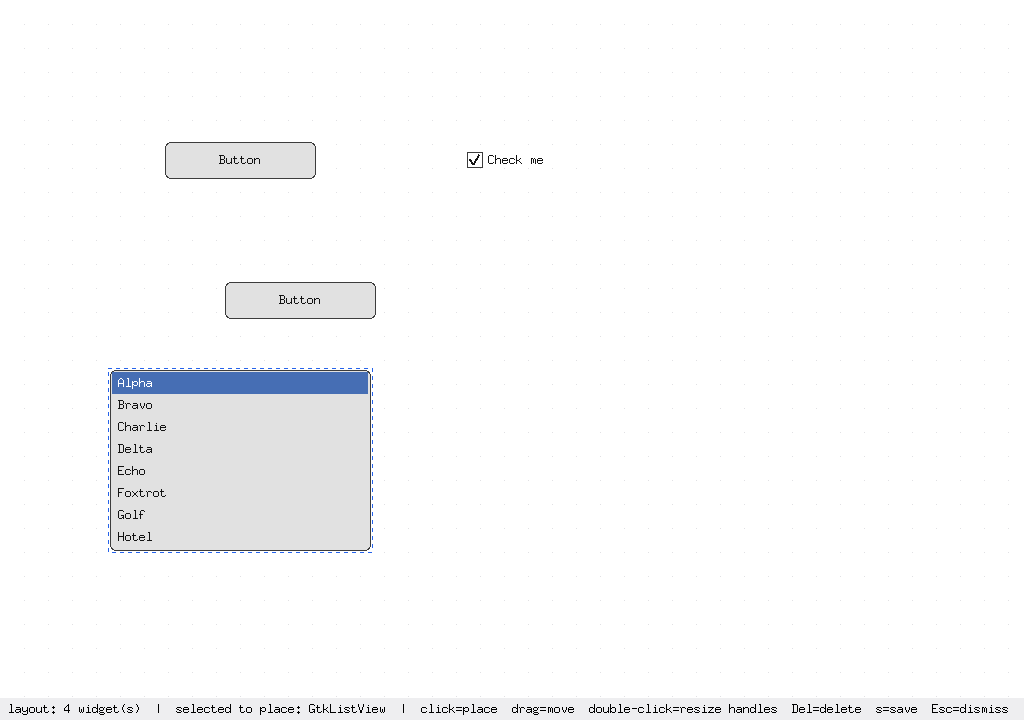
Every application eventually has to ask the user to PICK SOMETHING — a file, a colour, a font, an app, a place to go. Most toolkits hand you a system dialog and call it a day. XFrame doesn't. XFrame is a pure X11/Xlib hand-drawn C++17 widget library — NOT GTK, despite the Gtk* names, no Qt, no toolkit at all — and every chooser in this group is drawn pixel by pixel with raw Xlib calls, from the 12x6 hue/value colour grid to the breadcrumb band of the file chooser. Nothing here phones home to a desktop environment. There is no file dialog to open, no system colour picker to summon: the widgets ARE the picker.
This is article 16 of a 9-part series documenting all 194 widgets in the library, one group at a time — every widget below with its full API, its signals, and a working example you can compile and run. This group, the Choosers, holds 10 widgets: app choosers, a colour chooser, a file chooser, a font chooser, a places sidebar, and the Lazarus-style T* colour and file pickers. Two of them work from canned listings and never touch the real filesystem — the docs say so plainly, because honest caveats beat marketing copy every time.
The code lives at github.com/cnmcdee/CWidgets — MIT licensed, all 194 demos building with zero warnings and zero crashes under Xvfb. Before the widget reference below, the shared contract every one of the 194 widgets obeys: the same constructor, the same geometry, visibility, style and event handlers, the same public std::function signals. Read it once and you can drive any widget in the library.
CWidgets Documentation
XFrame — a pure X11/Xlib hand-drawn C++17 widget library. Every widget is drawn by hand with raw Xlib calls. There is no GTK here, no Qt, no toolkit at all — despite the Gtk* names. The Gtk* components recreate the look of GTK widgets as standalone X11 classes; the T* components are the same idea in Lazarus/Delphi style; plus XGraph and XSpreadsheet.
Start with the project README for the repo layout, build instructions, and test status. This index documents the widget API itself: the contract every widget shares, then one page per section with every widget in it.
Contents
| Section | Widgets | Page |
|---|---|---|
| Windows & Dialogs | 28 | windows-dialogs.md |
| Containers & Layout | 34 | containers-layout.md |
| Buttons | 24 | buttons.md |
| Display | 33 | display.md |
| Text & Entry | 28 | text-entry.md |
| Choosers | 10 | choosers.md |
| Views & Lists | 17 | views-lists.md |
| Menus & Toolbars | 16 | menus-toolbars.md |
| Misc / X | 4 | misc-x.md |
| Total | 194 |
Section assignment is defined in tools/sections.py and verified by tools/sections.py itself (run it: python3 tools/sections.py) — every widget belongs to exactly one section.
The shared widget contract
This is the part that is the same for all 194 widgets (verified by inspection across all 194 headers: every member below exists in every header). Each section page therefore lists only what is specific to each widget — constructor, widget-specific methods, signals — and does not repeat this contract.
Construction
Every widget has the identical constructor:
<Name>(Display* display, int screen, Window window, GC gc,
       SStyle_Manager* styles, int x, int y, int width, int height)
display,screen,window,gc— the X connection and the window the widget draws into, fromXOpenDisplay/XCreateSimpleWindow/DefaultGC.styles— anSStyle_Manager(fromcore/xframe_core.h) holding the named styles. Register at least a"default"style withadd_style_ex(...)and activate it withset_active_style_byName(...)before constructing widgets.x, y, width, height— the widget's initial bounds in window coordinates.
Geometry
void set_bounds(int x, int y, int width, int height);
int  width();    // x2_ - x1_
int  height();   // y2_ - y1_
bool contains(int x, int y);  // false when not visible
Visibility and enabled state
void set_visible(bool v);
bool get_visible();
void set_enabled(bool e);
bool get_enabled();
A disabled widget still draws, but greyed out (text colour forced to grey) and its event handlers refuse input. An invisible widget does not draw and contains() returns false for it.
Style
void   set_style_name(std::string s);  // "" = the manager's active style
SStyle style();                        // styles_->resolve(style_name_)
Drawing
void draw();
Draws the widget into its window with the resolved style. Returns immediately when the widget is not visible. Call it after construction and again after any handled event (the standard demo loop clears the window and redraws on every handled event).
Events
Every widget implements the same four handlers. Each returns true when it handled the event (the demo loop then clears and redraws) and false otherwise:
bool on_button_press(int x, int y, unsigned int button);   // button 1 = left
bool on_button_release(int x, int y, unsigned int button);
bool on_motion(int x, int y);
bool on_key(KeySym key, const char* str);
Typical behaviour: on_button_press sets pressed_/focused_ when the click lands inside the widget; on_button_release fires the widget's callback if the release is still inside; on_key fires the callback on Return/Space when the widget has focus. on_motion is a no-op on most widgets — only a few headers carry hover state, and the test suite found only 12 of 194 demos show a visible hover response. Do not assume a widget reacts to hover unless its section page says so.
Signals
Widgets expose their callbacks as public std::function members, e.g.:
std::function<void()> on_click; // the most common signal (85 widgets)
Assign them like any member:
widget.on_click = [] { printf("clicked\n"); };
Signal names and signatures vary by widget — on_change, on_response, on_toggled, on_value_changed, on_selection_changed, on_color_changed, on_page_selected, ... — with payloads such as void(int), void(std::string), void(bool), void(double), void(Srgb), void(TTreeNode&). The exact name and signature for each widget are listed on its section page. Never guess a signal name: if it is not in the header, it does not exist.
Minimal program skeleton
Every demo in components/<Name>/main_<Name>.cpp follows this shape (shown here for GtkButton — the section pages trim it further per widget):
#include "GtkButton.h"
#include <cstdio>

int main() {
    Display* display = XOpenDisplay(nullptr);
    if (!display) return 1;
    int screen = DefaultScreen(display);
    Window window = XCreateSimpleWindow(display, RootWindow(display, screen),
        100, 100, 800, 600, 1,
        BlackPixel(display, screen), WhitePixel(display, screen));
    XStoreName(display, window, "GtkButton - XFrame demo");
    XSelectInput(display, window, ExposureMask | KeyPressMask |
        StructureNotifyMask | ButtonPressMask | ButtonReleaseMask |
        PointerMotionMask);
    Atom wmDelete = XInternAtom(display, "WM_DELETE_WINDOW", False);
    XSetWMProtocols(display, window, &wmDelete, 1);
    XMapWindow(display, window);

    GC gc = DefaultGC(display, screen);
    SStyle_Manager styles(display, window, screen, gc);
    styles.add_style_ex("default", Srgb{225, 225, 225}, Srgb{120, 120, 120},
        Srgb{60, 60, 60}, Srgb{20, 20, 20}, 6, 1,
        "-misc-fixed-medium-r-normal--13-*");
    styles.set_active_style_byName("default");

    GtkButton widget(display, screen, window, gc, &styles, 40, 40, 340, 200);
    widget.on_click = [] { printf("clicked\n"); };
    widget.draw();

    bool running = true;
    while (running) {
        XEvent event;
        XNextEvent(display, &event);
        bool handled = false;
        switch (event.type) {
        case Expose:        handled = true; break;
        case ButtonPress:   handled = widget.on_button_press(
                                event.xbutton.x, event.xbutton.y,
                                event.xbutton.button); break;
        case ButtonRelease: handled = widget.on_button_release(
                                event.xbutton.x, event.xbutton.y,
                                event.xbutton.button); break;
        case MotionNotify:  handled = widget.on_motion(
                                event.xmotion.x, event.xmotion.y); break;
        case KeyPress: {
            char buffer[32];
            KeySym key = 0;
            int n = XLookupString(&event.xkey, buffer, sizeof(buffer) - 1,
                                  &key, nullptr);
            buffer[n] = 0;
            handled = widget.on_key(key, buffer);
            break;
        }
        case ClientMessage:
            if ((Atom)event.xclient.data.l[0] == wmDelete) running = false;
            break;
        }
        if (handled) {
            XClearWindow(display, window);
            widget.draw();
            XFlush(display);
        }
    }
    XCloseDisplay(display);
    return 0;
}
Build a single example (from the repo root, with the header's component directory on the include path):
g++ -std=c++17 -I components/GtkButton example.cpp -lX11 -o example
Or build the shipped demo instead — components/<Name>/CMakeLists.txt builds it standalone, and the top-level build builds all 194 (see the README).
Tools
- Selector palette —
palette/buildscwidgets_palette(part of the top-level build). A pure X11/XFrame window listing all 194 widgets in their 9 sections, each with its 16x16 icon. Click (or Up/Down + Enter) to select; the selection is written to the shared selection file (/tmp/cwidgets-selection.txt) for the layout tool. Self-test: 194/194 selections OK. - Layout window —
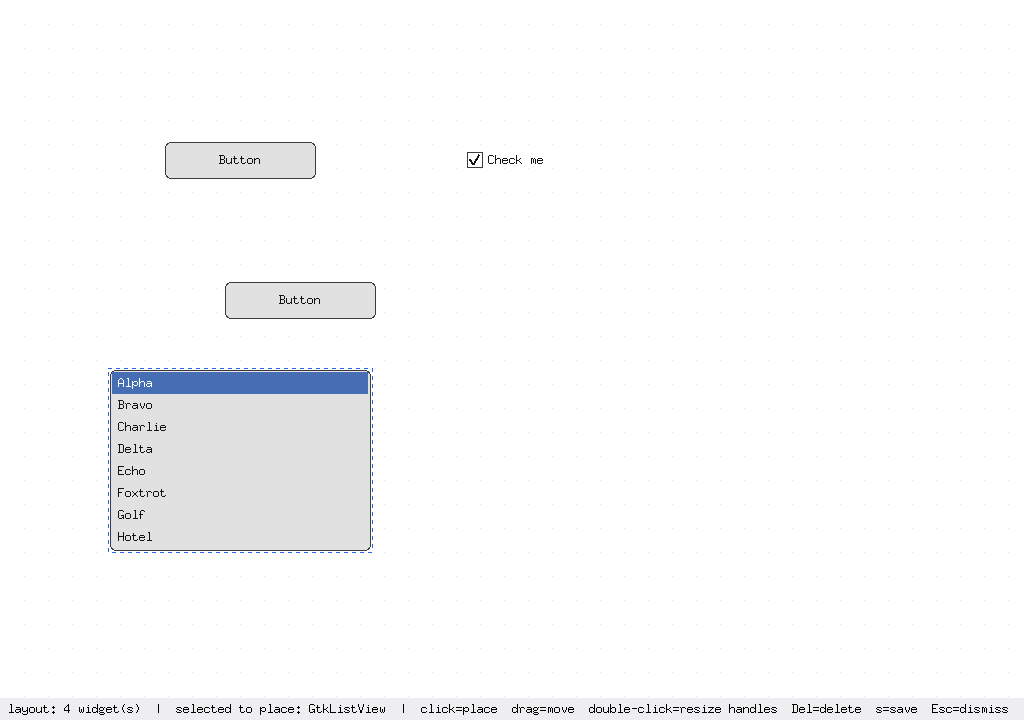
layout/buildscwidgets_layout. Instantiates the real widget classes via the generated factory incommon/registry.h(generated bytools/gen_registry.py— do not edit by hand). Click to place the selected widget, drag to move, Delete to remove,sto save/load the layout,qto quit. Double-click a placed widget for 8 orange resize handles (corners + edges); drag a handle to resize live; Escape dismisses the handles, Delete removes the widget. - Icons —
icons/<Name>.ico, one real 16x16 ICO per widget, purpose-drawn glyphs generated bytools/gen_icons.py(70 glyph kinds, section accent colours — not downscaled screenshots). Verified bytools/verify_icons.py: 194/194 parse as 16x16, all non-blank.
Test status
Tested Nov 26, 2026 on the VPS (Debian 12, g++ 12.2, Xvfb) with the autonomous driver test-driver/run_tests.py: all 194 demos build with 0 warnings (-Wall -Wextra); 193 draw (GtkInvisible is non-visual by design); 125 show a visible click response (the rest are display-only by design); all 194 survive keypresses and exit cleanly; zero crashes, zero hangs. Full table: test-results/results.md. Palette self-test 194/194; layout placement 194/194, draw 194/194, all 194 alive at once (test-results/palette_layout_results.csv).
License
MIT — see LICENSE. Copyright (c) 2026 cnmcdee.
Choosers
Choosers let the user pick something: an application, a colour, a file, a font, or a place. The big chooser widgets are panels with lists and previews; the button-sized ones report a value that is already set, since no real chooser dialogs exist in this framework. Two of them (GtkFileChooserWidget, TFileListBox) work from canned listings and never read the real filesystem.
Every widget here shares the common XFrame widget API — same constructor, set_bounds/draw/event handlers, visible/enabled state. The shared contract is documented in docs/index.md (written by the coordinator). Each subsection below lists only what is specific to that widget.
GtkAppChooserButton
A button that shows the selected application: a little window glyph (outline, title bar, two content lines) at the left, the app name, and a dropdown triangle at the right.
Constructor: GtkAppChooserButton(Display* display, int screen, Window window, GC gc, SStyle_Manager* styles, int x, int y, int width, int height)
API (widget-specific methods/properties/signals ONLY — skip the common ones):
set_text(std::string t)/get_text()— the displayed name; mirrors the app name (default"Text Editor")set_selected_app(std::string name, std::string id)— sets the app name and id togetherset_app_name(std::string name)/get_app_name()— the app name (default"Text Editor")set_app_id(std::string id)/get_app_id()— the app id (default"org.gnome.TextEditor")- signal
on_click(std::function<void()>) — fires on click - signal
on_changed(std::function<void(std::string)>) — fires on click with the app id
Example:
#include "GtkAppChooserButton.h"

#include <cstdio>

int main()
{
    Display* display = XOpenDisplay(nullptr);
    if (!display) { return 1; }
    int screen = DefaultScreen(display);
    Window window = XCreateSimpleWindow(display, RootWindow(display, screen), 100, 100, 800, 600, 1, BlackPixel(display, screen), WhitePixel(display, screen));
    XStoreName(display, window, "GtkAppChooserButton - XFrame demo");
    XSelectInput(display, window, ExposureMask | KeyPressMask | StructureNotifyMask | ButtonPressMask | ButtonReleaseMask | PointerMotionMask);
    Atom deleteWindowMessage = XInternAtom(display, "WM_DELETE_WINDOW", False);
    XSetWMProtocols(display, window, &deleteWindowMessage, 1);
    XMapWindow(display, window);
    GC gc = DefaultGC(display, screen);
    SStyle_Manager styles(display, window, screen, gc);
    styles.add_style_ex("default", Srgb{225, 225, 225}, Srgb{120, 120, 120}, Srgb{60, 60, 60}, Srgb{20, 20, 20}, 6, 1, "-misc-fixed-medium-r-normal--13-*");
    styles.set_active_style_byName("default");
    GtkAppChooserButton widget(display, screen, window, gc, &styles, 40, 40, 280, 36);
    widget.set_app_name("Text Editor");
    widget.on_changed = [](std::string id) { std::printf("app: %s\n", id.c_str()); };
    widget.draw();
    bool running = true;
    while (running)
    {
        XEvent event;
        XNextEvent(display, &event);
        bool handled = false;
        switch (event.type)
        {
        case Expose:
            handled = true;
            break;
        case ButtonPress:
            handled = widget.on_button_press(event.xbutton.x, event.xbutton.y, event.xbutton.button);
            break;
        case ButtonRelease:
            handled = widget.on_button_release(event.xbutton.x, event.xbutton.y, event.xbutton.button);
            break;
        case MotionNotify:
            handled = widget.on_motion(event.xmotion.x, event.xmotion.y);
            break;
        case KeyPress:
        {
            char buffer[32];
            KeySym key = 0;
            int n = XLookupString(&event.xkey, buffer, (int)sizeof(buffer) - 1, &key, nullptr);
            buffer[n] = 0;
            handled = widget.on_key(key, buffer);
            break;
        }
        case ClientMessage:
            if ((Atom)event.xclient.data.l[0] == deleteWindowMessage)
            {
                running = false;
            }
            break;
        }
        if (handled)
        {
            XClearWindow(display, window);
            widget.draw();
            XFlush(display);
        }
    }
    XCloseDisplay(display);
    return 0;
}
Notes: Clicking does not open an app chooser — there is none in this framework; the callbacks simply report the app that is already set.
GtkAppChooserWidget
A scrollable list of applications: each row has a 24x24 icon box with a glyph letter, the app name, and a grey description underneath. Eight apps are preloaded (Firefox Web Browser, Files, Terminal, Text Editor, Calculator, Image Viewer, Music Player, Software Centre).
Constructor: GtkAppChooserWidget(Display* display, int screen, Window window, GC gc, SStyle_Manager* styles, int x, int y, int width, int height)
API (widget-specific methods/properties/signals ONLY — skip the common ones):
set_text(std::string t)/get_text()— stored but not drawn (default"App Chooser")add_app(std::string app_name, std::string glyph, std::string description)— appends an appapp_count()— number of appsget_selected()— the selected row index (default0)get_app_name()— the selected app's nameselect_app(std::string app_name)— selects by name (no-op when the name is not found)- signal
on_app_selected(std::function<void()>) — fires when a row is clicked - signal
on_app_activated(std::function<void()>) — fires on a double-click (two clicks on the same row within 400 ms)
Example:
#include "GtkAppChooserWidget.h"

#include <cstdio>

int main()
{
    Display* display = XOpenDisplay(nullptr);
    if (!display) { return 1; }
    int screen = DefaultScreen(display);
    Window window = XCreateSimpleWindow(display, RootWindow(display, screen), 100, 100, 800, 600, 1, BlackPixel(display, screen), WhitePixel(display, screen));
    XStoreName(display, window, "GtkAppChooserWidget - XFrame demo");
    XSelectInput(display, window, ExposureMask | KeyPressMask | StructureNotifyMask | ButtonPressMask | ButtonReleaseMask | PointerMotionMask);
    Atom deleteWindowMessage = XInternAtom(display, "WM_DELETE_WINDOW", False);
    XSetWMProtocols(display, window, &deleteWindowMessage, 1);
    XMapWindow(display, window);
    GC gc = DefaultGC(display, screen);
    SStyle_Manager styles(display, window, screen, gc);
    styles.add_style_ex("default", Srgb{225, 225, 225}, Srgb{120, 120, 120}, Srgb{60, 60, 60}, Srgb{20, 20, 20}, 6, 1, "-misc-fixed-medium-r-normal--13-*");
    styles.set_active_style_byName("default");
    GtkAppChooserWidget widget(display, screen, window, gc, &styles, 20, 20, 720, 480);
    widget.add_app("My App", "M", "Does things");
    widget.select_app("Text Editor");
    widget.on_app_selected = [] { std::printf("app selected\n"); };
    widget.draw();
    bool running = true;
    while (running)
    {
        XEvent event;
        XNextEvent(display, &event);
        bool handled = false;
        switch (event.type)
        {
        case Expose:
            handled = true;
            break;
        case ButtonPress:
            handled = widget.on_button_press(event.xbutton.x, event.xbutton.y, event.xbutton.button);
            break;
        case ButtonRelease:
            handled = widget.on_button_release(event.xbutton.x, event.xbutton.y, event.xbutton.button);
            break;
        case MotionNotify:
            handled = widget.on_motion(event.xmotion.x, event.xmotion.y);
            break;
        case KeyPress:
        {
            char buffer[32];
            KeySym key = 0;
            int n = XLookupString(&event.xkey, buffer, (int)sizeof(buffer) - 1, &key, nullptr);
            buffer[n] = 0;
            handled = widget.on_key(key, buffer);
            break;
        }
        case ClientMessage:
            if ((Atom)event.xclient.data.l[0] == deleteWindowMessage)
            {
                running = false;
            }
            break;
        }
        if (handled)
        {
            XClearWindow(display, window);
            widget.draw();
            XFlush(display);
        }
    }
    XCloseDisplay(display);
    return 0;
}
Notes: Rows are 34px tall; only the rows that fit in the widget height are drawn (scrolled from scroll_row_, which the widget manages itself).
GtkColorChooserWidget
A colour chooser: a 12x6 hue/value palette grid, a hue strip underneath, and a side panel with the current swatch plus R/G/B channel sliders and a hex readout.
Constructor: GtkColorChooserWidget(Display* display, int screen, Window window, GC gc, SStyle_Manager* styles, int x, int y, int width, int height)
API (widget-specific methods/properties/signals ONLY — skip the common ones):
set_text(std::string t)/get_text()— stored but not drawn (default"Color Chooser")set_rgba(Srgb color, int alpha)— sets the current colour and alpha (alpha clamped to 0..255; default colour{200, 60, 40}, alpha255)get_rgba()(Srgb) — the current colour;get_alpha()— the alphaget_hex()— the current colour as"#RRGGBB"set_channel(int channel, int value)— sets one channel directly (0 = red, 1 = green, 2 = blue)- signal
on_color_changed(std::function<void()>) — fires when the colour changes
Example:
#include "GtkColorChooserWidget.h"

#include <cstdio>

int main()
{
    Display* display = XOpenDisplay(nullptr);
    if (!display) { return 1; }
    int screen = DefaultScreen(display);
    Window window = XCreateSimpleWindow(display, RootWindow(display, screen), 100, 100, 800, 600, 1, BlackPixel(display, screen), WhitePixel(display, screen));
    XStoreName(display, window, "GtkColorChooserWidget - XFrame demo");
    XSelectInput(display, window, ExposureMask | KeyPressMask | StructureNotifyMask | ButtonPressMask | ButtonReleaseMask | PointerMotionMask);
    Atom deleteWindowMessage = XInternAtom(display, "WM_DELETE_WINDOW", False);
    XSetWMProtocols(display, window, &deleteWindowMessage, 1);
    XMapWindow(display, window);
    GC gc = DefaultGC(display, screen);
    SStyle_Manager styles(display, window, screen, gc);
    styles.add_style_ex("default", Srgb{225, 225, 225}, Srgb{120, 120, 120}, Srgb{60, 60, 60}, Srgb{20, 20, 20}, 6, 1, "-misc-fixed-medium-r-normal--13-*");
    styles.set_active_style_byName("default");
    GtkColorChooserWidget widget(display, screen, window, gc, &styles, 20, 20, 720, 480);
    widget.set_rgba(Srgb{200, 60, 40}, 255);
    widget.on_color_changed = [] { std::printf("colour changed\n"); };
    widget.draw();
    bool running = true;
    while (running)
    {
        XEvent event;
        XNextEvent(display, &event);
        bool handled = false;
        switch (event.type)
        {
        case Expose:
            handled = true;
            break;
        case ButtonPress:
            handled = widget.on_button_press(event.xbutton.x, event.xbutton.y, event.xbutton.button);
            break;
        case ButtonRelease:
            handled = widget.on_button_release(event.xbutton.x, event.xbutton.y, event.xbutton.button);
            break;
        case MotionNotify:
            handled = widget.on_motion(event.xmotion.x, event.xmotion.y);
            break;
        case KeyPress:
        {
            char buffer[32];
            KeySym key = 0;
            int n = XLookupString(&event.xkey, buffer, (int)sizeof(buffer) - 1, &key, nullptr);
            buffer[n] = 0;
            handled = widget.on_key(key, buffer);
            break;
        }
        case ClientMessage:
            if ((Atom)event.xclient.data.l[0] == deleteWindowMessage)
            {
                running = false;
            }
            break;
        }
        if (handled)
        {
            XClearWindow(display, window);
            widget.draw();
            XFlush(display);
        }
    }
    XCloseDisplay(display);
    return 0;
}
Notes: Clicking a palette cell picks that colour; clicking the hue strip sets the hue; the channel sliders adjust one channel. The grid value falls off by 0.13 per row from the top.
GtkFileChooserWidget
A file chooser: a breadcrumb band across the top, a Name/Size column header, and rows with folder/file glyphs. Double-click a folder to enter it, double-click a file to activate it.
Constructor: GtkFileChooserWidget(Display* display, int screen, Window window, GC gc, SStyle_Manager* styles, int x, int y, int width, int height)
API (widget-specific methods/properties/signals ONLY — skip the common ones):
set_text(std::string t)/get_text()— stored but not drawn (default"File Chooser")get_current_folder()/set_current_folder(std::string path)— the current path (changing it reloads the listing and clears the selection)get_filename()— the full path of the selected file (folder + name), or empty when nothing is selectedget_selected_name()— the selected entry's nameentry_count()— the number of entries in the current listing- signal
on_file_activated(std::function<void()>) — fires on double-clicking a file - signal
on_folder_changed(std::function<void()>) — fires when a folder is entered - signal
on_selection_changed(std::function<void()>) — fires when the selection changes
Example:
#include "GtkFileChooserWidget.h"

#include <cstdio>

int main()
{
    Display* display = XOpenDisplay(nullptr);
    if (!display) { return 1; }
    int screen = DefaultScreen(display);
    Window window = XCreateSimpleWindow(display, RootWindow(display, screen), 100, 100, 800, 600, 1, BlackPixel(display, screen), WhitePixel(display, screen));
    XStoreName(display, window, "GtkFileChooserWidget - XFrame demo");
    XSelectInput(display, window, ExposureMask | KeyPressMask | StructureNotifyMask | ButtonPressMask | ButtonReleaseMask | PointerMotionMask);
    Atom deleteWindowMessage = XInternAtom(display, "WM_DELETE_WINDOW", False);
    XSetWMProtocols(display, window, &deleteWindowMessage, 1);
    XMapWindow(display, window);
    GC gc = DefaultGC(display, screen);
    SStyle_Manager styles(display, window, screen, gc);
    styles.add_style_ex("default", Srgb{225, 225, 225}, Srgb{120, 120, 120}, Srgb{60, 60, 60}, Srgb{20, 20, 20}, 6, 1, "-misc-fixed-medium-r-normal--13-*");
    styles.set_active_style_byName("default");
    GtkFileChooserWidget widget(display, screen, window, gc, &styles, 20, 20, 720, 480);
    widget.set_current_folder("/home/user/Documents");
    widget.on_selection_changed = [] { std::printf("selection changed\n"); };
    widget.draw();
    bool running = true;
    while (running)
    {
        XEvent event;
        XNextEvent(display, &event);
        bool handled = false;
        switch (event.type)
        {
        case Expose:
            handled = true;
            break;
        case ButtonPress:
            handled = widget.on_button_press(event.xbutton.x, event.xbutton.y, event.xbutton.button);
            break;
        case ButtonRelease:
            handled = widget.on_button_release(event.xbutton.x, event.xbutton.y, event.xbutton.button);
            break;
        case MotionNotify:
            handled = widget.on_motion(event.xmotion.x, event.xmotion.y);
            break;
        case KeyPress:
        {
            char buffer[32];
            KeySym key = 0;
            int n = XLookupString(&event.xkey, buffer, (int)sizeof(buffer) - 1, &key, nullptr);
            buffer[n] = 0;
            handled = widget.on_key(key, buffer);
            break;
        }
        case ClientMessage:
            if ((Atom)event.xclient.data.l[0] == deleteWindowMessage)
            {
                running = false;
            }
            break;
        }
        if (handled)
        {
            XClearWindow(display, window);
            widget.draw();
            XFlush(display);
        }
    }
    XCloseDisplay(display);
    return 0;
}
Notes: The listing is CANNED, not a real directory read: listing_for() returns hardcoded entries for a few paths (home, Documents, Downloads, …) and never touches the filesystem. set_current_folder() to an unknown path is unclear from the header — the fallback listing is not documented.
GtkFontChooserWidget
A font chooser: three columns (Font, Style, Size) with a preview band underneath showing "AaBbGg 0123456789" and the selected font name.
Constructor: GtkFontChooserWidget(Display* display, int screen, Window window, GC gc, SStyle_Manager* styles, int x, int y, int width, int height)
API (widget-specific methods/properties/signals ONLY — skip the common ones):
set_text(std::string t)/get_text()— stored but not drawn (default"Font Chooser")get_font_name()— the selected font as"<family> <style> <size>"get_family()/get_face_style()/get_font_size()— the selected partsset_family(std::string family)— selects a family by nameset_font_size(int size)— selects a size by value- signal
on_font_changed(std::function<void()>) — fires when the selection changes
Example:
#include "GtkFontChooserWidget.h"

#include <cstdio>

int main()
{
    Display* display = XOpenDisplay(nullptr);
    if (!display) { return 1; }
    int screen = DefaultScreen(display);
    Window window = XCreateSimpleWindow(display, RootWindow(display, screen), 100, 100, 800, 600, 1, BlackPixel(display, screen), WhitePixel(display, screen));
    XStoreName(display, window, "GtkFontChooserWidget - XFrame demo");
    XSelectInput(display, window, ExposureMask | KeyPressMask | StructureNotifyMask | ButtonPressMask | ButtonReleaseMask | PointerMotionMask);
    Atom deleteWindowMessage = XInternAtom(display, "WM_DELETE_WINDOW", False);
    XSetWMProtocols(display, window, &deleteWindowMessage, 1);
    XMapWindow(display, window);
    GC gc = DefaultGC(display, screen);
    SStyle_Manager styles(display, window, screen, gc);
    styles.add_style_ex("default", Srgb{225, 225, 225}, Srgb{120, 120, 120}, Srgb{60, 60, 60}, Srgb{20, 20, 20}, 6, 1, "-misc-fixed-medium-r-normal--13-*");
    styles.set_active_style_byName("default");
    GtkFontChooserWidget widget(display, screen, window, gc, &styles, 20, 20, 720, 480);
    widget.set_family("Sans");
    widget.set_font_size(12);
    widget.on_font_changed = [] { std::printf("font changed\n"); };
    widget.draw();
    bool running = true;
    while (running)
    {
        XEvent event;
        XNextEvent(display, &event);
        bool handled = false;
        switch (event.type)
        {
        case Expose:
            handled = true;
            break;
        case ButtonPress:
            handled = widget.on_button_press(event.xbutton.x, event.xbutton.y, event.xbutton.button);
            break;
        case ButtonRelease:
            handled = widget.on_button_release(event.xbutton.x, event.xbutton.y, event.xbutton.button);
            break;
        case MotionNotify:
            handled = widget.on_motion(event.xmotion.x, event.xmotion.y);
            break;
        case KeyPress:
        {
            char buffer[32];
            KeySym key = 0;
            int n = XLookupString(&event.xkey, buffer, (int)sizeof(buffer) - 1, &key, nullptr);
            buffer[n] = 0;
            handled = widget.on_key(key, buffer);
            break;
        }
        case ClientMessage:
            if ((Atom)event.xclient.data.l[0] == deleteWindowMessage)
            {
                running = false;
            }
            break;
        }
        if (handled)
        {
            XClearWindow(display, window);
            widget.draw();
            XFlush(display);
        }
    }
    XCloseDisplay(display);
    return 0;
}
Notes: The family list is fixed: Sans, Serif, Monospace, DejaVu Sans, DejaVu Serif, Liberation Sans, Liberation Mono, Courier. The header does not expose a setter for the face style — it changes only by clicking the Style column.
GtkPlacesSidebar
A sidebar of places: rows with an 18x18 icon box (glyph letter) and a place name. Eight places are preloaded (Home, Desktop, Documents, Downloads, Music, Pictures, Videos, Trash).
Constructor: GtkPlacesSidebar(Display* display, int screen, Window window, GC gc, SStyle_Manager* styles, int x, int y, int width, int height)
API (widget-specific methods/properties/signals ONLY — skip the common ones):
set_text(std::string t)/get_text()— stored but not drawn (default"Places")add_place(std::string place_name, std::string glyph)— appends a placeplace_count()— number of placesget_selected()— the selected row index (default0)get_selected_place()— the selected place's nameselect_place(std::string place_name)— selects by name- signal
on_place_selected(std::function<void(std::string)>) — fires with the place name when a row is clicked
Example:
#include "GtkPlacesSidebar.h"

#include <cstdio>

int main()
{
    Display* display = XOpenDisplay(nullptr);
    if (!display) { return 1; }
    int screen = DefaultScreen(display);
    Window window = XCreateSimpleWindow(display, RootWindow(display, screen), 100, 100, 800, 600, 1, BlackPixel(display, screen), WhitePixel(display, screen));
    XStoreName(display, window, "GtkPlacesSidebar - XFrame demo");
    XSelectInput(display, window, ExposureMask | KeyPressMask | StructureNotifyMask | ButtonPressMask | ButtonReleaseMask | PointerMotionMask);
    Atom deleteWindowMessage = XInternAtom(display, "WM_DELETE_WINDOW", False);
    XSetWMProtocols(display, window, &deleteWindowMessage, 1);
    XMapWindow(display, window);
    GC gc = DefaultGC(display, screen);
    SStyle_Manager styles(display, window, screen, gc);
    styles.add_style_ex("default", Srgb{225, 225, 225}, Srgb{120, 120, 120}, Srgb{60, 60, 60}, Srgb{20, 20, 20}, 6, 1, "-misc-fixed-medium-r-normal--13-*");
    styles.set_active_style_byName("default");
    GtkPlacesSidebar widget(display, screen, window, gc, &styles, 40, 40, 340, 200);
    widget.add_place("Work", "W");
    widget.select_place("Home");
    widget.on_place_selected = [](std::string place) { std::printf("place: %s\n", place.c_str()); };
    widget.draw();
    bool running = true;
    while (running)
    {
        XEvent event;
        XNextEvent(display, &event);
        bool handled = false;
        switch (event.type)
        {
        case Expose:
            handled = true;
            break;
        case ButtonPress:
            handled = widget.on_button_press(event.xbutton.x, event.xbutton.y, event.xbutton.button);
            break;
        case ButtonRelease:
            handled = widget.on_button_release(event.xbutton.x, event.xbutton.y, event.xbutton.button);
            break;
        case MotionNotify:
            handled = widget.on_motion(event.xmotion.x, event.xmotion.y);
            break;
        case KeyPress:
        {
            char buffer[32];
            KeySym key = 0;
            int n = XLookupString(&event.xkey, buffer, (int)sizeof(buffer) - 1, &key, nullptr);
            buffer[n] = 0;
            handled = widget.on_key(key, buffer);
            break;
        }
        case ClientMessage:
            if ((Atom)event.xclient.data.l[0] == deleteWindowMessage)
            {
                running = false;
            }
            break;
        }
        if (handled)
        {
            XClearWindow(display, window);
            widget.draw();
            XFlush(display);
        }
    }
    XCloseDisplay(display);
    return 0;
}
Notes: Real hover state: on_motion tracks the hovered row and it is drawn highlighted. Rows are 28px tall.
TColorBox
A colour dropdown: the field shows the selected colour's swatch and name, with a dropdown button at the right. The popup lists the 16 built-in cl* colours.
Constructor: TColorBox(Display* display, int screen, Window window, GC gc, SStyle_Manager* styles, int x, int y, int width, int height)
API (widget-specific methods/properties/signals ONLY — skip the common ones):
set_text(std::string t)/get_text()— stored but not drawn (default"TColorBox")is_dropped()— whether the popup list is currently openset_selected_color_by_name(std::string n)— selects bycl*nameget_selected_name()— the selected colour's name (default"clBlue")get_selected_color()(unsigned long) /get_selected_rgb()(Srgb) — the selected colour as a pixel / as RGBset_selected_index(int idx)/get_selected_index()— the selection by index (default12, clBlue)color_count()— the number of colours (16)- signal
on_change(std::function<void()>) — fires when the selection changes - signal
on_click(std::function<void()>) — fires on click
Example:
#include "TColorBox.h"

#include <cstdio>

int main()
{
    Display* display = XOpenDisplay(nullptr);
    if (!display) { return 1; }
    int screen = DefaultScreen(display);
    Window window = XCreateSimpleWindow(display, RootWindow(display, screen), 100, 100, 800, 600, 1, BlackPixel(display, screen), WhitePixel(display, screen));
    XStoreName(display, window, "TColorBox - XFrame demo");
    XSelectInput(display, window, ExposureMask | KeyPressMask | StructureNotifyMask | ButtonPressMask | ButtonReleaseMask | PointerMotionMask);
    Atom deleteWindowMessage = XInternAtom(display, "WM_DELETE_WINDOW", False);
    XSetWMProtocols(display, window, &deleteWindowMessage, 1);
    XMapWindow(display, window);
    GC gc = DefaultGC(display, screen);
    SStyle_Manager styles(display, window, screen, gc);
    styles.add_style_ex("default", Srgb{225, 225, 225}, Srgb{120, 120, 120}, Srgb{60, 60, 60}, Srgb{20, 20, 20}, 6, 1, "-misc-fixed-medium-r-normal--13-*");
    styles.set_active_style_byName("default");
    TColorBox widget(display, screen, window, gc, &styles, 40, 40, 280, 36);
    widget.set_selected_index(12);
    widget.on_change = [] { std::printf("colour changed\n"); };
    widget.draw();
    bool running = true;
    while (running)
    {
        XEvent event;
        XNextEvent(display, &event);
        bool handled = false;
        switch (event.type)
        {
        case Expose:
            handled = true;
            break;
        case ButtonPress:
            handled = widget.on_button_press(event.xbutton.x, event.xbutton.y, event.xbutton.button);
            break;
        case ButtonRelease:
            handled = widget.on_button_release(event.xbutton.x, event.xbutton.y, event.xbutton.button);
            break;
        case MotionNotify:
            handled = widget.on_motion(event.xmotion.x, event.xmotion.y);
            break;
        case KeyPress:
        {
            char buffer[32];
            KeySym key = 0;
            int n = XLookupString(&event.xkey, buffer, (int)sizeof(buffer) - 1, &key, nullptr);
            buffer[n] = 0;
            handled = widget.on_key(key, buffer);
            break;
        }
        case ClientMessage:
            if ((Atom)event.xclient.data.l[0] == deleteWindowMessage)
            {
                running = false;
            }
            break;
        }
        if (handled)
        {
            XClearWindow(display, window);
            widget.draw();
            XFlush(display);
        }
    }
    XCloseDisplay(display);
    return 0;
}
Notes: The built-in list is clBlack, clMaroon, clGreen, clOlive, clNavy, clPurple, clTeal, clGray, clSilver, clRed, clLime, clYellow, clBlue, clFuchsia, clAqua, clWhite. Hover highlights a row in the open popup; the popup scrolls so the selected row stays visible.
TColorButton
A colour button: a 22px colour swatch at the left of the face, the caption beside it, and a dropdown triangle at the right. Clicking opens a 5x4 palette popup under the button.
Constructor: TColorButton(Display* display, int screen, Window window, GC gc, SStyle_Manager* styles, int x, int y, int width, int height)
API (widget-specific methods/properties/signals ONLY — skip the common ones):
set_text(std::string t)/get_text()— the caption (default"Color")set_color(Srgb c)/get_color()(Srgb) — the colour (default{204, 51, 51}, red); setting it fireson_color_changedpalette_open()— whether the palette popup is currently open- signal
on_click(std::function<void()>) — fires on click - signal
on_color_changed(std::function<void(Srgb)>) — fires with the new colour when a palette cell is picked (orset_color()is called)
Example:
#include "TColorButton.h"

#include <cstdio>

int main()
{
    Display* display = XOpenDisplay(nullptr);
    if (!display) { return 1; }
    int screen = DefaultScreen(display);
    Window window = XCreateSimpleWindow(display, RootWindow(display, screen), 100, 100, 800, 600, 1, BlackPixel(display, screen), WhitePixel(display, screen));
    XStoreName(display, window, "TColorButton - XFrame demo");
    XSelectInput(display, window, ExposureMask | KeyPressMask | StructureNotifyMask | ButtonPressMask | ButtonReleaseMask | PointerMotionMask);
    Atom deleteWindowMessage = XInternAtom(display, "WM_DELETE_WINDOW", False);
    XSetWMProtocols(display, window, &deleteWindowMessage, 1);
    XMapWindow(display, window);
    GC gc = DefaultGC(display, screen);
    SStyle_Manager styles(display, window, screen, gc);
    styles.add_style_ex("default", Srgb{225, 225, 225}, Srgb{120, 120, 120}, Srgb{60, 60, 60}, Srgb{20, 20, 20}, 6, 1, "-misc-fixed-medium-r-normal--13-*");
    styles.set_active_style_byName("default");
    TColorButton widget(display, screen, window, gc, &styles, 40, 40, 340, 200);
    widget.set_color(Srgb{204, 51, 51});
    widget.on_color_changed = [](Srgb c) { std::printf("colour: %d %d %d\n", c.r, c.g, c.b); };
    widget.draw();
    bool running = true;
    while (running)
    {
        XEvent event;
        XNextEvent(display, &event);
        bool handled = false;
        switch (event.type)
        {
        case Expose:
            handled = true;
            break;
        case ButtonPress:
            handled = widget.on_button_press(event.xbutton.x, event.xbutton.y, event.xbutton.button);
            break;
        case ButtonRelease:
            handled = widget.on_button_release(event.xbutton.x, event.xbutton.y, event.xbutton.button);
            break;
        case MotionNotify:
            handled = widget.on_motion(event.xmotion.x, event.xmotion.y);
            break;
        case KeyPress:
        {
            char buffer[32];
            KeySym key = 0;
            int n = XLookupString(&event.xkey, buffer, (int)sizeof(buffer) - 1, &key, nullptr);
            buffer[n] = 0;
            handled = widget.on_key(key, buffer);
            break;
        }
        case ClientMessage:
            if ((Atom)event.xclient.data.l[0] == deleteWindowMessage)
            {
                running = false;
            }
            break;
        }
        if (handled)
        {
            XClearWindow(display, window);
            widget.draw();
            XFlush(display);
        }
    }
    XCloseDisplay(display);
    return 0;
}
Notes: The palette is a fixed 5 columns x 4 rows of colours with 18px cells; the current colour's cell is outlined in the popup. Clicking outside the palette (or picking a cell) closes it.
TColorListBox
A list box of colours: a white inset list where each row shows a colour swatch and its cl* name. The selected row is blue with white text.
Constructor: TColorListBox(Display* display, int screen, Window window, GC gc, SStyle_Manager* styles, int x, int y, int width, int height)
API (widget-specific methods/properties/signals ONLY — skip the common ones):
set_text(std::string t)/get_text()— stored but not drawn (default"TColorListBox")get_selected_name()— the selected colour's name (default"clBlue")get_selected_color()(unsigned long) /get_selected_rgb()(Srgb) — the selected colour as a pixel / as RGBset_selected_index(int idx)/get_selected_index()— the selection by index (default12, clBlue)set_selected_color_by_name(std::string n)— selects bycl*namecolor_count()— the number of colours (16)get_top_index()— the first visible row (scroll position)- signal
on_change(std::function<void()>) — fires when the selection changes - signal
on_click(std::function<void()>) — fires on click
Example:
#include "TColorListBox.h"

#include <cstdio>

int main()
{
    Display* display = XOpenDisplay(nullptr);
    if (!display) { return 1; }
    int screen = DefaultScreen(display);
    Window window = XCreateSimpleWindow(display, RootWindow(display, screen), 100, 100, 800, 600, 1, BlackPixel(display, screen), WhitePixel(display, screen));
    XStoreName(display, window, "TColorListBox - XFrame demo");
    XSelectInput(display, window, ExposureMask | KeyPressMask | StructureNotifyMask | ButtonPressMask | ButtonReleaseMask | PointerMotionMask);
    Atom deleteWindowMessage = XInternAtom(display, "WM_DELETE_WINDOW", False);
    XSetWMProtocols(display, window, &deleteWindowMessage, 1);
    XMapWindow(display, window);
    GC gc = DefaultGC(display, screen);
    SStyle_Manager styles(display, window, screen, gc);
    styles.add_style_ex("default", Srgb{225, 225, 225}, Srgb{120, 120, 120}, Srgb{60, 60, 60}, Srgb{20, 20, 20}, 6, 1, "-misc-fixed-medium-r-normal--13-*");
    styles.set_active_style_byName("default");
    TColorListBox widget(display, screen, window, gc, &styles, 40, 40, 340, 200);
    widget.set_selected_index(12);
    widget.on_change = [] { std::printf("colour changed\n"); };
    widget.draw();
    bool running = true;
    while (running)
    {
        XEvent event;
        XNextEvent(display, &event);
        bool handled = false;
        switch (event.type)
        {
        case Expose:
            handled = true;
            break;
        case ButtonPress:
            handled = widget.on_button_press(event.xbutton.x, event.xbutton.y, event.xbutton.button);
            break;
        case ButtonRelease:
            handled = widget.on_button_release(event.xbutton.x, event.xbutton.y, event.xbutton.button);
            break;
        case MotionNotify:
            handled = widget.on_motion(event.xmotion.x, event.xmotion.y);
            break;
        case KeyPress:
        {
            char buffer[32];
            KeySym key = 0;
            int n = XLookupString(&event.xkey, buffer, (int)sizeof(buffer) - 1, &key, nullptr);
            buffer[n] = 0;
            handled = widget.on_key(key, buffer);
            break;
        }
        case ClientMessage:
            if ((Atom)event.xclient.data.l[0] == deleteWindowMessage)
            {
                running = false;
            }
            break;
        }
        if (handled)
        {
            XClearWindow(display, window);
            widget.draw();
            XFlush(display);
        }
    }
    XCloseDisplay(display);
    return 0;
}
Notes: The list is the same 16 built-in colours as TColorBox (clBlack…clWhite). Arrow keys move the selection; the list scrolls to keep it visible.
TFileListBox
A file list box: a header bar showing the active mask, then rows of file names — directories in [brackets]. The selected row is highlighted.
Constructor: TFileListBox(Display* display, int screen, Window window, GC gc, SStyle_Manager* styles, int x, int y, int width, int height)
API (widget-specific methods/properties/signals ONLY — skip the common ones):
set_text(std::string t)/get_text()— the selected file's name (the widget overwrites it on selection change)get_filename()— the selected file's nameget_item_index()— the selected row (default0)get_count()— the number of rows after filteringset_mask(std::string m)/get_mask()— the filter mask (default"*.*";;separates alternatives,*/?wildcards)set_file_type(int ft)/get_file_type()— a bitmask: bit0 = files, bit1 = directories, bit2 = hidden (default1, files only)- signal
on_click(std::function<void()>) — fires on click - signal
on_change(std::function<void()>) — fires when the selection changes - signal
on_dbl_click(std::function<void()>) — fires on double-click
Example:
#include "TFileListBox.h"

#include <cstdio>

int main()
{
    Display* display = XOpenDisplay(nullptr);
    if (!display) { return 1; }
    int screen = DefaultScreen(display);
    Window window = XCreateSimpleWindow(display, RootWindow(display, screen), 100, 100, 800, 600, 1, BlackPixel(display, screen), WhitePixel(display, screen));
    XStoreName(display, window, "TFileListBox - XFrame demo");
    XSelectInput(display, window, ExposureMask | KeyPressMask | StructureNotifyMask | ButtonPressMask | ButtonReleaseMask | PointerMotionMask);
    Atom deleteWindowMessage = XInternAtom(display, "WM_DELETE_WINDOW", False);
    XSetWMProtocols(display, window, &deleteWindowMessage, 1);
    XMapWindow(display, window);
    GC gc = DefaultGC(display, screen);
    SStyle_Manager styles(display, window, screen, gc);
    styles.add_style_ex("default", Srgb{225, 225, 225}, Srgb{120, 120, 120}, Srgb{60, 60, 60}, Srgb{20, 20, 20}, 6, 1, "-misc-fixed-medium-r-normal--13-*");
    styles.set_active_style_byName("default");
    TFileListBox widget(display, screen, window, gc, &styles, 40, 40, 340, 200);
    widget.set_mask("*.txt");
    widget.set_file_type(1);
    widget.on_change = [] { std::printf("file changed\n"); };
    widget.draw();
    bool running = true;
    while (running)
    {
        XEvent event;
        XNextEvent(display, &event);
        bool handled = false;
        switch (event.type)
        {
        case Expose:
            handled = true;
            break;
        case ButtonPress:
            handled = widget.on_button_press(event.xbutton.x, event.xbutton.y, event.xbutton.button);
            break;
        case ButtonRelease:
            handled = widget.on_button_release(event.xbutton.x, event.xbutton.y, event.xbutton.button);
            break;
        case MotionNotify:
            handled = widget.on_motion(event.xmotion.x, event.xmotion.y);
            break;
        case KeyPress:
        {
            char buffer[32];
            KeySym key = 0;
            int n = XLookupString(&event.xkey, buffer, (int)sizeof(buffer) - 1, &key, nullptr);
            buffer[n] = 0;
            handled = widget.on_key(key, buffer);
            break;
        }
        case ClientMessage:
            if ((Atom)event.xclient.data.l[0] == deleteWindowMessage)
            {
                running = false;
            }
            break;
        }
        if (handled)
        {
            XClearWindow(display, window);
            widget.draw();
            XFlush(display);
        }
    }
    XCloseDisplay(display);
    return 0;
}
Notes: The item list is CANNED, not a real directory read: the constructor loads a fixed set of names (src, tests, document.txt, notes.txt, main.cpp, …) and the mask/file-type only filter that set. There is no way to point it at a real directory.
Where to go from here
The full source, build instructions and test results are in the repo: github.com/cnmcdee/CWidgets. The complete documentation — the shared contract above plus all nine section pages — lives at github.com/cnmcdee/CWidgets/blob/main/docs/index.md. Pick a chooser, compile its demo, and watch a hand-drawn colour grid light up under your mouse — no toolkit required.
The combined-IDE article follows later — the one where all of this, the designer, the palette, the layout window and the GDB stepping debugger, comes together as a single application.