EVERY APP NEEDS A MENU BAR?! XFrame Menus & Toolbars — 16 Hand-Drawn Menus, Zero GTK!
16 menus and toolbars — menu bars, popups, toolbars, menu items — hand-drawn with raw Xlib. Full API, signals, and a working example for each widget in the XFrame library.
Every app has a menu bar. Every app has a toolbar. And every single one of them is usually a black box — a toolkit call, a widget you never see inside, a dependency you never question. Not here. In XFrame, the menu bar, the pop-up, the toolbar, the checkable menu row — every last one of them is drawn by hand, pixel by pixel, with raw Xlib calls. No GTK. No Qt. No toolkit at all. This is a pure X11/Xlib hand-drawn C++17 widget library, and the Gtk* names are a tribute, not a dependency.
This is article 18 of a 9-part series documenting all 194 widgets in the library, group by group, with the full API and a working, compilable example for every single one. This instalment covers Menus & Toolbars — all 16 of them: menu bars and pop-up menus, check and radio menu rows, header bars and action bars, toolbars in both GTK and Lazarus flavours, popovers, action lists and notification bubbles. If it holds a command, drops down, or pops up, it is in this article.
Everything below is taken straight from the documentation in the repo — github.com/cnmcdee/CWidgets — converted as-is, unabridged, with every honest caveat left in place. Where the header itself is silent on a detail, the docs say so: look for the unclear from the header markings. No API fact here was invented, guessed, or polished into existence. Build it, run it, click it — and then go read the source.
CWidgets Documentation
XFrame — a pure X11/Xlib hand-drawn C++17 widget library. Every widget is drawn by hand with raw Xlib calls. There is no GTK here, no Qt, no toolkit at all — despite the Gtk* names. The Gtk* components recreate the look of GTK widgets as standalone X11 classes; the T* components are the same idea in Lazarus/Delphi style; plus XGraph and XSpreadsheet.
Start with the project README for the repo layout, build instructions, and test status. This index documents the widget API itself: the contract every widget shares, then one page per section with every widget in it.
Contents
| Section | Widgets | Page |
|---|---|---|
| Windows & Dialogs | 28 | windows-dialogs.md |
| Containers & Layout | 34 | containers-layout.md |
| Buttons | 24 | buttons.md |
| Display | 33 | display.md |
| Text & Entry | 28 | text-entry.md |
| Choosers | 10 | choosers.md |
| Views & Lists | 17 | views-lists.md |
| Menus & Toolbars | 16 | menus-toolbars.md |
| Misc / X | 4 | misc-x.md |
| Total | 194 |
Section assignment is defined in tools/sections.py and verified by tools/sections.py itself (run it: python3 tools/sections.py) — every widget belongs to exactly one section.
The shared widget contract
This is the part that is the same for all 194 widgets (verified by inspection across all 194 headers: every member below exists in every header). Each section page therefore lists only what is specific to each widget — constructor, widget-specific methods, signals — and does not repeat this contract.
Construction
Every widget has the identical constructor:
<Name>(Display* display, int screen, Window window, GC gc,
       SStyle_Manager* styles, int x, int y, int width, int height)
display,screen,window,gc— the X connection and the window the widget draws into, fromXOpenDisplay/XCreateSimpleWindow/DefaultGC.styles— anSStyle_Manager(fromcore/xframe_core.h) holding the named styles. Register at least a"default"style withadd_style_ex(...)and activate it withset_active_style_byName(...)before constructing widgets.x, y, width, height— the widget's initial bounds in window coordinates.
Geometry
void set_bounds(int x, int y, int width, int height);
int  width();    // x2_ - x1_
int  height();   // y2_ - y1_
bool contains(int x, int y);  // false when not visible
Visibility and enabled state
void set_visible(bool v);
bool get_visible();
void set_enabled(bool e);
bool get_enabled();
A disabled widget still draws, but greyed out (text colour forced to grey) and its event handlers refuse input. An invisible widget does not draw and contains() returns false for it.
Style
void   set_style_name(std::string s);  // "" = the manager's active style
SStyle style();                        // styles_->resolve(style_name_)
Drawing
void draw();
Draws the widget into its window with the resolved style. Returns immediately when the widget is not visible. Call it after construction and again after any handled event (the standard demo loop clears the window and redraws on every handled event).
Events
Every widget implements the same four handlers. Each returns true when it handled the event (the demo loop then clears and redraws) and false otherwise:
bool on_button_press(int x, int y, unsigned int button);   // button 1 = left
bool on_button_release(int x, int y, unsigned int button);
bool on_motion(int x, int y);
bool on_key(KeySym key, const char* str);
Typical behaviour: on_button_press sets pressed_/focused_ when the click lands inside the widget; on_button_release fires the widget's callback if the release is still inside; on_key fires the callback on Return/Space when the widget has focus. on_motion is a no-op on most widgets — only a few headers carry hover state, and the test suite found only 12 of 194 demos show a visible hover response. Do not assume a widget reacts to hover unless its section page says so.
Signals
Widgets expose their callbacks as public std::function members, e.g.:
std::function<void()> on_click; // the most common signal (85 widgets)
Assign them like any member:
widget.on_click = [] { printf("clicked\n"); };
Signal names and signatures vary by widget — on_change, on_response, on_toggled, on_value_changed, on_selection_changed, on_color_changed, on_page_selected, ... — with payloads such as void(int), void(std::string), void(bool), void(double), void(Srgb), void(TTreeNode&). The exact name and signature for each widget are listed on its section page. Never guess a signal name: if it is not in the header, it does not exist.
Minimal program skeleton
Every demo in components/<Name>/main_<Name>.cpp follows this shape (shown here for GtkButton — the section pages trim it further per widget):
#include "GtkButton.h"
#include <cstdio>

int main() {
    Display* display = XOpenDisplay(nullptr);
    if (!display) return 1;
    int screen = DefaultScreen(display);
    Window window = XCreateSimpleWindow(display, RootWindow(display, screen),
        100, 100, 800, 600, 1,
        BlackPixel(display, screen), WhitePixel(display, screen));
    XStoreName(display, window, "GtkButton - XFrame demo");
    XSelectInput(display, window, ExposureMask | KeyPressMask |
        StructureNotifyMask | ButtonPressMask | ButtonReleaseMask |
        PointerMotionMask);
    Atom wmDelete = XInternAtom(display, "WM_DELETE_WINDOW", False);
    XSetWMProtocols(display, window, &wmDelete, 1);
    XMapWindow(display, window);

    GC gc = DefaultGC(display, screen);
    SStyle_Manager styles(display, window, screen, gc);
    styles.add_style_ex("default", Srgb{225, 225, 225}, Srgb{120, 120, 120},
        Srgb{60, 60, 60}, Srgb{20, 20, 20}, 6, 1,
        "-misc-fixed-medium-r-normal--13-*");
    styles.set_active_style_byName("default");

    GtkButton widget(display, screen, window, gc, &styles, 40, 40, 340, 200);
    widget.on_click = [] { printf("clicked\n"); };
    widget.draw();

    bool running = true;
    while (running) {
        XEvent event;
        XNextEvent(display, &event);
        bool handled = false;
        switch (event.type) {
        case Expose:        handled = true; break;
        case ButtonPress:   handled = widget.on_button_press(
                                event.xbutton.x, event.xbutton.y,
                                event.xbutton.button); break;
        case ButtonRelease: handled = widget.on_button_release(
                                event.xbutton.x, event.xbutton.y,
                                event.xbutton.button); break;
        case MotionNotify:  handled = widget.on_motion(
                                event.xmotion.x, event.xmotion.y); break;
        case KeyPress: {
            char buffer[32];
            KeySym key = 0;
            int n = XLookupString(&event.xkey, buffer, sizeof(buffer) - 1,
                                  &key, nullptr);
            buffer[n] = 0;
            handled = widget.on_key(key, buffer);
            break;
        }
        case ClientMessage:
            if ((Atom)event.xclient.data.l[0] == wmDelete) running = false;
            break;
        }
        if (handled) {
            XClearWindow(display, window);
            widget.draw();
            XFlush(display);
        }
    }
    XCloseDisplay(display);
    return 0;
}
Build a single example (from the repo root, with the header's component directory on the include path):
g++ -std=c++17 -I components/GtkButton example.cpp -lX11 -o example
Or build the shipped demo instead — components/<Name>/CMakeLists.txt builds it standalone, and the top-level build builds all 194 (see the README).
Tools
- Selector palette —
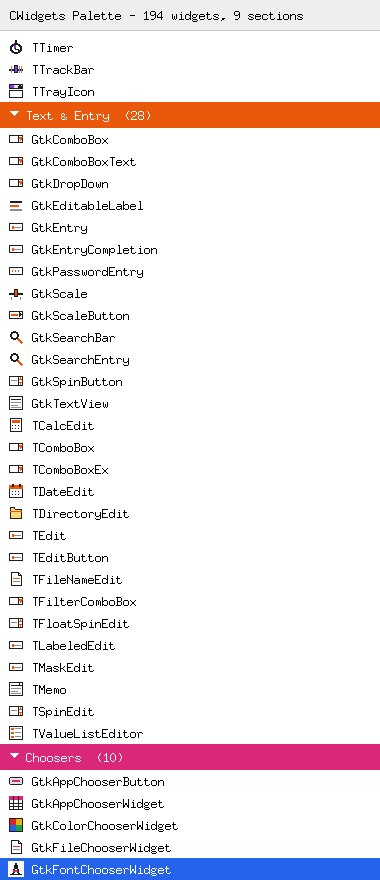
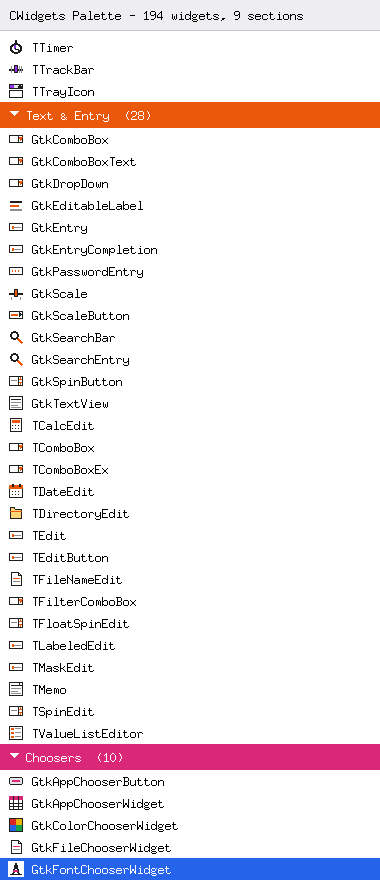
palette/buildscwidgets_palette(part of the top-level build). A pure X11/XFrame window listing all 194 widgets in their 9 sections, each with its 16x16 icon. Click (or Up/Down + Enter) to select; the selection is written to the shared selection file (/tmp/cwidgets-selection.txt) for the layout tool. Self-test: 194/194 selections OK. - Layout window —
layout/buildscwidgets_layout. Instantiates the real widget classes via the generated factory incommon/registry.h(generated bytools/gen_registry.py— do not edit by hand). Click to place the selected widget, drag to move, Delete to remove,sto save/load the layout,qto quit. Double-click a placed widget for 8 orange resize handles (corners + edges); drag a handle to resize live; Escape dismisses the handles, Delete removes the widget. - Icons —
icons/<Name>.ico, one real 16x16 ICO per widget, purpose-drawn glyphs generated bytools/gen_icons.py(70 glyph kinds, section accent colours — not downscaled screenshots). Verified bytools/verify_icons.py: 194/194 parse as 16x16, all non-blank.
Test status
Tested Nov 26, 2026 on the VPS (Debian 12, g++ 12.2, Xvfb) with the autonomous driver test-driver/run_tests.py: all 194 demos build with 0 warnings (-Wall -Wextra); 193 draw (GtkInvisible is non-visual by design); 125 show a visible click response (the rest are display-only by design); all 194 survive keypresses and exit cleanly; zero crashes, zero hangs. Full table: test-results/results.md. Palette self-test 194/194; layout placement 194/194, draw 194/194, all 194 alive at once (test-results/palette_layout_results.csv).
License
MIT — see LICENSE. Copyright (c) 2026 cnmcdee.
Menus & Toolbars
Menus, menu bars, popups and toolbars: the strips and popups that hold a program's commands. Items are plain label strings; activation reports the item (by index, or by label) through a signal, and the host decides what the command does.
Every widget here shares the common XFrame widget API — same constructor, set_bounds/draw/event handlers, visible/enabled state. The shared contract is documented in docs/index.md (written by the coordinator). Each subsection below lists only what is specific to that widget.
GtkActionBar
A bottom action bar: items packed at the left, items packed at the right, and a centre label between them. Each item is a labelled zone; clicking one fires on_item_clicked with its label.
Constructor: GtkActionBar(Display* display, int screen, Window window, GC gc, SStyle_Manager* styles, int x, int y, int width, int height)
API (widget-specific methods/properties/signals ONLY — skip the common ones): - set_text(std::string t) / get_text() — the widget text - pack_start(std::string label) — adds an item at the left - pack_end(std::string label) — adds an item at the right - set_center_label(std::string label) / get_center_label() — the centre label - start_rect(int i, int& rx1, int& ry1, int& rx2, int& ry2) / end_rect(int i, int& rx1, int& ry1, int& rx2, int& ry2) — rectangle of one start / end item - center_rect(int& rx1, int& ry1, int& rx2, int& ry2) — rectangle of the centre label - zone_at(int x, int y, int& index) — hit-test a point: returns which zone it falls in (start items, end items or centre) and writes the item index, or -1 when it hits no item - signal on_item_clicked (std::function<void(std::string)>) — fires with the label of the clicked item
Example:
#include "GtkActionBar.h"
#include <cstdio>
#include <string>
#include <vector>

int main()
{
    Display* display = XOpenDisplay(nullptr);
    if (!display) { return 1; }
    int screen = DefaultScreen(display);
    XID Xid = RootWindow(display, screen);
    Window window = XCreateSimpleWindow(display, Xid, 100, 100, 800, 600, 1, BlackPixel(display, screen), WhitePixel(display, screen));
    XStoreName(display, window, "GtkActionBar - XFrame demo");
    XSelectInput(display, window, ExposureMask | KeyPressMask | StructureNotifyMask | ButtonPressMask | ButtonReleaseMask | PointerMotionMask);
    Atom deleteWindowMessage = XInternAtom(display, "WM_DELETE_WINDOW", False);
    XSetWMProtocols(display, window, &deleteWindowMessage, 1);
    XMapWindow(display, window);
    GC gc = DefaultGC(display, screen);
    SStyle_Manager styles(display, window, screen, gc);
    styles.add_style_ex("default", Srgb{225, 225, 225}, Srgb{120, 120, 120}, Srgb{60, 60, 60}, Srgb{20, 20, 20}, 6, 1, "-misc-fixed-medium-r-normal--13-*");
    styles.set_active_style_byName("default");
    GtkActionBar widget(display, screen, window, gc, &styles, 10, 10, 760, 34);
    widget.pack_start("New");
    widget.pack_start("Open");
    widget.pack_end("Help");
    widget.set_center_label("Document");
    widget.on_item_clicked = [](std::string s){ std::printf("clicked: %s\n", s.c_str()); };
    widget.draw();
    bool running = true;
    while (running)
    {
        XEvent event;
        XNextEvent(display, &event);
        bool handled = false;
        switch (event.type)
        {
        case Expose:
            handled = true;
            break;
        case ButtonPress:
            handled = widget.on_button_press(event.xbutton.x, event.xbutton.y, event.xbutton.button);
            break;
        case ButtonRelease:
            handled = widget.on_button_release(event.xbutton.x, event.xbutton.y, event.xbutton.button);
            break;
        case MotionNotify:
            handled = widget.on_motion(event.xmotion.x, event.xmotion.y);
            break;
        case KeyPress:
        {
            char buffer[32];
            KeySym key = 0;
            int n = XLookupString(&event.xkey, buffer, (int)sizeof(buffer) - 1, &key, nullptr);
            buffer[n] = 0;
            handled = widget.on_key(key, buffer);
            break;
        }
        case ClientMessage:
            if ((Atom)event.xclient.data.l[0] == deleteWindowMessage)
            {
                running = false;
            }
            break;
        }
        if (handled)
        {
            XClearWindow(display, window);
            widget.draw();
            XFlush(display);
        }
    }
    XCloseDisplay(display);
    return 0;
}
Notes: None.
GtkCheckMenuItem
A menu row with a check box: a 13 px box at the left and a label. The row highlights on hover, shows a check mark when active and a dash when inconsistent (the mixed state).
Constructor: GtkCheckMenuItem(Display* display, int screen, Window window, GC gc, SStyle_Manager* styles, int x, int y, int width, int height)
API (widget-specific methods/properties/signals ONLY — skip the common ones): - set_text(std::string t) / get_text() — the row label - get_active() / set_active(bool active) — checked state - set_inconsistent(bool inconsistent) / get_inconsistent() — the mixed state - toggle() — flips the active state - signal on_toggled (std::function<void()>) — fires when the state changes
Example:
#include "GtkCheckMenuItem.h"
#include <cstdio>
#include <string>
#include <vector>

int main()
{
    Display* display = XOpenDisplay(nullptr);
    if (!display) { return 1; }
    int screen = DefaultScreen(display);
    XID Xid = RootWindow(display, screen);
    Window window = XCreateSimpleWindow(display, Xid, 100, 100, 800, 600, 1, BlackPixel(display, screen), WhitePixel(display, screen));
    XStoreName(display, window, "GtkCheckMenuItem - XFrame demo");
    XSelectInput(display, window, ExposureMask | KeyPressMask | StructureNotifyMask | ButtonPressMask | ButtonReleaseMask | PointerMotionMask);
    Atom deleteWindowMessage = XInternAtom(display, "WM_DELETE_WINDOW", False);
    XSetWMProtocols(display, window, &deleteWindowMessage, 1);
    XMapWindow(display, window);
    GC gc = DefaultGC(display, screen);
    SStyle_Manager styles(display, window, screen, gc);
    styles.add_style_ex("default", Srgb{225, 225, 225}, Srgb{120, 120, 120}, Srgb{60, 60, 60}, Srgb{20, 20, 20}, 6, 1, "-misc-fixed-medium-r-normal--13-*");
    styles.set_active_style_byName("default");
    GtkCheckMenuItem widget(display, screen, window, gc, &styles, 40, 40, 340, 200);
    widget.set_text("Show toolbar");
    widget.set_active(true);
    widget.on_toggled = []{ std::printf("toggled\n"); };
    widget.draw();
    bool running = true;
    while (running)
    {
        XEvent event;
        XNextEvent(display, &event);
        bool handled = false;
        switch (event.type)
        {
        case Expose:
            handled = true;
            break;
        case ButtonPress:
            handled = widget.on_button_press(event.xbutton.x, event.xbutton.y, event.xbutton.button);
            break;
        case ButtonRelease:
            handled = widget.on_button_release(event.xbutton.x, event.xbutton.y, event.xbutton.button);
            break;
        case MotionNotify:
            handled = widget.on_motion(event.xmotion.x, event.xmotion.y);
            break;
        case KeyPress:
        {
            char buffer[32];
            KeySym key = 0;
            int n = XLookupString(&event.xkey, buffer, (int)sizeof(buffer) - 1, &key, nullptr);
            buffer[n] = 0;
            handled = widget.on_key(key, buffer);
            break;
        }
        case ClientMessage:
            if ((Atom)event.xclient.data.l[0] == deleteWindowMessage)
            {
                running = false;
            }
            break;
        }
        if (handled)
        {
            XClearWindow(display, window);
            widget.draw();
            XFlush(display);
        }
    }
    XCloseDisplay(display);
    return 0;
}
Notes: None.
GtkHeaderBar
A title bar: a centred title with an optional subtitle underneath, and optional minimise / maximise / close decoration buttons at the right. Clicking a decoration fires on_decoration_clicked with its name.
Constructor: GtkHeaderBar(Display* display, int screen, Window window, GC gc, SStyle_Manager* styles, int x, int y, int width, int height)
API (widget-specific methods/properties/signals ONLY — skip the common ones): - set_text(std::string t) / get_text() — the widget text - set_title(std::string t) / get_title() — the title - set_subtitle(std::string s) / get_subtitle() — the subtitle - set_show_title_buttons(bool s) / get_show_title_buttons() — show the decoration buttons at all - set_show_close_button(bool s) — show the close button - set_show_minimize_button(bool s) — show the minimise button - set_show_maximize_button(bool s) — show the maximise button - get_last_button_clicked() — name of the last decoration clicked ("close", "minimize" or "maximize") - close_rect(int& rx1, int& ry1, int& rx2, int& ry2) / maximize_rect(int& rx1, int& ry1, int& rx2, int& ry2) / minimize_rect(int& rx1, int& ry1, int& rx2, int& ry2) — rectangles of the three decoration buttons - decoration_at(int x, int y) — which decoration is under a point ("close", "maximize" or "minimize", or "" when there is none) - signal on_decoration_clicked (std::function<void(std::string)>) — fires with the name of the clicked decoration
Example:
#include "GtkHeaderBar.h"
#include <cstdio>
#include <string>
#include <vector>

int main()
{
    Display* display = XOpenDisplay(nullptr);
    if (!display) { return 1; }
    int screen = DefaultScreen(display);
    XID Xid = RootWindow(display, screen);
    Window window = XCreateSimpleWindow(display, Xid, 100, 100, 800, 600, 1, BlackPixel(display, screen), WhitePixel(display, screen));
    XStoreName(display, window, "GtkHeaderBar - XFrame demo");
    XSelectInput(display, window, ExposureMask | KeyPressMask | StructureNotifyMask | ButtonPressMask | ButtonReleaseMask | PointerMotionMask);
    Atom deleteWindowMessage = XInternAtom(display, "WM_DELETE_WINDOW", False);
    XSetWMProtocols(display, window, &deleteWindowMessage, 1);
    XMapWindow(display, window);
    GC gc = DefaultGC(display, screen);
    SStyle_Manager styles(display, window, screen, gc);
    styles.add_style_ex("default", Srgb{225, 225, 225}, Srgb{120, 120, 120}, Srgb{60, 60, 60}, Srgb{20, 20, 20}, 6, 1, "-misc-fixed-medium-r-normal--13-*");
    styles.set_active_style_byName("default");
    GtkHeaderBar widget(display, screen, window, gc, &styles, 10, 10, 760, 34);
    widget.set_title("Demo App");
    widget.set_subtitle("v1.0");
    widget.set_show_close_button(true);
    widget.on_decoration_clicked = [](std::string s){ std::printf("decoration: %s\n", s.c_str()); };
    widget.draw();
    bool running = true;
    while (running)
    {
        XEvent event;
        XNextEvent(display, &event);
        bool handled = false;
        switch (event.type)
        {
        case Expose:
            handled = true;
            break;
        case ButtonPress:
            handled = widget.on_button_press(event.xbutton.x, event.xbutton.y, event.xbutton.button);
            break;
        case ButtonRelease:
            handled = widget.on_button_release(event.xbutton.x, event.xbutton.y, event.xbutton.button);
            break;
        case MotionNotify:
            handled = widget.on_motion(event.xmotion.x, event.xmotion.y);
            break;
        case KeyPress:
        {
            char buffer[32];
            KeySym key = 0;
            int n = XLookupString(&event.xkey, buffer, (int)sizeof(buffer) - 1, &key, nullptr);
            buffer[n] = 0;
            handled = widget.on_key(key, buffer);
            break;
        }
        case ClientMessage:
            if ((Atom)event.xclient.data.l[0] == deleteWindowMessage)
            {
                running = false;
            }
            break;
        }
        if (handled)
        {
            XClearWindow(display, window);
            widget.draw();
            XFlush(display);
        }
    }
    XCloseDisplay(display);
    return 0;
}
Notes: The buttons are drawn decorations only — clicking close does not close anything by itself; the host acts on on_decoration_clicked.
GtkMenu
A popup menu: a vertical list of items in a polished box. Items can be plain, disabled (greyed, not clickable) or submenu items; separators are plain rules. The hovered row is highlighted; activating a row fires on_activate with its index.
Constructor: GtkMenu(Display* display, int screen, Window window, GC gc, SStyle_Manager* styles, int x, int y, int width, int height)
API (widget-specific methods/properties/signals ONLY — skip the common ones): - set_text(std::string t) / get_text() — the widget text - add_item(std::string label) — appends a normal item - add_submenu_item(std::string label) — appends an item marked as having a submenu - add_disabled_item(std::string label) — appends a greyed-out item that cannot be activated - add_separator() — appends a separator rule - clear_items() — removes all items - item_count() — number of items - get_item_label(int index) — label of one item - get_hover() — hovered item index, -1 when there is none - content_height() — total height of the items (items * row height + 4) - signal on_activate (std::function<void(int)>) — fires with the index of the activated item
Example:
#include "GtkMenu.h"
#include <cstdio>
#include <string>
#include <vector>

int main()
{
    Display* display = XOpenDisplay(nullptr);
    if (!display) { return 1; }
    int screen = DefaultScreen(display);
    XID Xid = RootWindow(display, screen);
    Window window = XCreateSimpleWindow(display, Xid, 100, 100, 800, 600, 1, BlackPixel(display, screen), WhitePixel(display, screen));
    XStoreName(display, window, "GtkMenu - XFrame demo");
    XSelectInput(display, window, ExposureMask | KeyPressMask | StructureNotifyMask | ButtonPressMask | ButtonReleaseMask | PointerMotionMask);
    Atom deleteWindowMessage = XInternAtom(display, "WM_DELETE_WINDOW", False);
    XSetWMProtocols(display, window, &deleteWindowMessage, 1);
    XMapWindow(display, window);
    GC gc = DefaultGC(display, screen);
    SStyle_Manager styles(display, window, screen, gc);
    styles.add_style_ex("default", Srgb{225, 225, 225}, Srgb{120, 120, 120}, Srgb{60, 60, 60}, Srgb{20, 20, 20}, 6, 1, "-misc-fixed-medium-r-normal--13-*");
    styles.set_active_style_byName("default");
    GtkMenu widget(display, screen, window, gc, &styles, 40, 40, 340, 200);
    widget.add_item("Open");
    widget.add_submenu_item("Recent Files");
    widget.add_disabled_item("Print...");
    widget.add_separator();
    widget.add_item("Quit");
    widget.on_activate = [](int i){ std::printf("item %d\n", i); };
    widget.draw();
    bool running = true;
    while (running)
    {
        XEvent event;
        XNextEvent(display, &event);
        bool handled = false;
        switch (event.type)
        {
        case Expose:
            handled = true;
            break;
        case ButtonPress:
            handled = widget.on_button_press(event.xbutton.x, event.xbutton.y, event.xbutton.button);
            break;
        case ButtonRelease:
            handled = widget.on_button_release(event.xbutton.x, event.xbutton.y, event.xbutton.button);
            break;
        case MotionNotify:
            handled = widget.on_motion(event.xmotion.x, event.xmotion.y);
            break;
        case KeyPress:
        {
            char buffer[32];
            KeySym key = 0;
            int n = XLookupString(&event.xkey, buffer, (int)sizeof(buffer) - 1, &key, nullptr);
            buffer[n] = 0;
            handled = widget.on_key(key, buffer);
            break;
        }
        case ClientMessage:
            if ((Atom)event.xclient.data.l[0] == deleteWindowMessage)
            {
                running = false;
            }
            break;
        }
        if (handled)
        {
            XClearWindow(display, window);
            widget.draw();
            XFlush(display);
        }
    }
    XCloseDisplay(display);
    return 0;
}
Notes: Submenu items are only marked as such — the widget opens no nested menu itself; the host handles the activation.
GtkMenuBar
A top menu bar: labels across the top, each with a drop-down list of items. Clicking a label opens its drop-down below the bar; picking an item fires on_activate with the menu index and the row.
Constructor: GtkMenuBar(Display* display, int screen, Window window, GC gc, SStyle_Manager* styles, int x, int y, int width, int height)
API (widget-specific methods/properties/signals ONLY — skip the common ones): - set_text(std::string t) / get_text() — the widget text - add_item(std::string label, std::vector<std::string> dropdown) — appends a top-level menu with its drop-down items - item_count() — number of top-level menus - get_open() — index of the open menu, -1 when none is open - open_menu(int index) / close_menu() — open / close a menu programmatically - signal on_activate (std::function<void(int, int)>) — fires with (menu index, drop-down row)
Example:
#include "GtkMenuBar.h"
#include <cstdio>
#include <string>
#include <vector>

int main()
{
    Display* display = XOpenDisplay(nullptr);
    if (!display) { return 1; }
    int screen = DefaultScreen(display);
    XID Xid = RootWindow(display, screen);
    Window window = XCreateSimpleWindow(display, Xid, 100, 100, 800, 600, 1, BlackPixel(display, screen), WhitePixel(display, screen));
    XStoreName(display, window, "GtkMenuBar - XFrame demo");
    XSelectInput(display, window, ExposureMask | KeyPressMask | StructureNotifyMask | ButtonPressMask | ButtonReleaseMask | PointerMotionMask);
    Atom deleteWindowMessage = XInternAtom(display, "WM_DELETE_WINDOW", False);
    XSetWMProtocols(display, window, &deleteWindowMessage, 1);
    XMapWindow(display, window);
    GC gc = DefaultGC(display, screen);
    SStyle_Manager styles(display, window, screen, gc);
    styles.add_style_ex("default", Srgb{225, 225, 225}, Srgb{120, 120, 120}, Srgb{60, 60, 60}, Srgb{20, 20, 20}, 6, 1, "-misc-fixed-medium-r-normal--13-*");
    styles.set_active_style_byName("default");
    GtkMenuBar widget(display, screen, window, gc, &styles, 10, 10, 760, 34);
    widget.add_item("File", std::vector<std::string>{"New", "Open", "Quit"});
    widget.add_item("Edit", std::vector<std::string>{"Copy", "Paste"});
    widget.on_activate = [](int m, int r){ std::printf("menu %d row %d\n", m, r); };
    widget.draw();
    bool running = true;
    while (running)
    {
        XEvent event;
        XNextEvent(display, &event);
        bool handled = false;
        switch (event.type)
        {
        case Expose:
            handled = true;
            break;
        case ButtonPress:
            handled = widget.on_button_press(event.xbutton.x, event.xbutton.y, event.xbutton.button);
            break;
        case ButtonRelease:
            handled = widget.on_button_release(event.xbutton.x, event.xbutton.y, event.xbutton.button);
            break;
        case MotionNotify:
            handled = widget.on_motion(event.xmotion.x, event.xmotion.y);
            break;
        case KeyPress:
        {
            char buffer[32];
            KeySym key = 0;
            int n = XLookupString(&event.xkey, buffer, (int)sizeof(buffer) - 1, &key, nullptr);
            buffer[n] = 0;
            handled = widget.on_key(key, buffer);
            break;
        }
        case ClientMessage:
            if ((Atom)event.xclient.data.l[0] == deleteWindowMessage)
            {
                running = false;
            }
            break;
        }
        if (handled)
        {
            XClearWindow(display, window);
            widget.draw();
            XFlush(display);
        }
    }
    XCloseDisplay(display);
    return 0;
}
Notes: None.
GtkMenuButton
A button with a label and a down-arrow zone at the right edge. It opens nothing by itself — pressing it fires on_click and the host shows a menu.
Constructor: GtkMenuButton(Display* display, int screen, Window window, GC gc, SStyle_Manager* styles, int x, int y, int width, int height)
API (widget-specific methods/properties/signals ONLY — skip the common ones): - set_text(std::string t) / get_text() — the button label - signal on_click (std::function<void()>) — fires when the button is pressed
Example:
#include "GtkMenuButton.h"
#include <cstdio>
#include <string>
#include <vector>

int main()
{
    Display* display = XOpenDisplay(nullptr);
    if (!display) { return 1; }
    int screen = DefaultScreen(display);
    XID Xid = RootWindow(display, screen);
    Window window = XCreateSimpleWindow(display, Xid, 100, 100, 800, 600, 1, BlackPixel(display, screen), WhitePixel(display, screen));
    XStoreName(display, window, "GtkMenuButton - XFrame demo");
    XSelectInput(display, window, ExposureMask | KeyPressMask | StructureNotifyMask | ButtonPressMask | ButtonReleaseMask | PointerMotionMask);
    Atom deleteWindowMessage = XInternAtom(display, "WM_DELETE_WINDOW", False);
    XSetWMProtocols(display, window, &deleteWindowMessage, 1);
    XMapWindow(display, window);
    GC gc = DefaultGC(display, screen);
    SStyle_Manager styles(display, window, screen, gc);
    styles.add_style_ex("default", Srgb{225, 225, 225}, Srgb{120, 120, 120}, Srgb{60, 60, 60}, Srgb{20, 20, 20}, 6, 1, "-misc-fixed-medium-r-normal--13-*");
    styles.set_active_style_byName("default");
    GtkMenuButton widget(display, screen, window, gc, &styles, 40, 40, 280, 36);
    widget.set_text("Menu");
    widget.on_click = []{ std::printf("clicked\n"); };
    widget.draw();
    bool running = true;
    while (running)
    {
        XEvent event;
        XNextEvent(display, &event);
        bool handled = false;
        switch (event.type)
        {
        case Expose:
            handled = true;
            break;
        case ButtonPress:
            handled = widget.on_button_press(event.xbutton.x, event.xbutton.y, event.xbutton.button);
            break;
        case ButtonRelease:
            handled = widget.on_button_release(event.xbutton.x, event.xbutton.y, event.xbutton.button);
            break;
        case MotionNotify:
            handled = widget.on_motion(event.xmotion.x, event.xmotion.y);
            break;
        case KeyPress:
        {
            char buffer[32];
            KeySym key = 0;
            int n = XLookupString(&event.xkey, buffer, (int)sizeof(buffer) - 1, &key, nullptr);
            buffer[n] = 0;
            handled = widget.on_key(key, buffer);
            break;
        }
        case ClientMessage:
            if ((Atom)event.xclient.data.l[0] == deleteWindowMessage)
            {
                running = false;
            }
            break;
        }
        if (handled)
        {
            XClearWindow(display, window);
            widget.draw();
            XFlush(display);
        }
    }
    XCloseDisplay(display);
    return 0;
}
Notes: The arrow zone is 20 px wide at the right; the label is centred in the rest of the button.
GtkMenuItem
A single menu row: a label at the left, an optional accelerator text at the right, and an optional submenu arrow. The row highlights blue with white text on hover.
Constructor: GtkMenuItem(Display* display, int screen, Window window, GC gc, SStyle_Manager* styles, int x, int y, int width, int height)
API (widget-specific methods/properties/signals ONLY — skip the common ones): - set_text(std::string t) / get_text() — the row label - set_has_submenu(bool has) / get_has_submenu() — whether the row shows a submenu arrow - set_accel(std::string accel) / get_accel() — accelerator text, e.g. "Ctrl+O" - get_hovered() / set_hovered(bool h) — hover state - signal on_click (std::function<void()>) — fires when the row is clicked
Example:
#include "GtkMenuItem.h"
#include <cstdio>
#include <string>
#include <vector>

int main()
{
    Display* display = XOpenDisplay(nullptr);
    if (!display) { return 1; }
    int screen = DefaultScreen(display);
    XID Xid = RootWindow(display, screen);
    Window window = XCreateSimpleWindow(display, Xid, 100, 100, 800, 600, 1, BlackPixel(display, screen), WhitePixel(display, screen));
    XStoreName(display, window, "GtkMenuItem - XFrame demo");
    XSelectInput(display, window, ExposureMask | KeyPressMask | StructureNotifyMask | ButtonPressMask | ButtonReleaseMask | PointerMotionMask);
    Atom deleteWindowMessage = XInternAtom(display, "WM_DELETE_WINDOW", False);
    XSetWMProtocols(display, window, &deleteWindowMessage, 1);
    XMapWindow(display, window);
    GC gc = DefaultGC(display, screen);
    SStyle_Manager styles(display, window, screen, gc);
    styles.add_style_ex("default", Srgb{225, 225, 225}, Srgb{120, 120, 120}, Srgb{60, 60, 60}, Srgb{20, 20, 20}, 6, 1, "-misc-fixed-medium-r-normal--13-*");
    styles.set_active_style_byName("default");
    GtkMenuItem widget(display, screen, window, gc, &styles, 40, 40, 340, 200);
    widget.set_text("Open");
    widget.set_accel("Ctrl+O");
    widget.set_has_submenu(true);
    widget.on_click = []{ std::printf("clicked\n"); };
    widget.draw();
    bool running = true;
    while (running)
    {
        XEvent event;
        XNextEvent(display, &event);
        bool handled = false;
        switch (event.type)
        {
        case Expose:
            handled = true;
            break;
        case ButtonPress:
            handled = widget.on_button_press(event.xbutton.x, event.xbutton.y, event.xbutton.button);
            break;
        case ButtonRelease:
            handled = widget.on_button_release(event.xbutton.x, event.xbutton.y, event.xbutton.button);
            break;
        case MotionNotify:
            handled = widget.on_motion(event.xmotion.x, event.xmotion.y);
            break;
        case KeyPress:
        {
            char buffer[32];
            KeySym key = 0;
            int n = XLookupString(&event.xkey, buffer, (int)sizeof(buffer) - 1, &key, nullptr);
            buffer[n] = 0;
            handled = widget.on_key(key, buffer);
            break;
        }
        case ClientMessage:
            if ((Atom)event.xclient.data.l[0] == deleteWindowMessage)
            {
                running = false;
            }
            break;
        }
        if (handled)
        {
            XClearWindow(display, window);
            widget.draw();
            XFlush(display);
        }
    }
    XCloseDisplay(display);
    return 0;
}
Notes: None.
GtkPopover
A floating bubble with a tail pointing at an anchor point. Lines of text are added with add_line(); point_at() sets the anchor and popup() shows the bubble, popdown() hides it. The tail is drawn on the edge opposite the position.
Constructor: GtkPopover(Display* display, int screen, Window window, GC gc, SStyle_Manager* styles, int x, int y, int width, int height)
API (widget-specific methods/properties/signals ONLY — skip the common ones): - tail_size() — size of the tail triangle in pixels - in_rect(int x, int y, int rx1, int ry1, int rx2, int ry2) — whether a point is inside a rectangle (a geometry helper) - set_text(std::string t) / get_text() — the widget text - add_line(std::string line) / clear_lines() — add / remove text lines - line_count() — number of lines - point_at(int x, int y) — set the anchor the tail points at - get_anchor_x() / get_anchor_y() — the anchor position - set_position(int p) / get_position() — which edge the tail is on: POS_LEFT (0), POS_RIGHT (1), POS_TOP (2) or POS_BOTTOM (3, the default, tail on the top edge) - set_modal(bool m) / get_modal() — whether the popover is modal - popup() / popdown() — show / hide the popover - signal on_show (std::function<void()>) — fires when the popover is shown - signal on_hide (std::function<void()>) — fires when the popover is hidden
Example:
#include "GtkPopover.h"
#include <cstdio>
#include <string>
#include <vector>

int main()
{
    Display* display = XOpenDisplay(nullptr);
    if (!display) { return 1; }
    int screen = DefaultScreen(display);
    XID Xid = RootWindow(display, screen);
    Window window = XCreateSimpleWindow(display, Xid, 100, 100, 800, 600, 1, BlackPixel(display, screen), WhitePixel(display, screen));
    XStoreName(display, window, "GtkPopover - XFrame demo");
    XSelectInput(display, window, ExposureMask | KeyPressMask | StructureNotifyMask | ButtonPressMask | ButtonReleaseMask | PointerMotionMask);
    Atom deleteWindowMessage = XInternAtom(display, "WM_DELETE_WINDOW", False);
    XSetWMProtocols(display, window, &deleteWindowMessage, 1);
    XMapWindow(display, window);
    GC gc = DefaultGC(display, screen);
    SStyle_Manager styles(display, window, screen, gc);
    styles.add_style_ex("default", Srgb{225, 225, 225}, Srgb{120, 120, 120}, Srgb{60, 60, 60}, Srgb{20, 20, 20}, 6, 1, "-misc-fixed-medium-r-normal--13-*");
    styles.set_active_style_byName("default");
    GtkPopover widget(display, screen, window, gc, &styles, 40, 40, 340, 200);
    widget.add_line("Hello");
    widget.add_line("World");
    widget.point_at(100, 100);
    widget.popup();
    widget.on_show = []{ std::printf("shown\n"); };
    widget.on_hide = []{ std::printf("hidden\n"); };
    widget.draw();
    bool running = true;
    while (running)
    {
        XEvent event;
        XNextEvent(display, &event);
        bool handled = false;
        switch (event.type)
        {
        case Expose:
            handled = true;
            break;
        case ButtonPress:
            handled = widget.on_button_press(event.xbutton.x, event.xbutton.y, event.xbutton.button);
            break;
        case ButtonRelease:
            handled = widget.on_button_release(event.xbutton.x, event.xbutton.y, event.xbutton.button);
            break;
        case MotionNotify:
            handled = widget.on_motion(event.xmotion.x, event.xmotion.y);
            break;
        case KeyPress:
        {
            char buffer[32];
            KeySym key = 0;
            int n = XLookupString(&event.xkey, buffer, (int)sizeof(buffer) - 1, &key, nullptr);
            buffer[n] = 0;
            handled = widget.on_key(key, buffer);
            break;
        }
        case ClientMessage:
            if ((Atom)event.xclient.data.l[0] == deleteWindowMessage)
            {
                running = false;
            }
            break;
        }
        if (handled)
        {
            XClearWindow(display, window);
            widget.draw();
            XFlush(display);
        }
    }
    XCloseDisplay(display);
    return 0;
}
Notes: The position constants are public static ints on the class (POS_LEFT, POS_RIGHT, POS_TOP, POS_BOTTOM).
GtkRadioMenuItem
A menu row with a radio dot: a circle at the left and a label. The group property tags the item with a group name; selecting the item fires on_toggled.
Constructor: GtkRadioMenuItem(Display* display, int screen, Window window, GC gc, SStyle_Manager* styles, int x, int y, int width, int height)
API (widget-specific methods/properties/signals ONLY — skip the common ones): - set_text(std::string t) / get_text() — the row label - get_active() / set_active(bool active) — selected state - set_group(std::string group) / get_group() — the group name (default "orientation") - select() — select this item - signal on_toggled (std::function<void()>) — fires when the state changes
Example:
#include "GtkRadioMenuItem.h"
#include <cstdio>
#include <string>
#include <vector>

int main()
{
    Display* display = XOpenDisplay(nullptr);
    if (!display) { return 1; }
    int screen = DefaultScreen(display);
    XID Xid = RootWindow(display, screen);
    Window window = XCreateSimpleWindow(display, Xid, 100, 100, 800, 600, 1, BlackPixel(display, screen), WhitePixel(display, screen));
    XStoreName(display, window, "GtkRadioMenuItem - XFrame demo");
    XSelectInput(display, window, ExposureMask | KeyPressMask | StructureNotifyMask | ButtonPressMask | ButtonReleaseMask | PointerMotionMask);
    Atom deleteWindowMessage = XInternAtom(display, "WM_DELETE_WINDOW", False);
    XSetWMProtocols(display, window, &deleteWindowMessage, 1);
    XMapWindow(display, window);
    GC gc = DefaultGC(display, screen);
    SStyle_Manager styles(display, window, screen, gc);
    styles.add_style_ex("default", Srgb{225, 225, 225}, Srgb{120, 120, 120}, Srgb{60, 60, 60}, Srgb{20, 20, 20}, 6, 1, "-misc-fixed-medium-r-normal--13-*");
    styles.set_active_style_byName("default");
    GtkRadioMenuItem widget(display, screen, window, gc, &styles, 40, 40, 340, 200);
    widget.set_text("Option A");
    widget.set_group("view");
    widget.set_active(true);
    widget.on_toggled = []{ std::printf("toggled\n"); };
    widget.draw();
    bool running = true;
    while (running)
    {
        XEvent event;
        XNextEvent(display, &event);
        bool handled = false;
        switch (event.type)
        {
        case Expose:
            handled = true;
            break;
        case ButtonPress:
            handled = widget.on_button_press(event.xbutton.x, event.xbutton.y, event.xbutton.button);
            break;
        case ButtonRelease:
            handled = widget.on_button_release(event.xbutton.x, event.xbutton.y, event.xbutton.button);
            break;
        case MotionNotify:
            handled = widget.on_motion(event.xmotion.x, event.xmotion.y);
            break;
        case KeyPress:
        {
            char buffer[32];
            KeySym key = 0;
            int n = XLookupString(&event.xkey, buffer, (int)sizeof(buffer) - 1, &key, nullptr);
            buffer[n] = 0;
            handled = widget.on_key(key, buffer);
            break;
        }
        case ClientMessage:
            if ((Atom)event.xclient.data.l[0] == deleteWindowMessage)
            {
                running = false;
            }
            break;
        }
        if (handled)
        {
            XClearWindow(display, window);
            widget.draw();
            XFlush(display);
        }
    }
    XCloseDisplay(display);
    return 0;
}
Notes: The group is only a name string stored on the item — the widget holds no registry of its group peers, so mutual exclusion between items of one group is not enforced by this class.
GtkSeparatorMenuItem
A horizontal rule row for use inside a menu: a dark line with a light line under it, filling the row. It has no behaviour and no signals.
Constructor: GtkSeparatorMenuItem(Display* display, int screen, Window window, GC gc, SStyle_Manager* styles, int x, int y, int width, int height)
API (widget-specific methods/properties/signals ONLY — skip the common ones): - set_text(std::string t) / get_text() — the widget text (not drawn)
Example:
#include "GtkSeparatorMenuItem.h"
#include <cstdio>
#include <string>
#include <vector>

int main()
{
    Display* display = XOpenDisplay(nullptr);
    if (!display) { return 1; }
    int screen = DefaultScreen(display);
    XID Xid = RootWindow(display, screen);
    Window window = XCreateSimpleWindow(display, Xid, 100, 100, 800, 600, 1, BlackPixel(display, screen), WhitePixel(display, screen));
    XStoreName(display, window, "GtkSeparatorMenuItem - XFrame demo");
    XSelectInput(display, window, ExposureMask | KeyPressMask | StructureNotifyMask | ButtonPressMask | ButtonReleaseMask | PointerMotionMask);
    Atom deleteWindowMessage = XInternAtom(display, "WM_DELETE_WINDOW", False);
    XSetWMProtocols(display, window, &deleteWindowMessage, 1);
    XMapWindow(display, window);
    GC gc = DefaultGC(display, screen);
    SStyle_Manager styles(display, window, screen, gc);
    styles.add_style_ex("default", Srgb{225, 225, 225}, Srgb{120, 120, 120}, Srgb{60, 60, 60}, Srgb{20, 20, 20}, 6, 1, "-misc-fixed-medium-r-normal--13-*");
    styles.set_active_style_byName("default");
    GtkSeparatorMenuItem widget(display, screen, window, gc, &styles, 40, 40, 340, 200);
    widget.draw();
    bool running = true;
    while (running)
    {
        XEvent event;
        XNextEvent(display, &event);
        bool handled = false;
        switch (event.type)
        {
        case Expose:
            handled = true;
            break;
        case ButtonPress:
            handled = widget.on_button_press(event.xbutton.x, event.xbutton.y, event.xbutton.button);
            break;
        case ButtonRelease:
            handled = widget.on_button_release(event.xbutton.x, event.xbutton.y, event.xbutton.button);
            break;
        case MotionNotify:
            handled = widget.on_motion(event.xmotion.x, event.xmotion.y);
            break;
        case KeyPress:
        {
            char buffer[32];
            KeySym key = 0;
            int n = XLookupString(&event.xkey, buffer, (int)sizeof(buffer) - 1, &key, nullptr);
            buffer[n] = 0;
            handled = widget.on_key(key, buffer);
            break;
        }
        case ClientMessage:
            if ((Atom)event.xclient.data.l[0] == deleteWindowMessage)
            {
                running = false;
            }
            break;
        }
        if (handled)
        {
            XClearWindow(display, window);
            widget.draw();
            XFlush(display);
        }
    }
    XCloseDisplay(display);
    return 0;
}
Notes: There is no API beyond the shared widget contract — it exists only to be placed between menu items.
GtkToolbar
A horizontal toolbar of labelled items, each drawn with an icon placeholder above its label. Items that do not fit are counted as overflow; clicking an item fires on_activate with its index.
Constructor: GtkToolbar(Display* display, int screen, Window window, GC gc, SStyle_Manager* styles, int x, int y, int width, int height)
API (widget-specific methods/properties/signals ONLY — skip the common ones): - set_text(std::string t) / get_text() — the widget text - add_item(std::string label) — appends an item - clear_items() — removes all items - item_count() — number of items - has_overflow() — whether some items do not fit in the current width - visible_item_count() — how many items fit - signal on_activate (std::function<void(int)>) — fires with the index of the clicked item
Example:
#include "GtkToolbar.h"
#include <cstdio>
#include <string>
#include <vector>

int main()
{
    Display* display = XOpenDisplay(nullptr);
    if (!display) { return 1; }
    int screen = DefaultScreen(display);
    XID Xid = RootWindow(display, screen);
    Window window = XCreateSimpleWindow(display, Xid, 100, 100, 800, 600, 1, BlackPixel(display, screen), WhitePixel(display, screen));
    XStoreName(display, window, "GtkToolbar - XFrame demo");
    XSelectInput(display, window, ExposureMask | KeyPressMask | StructureNotifyMask | ButtonPressMask | ButtonReleaseMask | PointerMotionMask);
    Atom deleteWindowMessage = XInternAtom(display, "WM_DELETE_WINDOW", False);
    XSetWMProtocols(display, window, &deleteWindowMessage, 1);
    XMapWindow(display, window);
    GC gc = DefaultGC(display, screen);
    SStyle_Manager styles(display, window, screen, gc);
    styles.add_style_ex("default", Srgb{225, 225, 225}, Srgb{120, 120, 120}, Srgb{60, 60, 60}, Srgb{20, 20, 20}, 6, 1, "-misc-fixed-medium-r-normal--13-*");
    styles.set_active_style_byName("default");
    GtkToolbar widget(display, screen, window, gc, &styles, 10, 10, 760, 34);
    widget.add_item("New");
    widget.add_item("Open");
    widget.add_item("Save");
    widget.on_activate = [](int i){ std::printf("item %d\n", i); };
    widget.draw();
    bool running = true;
    while (running)
    {
        XEvent event;
        XNextEvent(display, &event);
        bool handled = false;
        switch (event.type)
        {
        case Expose:
            handled = true;
            break;
        case ButtonPress:
            handled = widget.on_button_press(event.xbutton.x, event.xbutton.y, event.xbutton.button);
            break;
        case ButtonRelease:
            handled = widget.on_button_release(event.xbutton.x, event.xbutton.y, event.xbutton.button);
            break;
        case MotionNotify:
            handled = widget.on_motion(event.xmotion.x, event.xmotion.y);
            break;
        case KeyPress:
        {
            char buffer[32];
            KeySym key = 0;
            int n = XLookupString(&event.xkey, buffer, (int)sizeof(buffer) - 1, &key, nullptr);
            buffer[n] = 0;
            handled = widget.on_key(key, buffer);
            break;
        }
        case ClientMessage:
            if ((Atom)event.xclient.data.l[0] == deleteWindowMessage)
            {
                running = false;
            }
            break;
        }
        if (handled)
        {
            XClearWindow(display, window);
            widget.draw();
            XFlush(display);
        }
    }
    XCloseDisplay(display);
    return 0;
}
Notes: Overflow items are not drawn and cannot be clicked — widen the bar or drop items when has_overflow() is true.
TActionList
A visual list of named actions, each with a caption and a shortcut. The widget draws the actions as rows; execute() runs one by name, invoking that action's own on_execute callback, and execute_shortcut() runs one by its shortcut string.
Constructor: TActionList(Display* display, int screen, Window window, GC gc, SStyle_Manager* styles, int x, int y, int width, int height)
API (widget-specific methods/properties/signals ONLY — skip the common ones): - find_index(const std::string& name) — index of an action by name, -1 when absent - TAction* get_action(std::string name) / TAction* get_action_at(int index) — pointer to one action (null when there is none); the public TAction value holds its name, caption, shortcut, enabled flag and its own on_execute callback - set_on_execute(std::string name, std::function<void()> fn) — attach the callback run when the named action is executed - set_text(std::string t) / get_text() — the widget text - add_action(std::string name, std::string caption, std::string shortcut) — appends an action - remove_action(std::string name) / clear_actions() — remove one / all actions - action_count() — number of actions - has_action(std::string name) — whether an action exists - get_caption(std::string name) / set_caption(std::string name, std::string caption) — caption of one action - get_shortcut(std::string name) / set_shortcut(std::string name, std::string shortcut) — shortcut of one action - set_action_enabled(std::string name, bool value) / get_action_enabled(std::string name) — enabled state of one action - execute(std::string name) — run the named action's own on_execute callback; returns false when the action is missing, disabled, or has no callback - action_for_shortcut(std::string shortcut) — name of the action with this shortcut ("" when there is none) - execute_shortcut(std::string shortcut) — run the action bound to a shortcut; false when there is none - signal on_execute (std::function<void()>) — declared on the list - signal on_click (std::function<void()>) — declared on the list
Example:
#include "TActionList.h"
#include <cstdio>
#include <string>
#include <vector>

int main()
{
    Display* display = XOpenDisplay(nullptr);
    if (!display) { return 1; }
    int screen = DefaultScreen(display);
    XID Xid = RootWindow(display, screen);
    Window window = XCreateSimpleWindow(display, Xid, 100, 100, 800, 600, 1, BlackPixel(display, screen), WhitePixel(display, screen));
    XStoreName(display, window, "TActionList - XFrame demo");
    XSelectInput(display, window, ExposureMask | KeyPressMask | StructureNotifyMask | ButtonPressMask | ButtonReleaseMask | PointerMotionMask);
    Atom deleteWindowMessage = XInternAtom(display, "WM_DELETE_WINDOW", False);
    XSetWMProtocols(display, window, &deleteWindowMessage, 1);
    XMapWindow(display, window);
    GC gc = DefaultGC(display, screen);
    SStyle_Manager styles(display, window, screen, gc);
    styles.add_style_ex("default", Srgb{225, 225, 225}, Srgb{120, 120, 120}, Srgb{60, 60, 60}, Srgb{20, 20, 20}, 6, 1, "-misc-fixed-medium-r-normal--13-*");
    styles.set_active_style_byName("default");
    TActionList widget(display, screen, window, gc, &styles, 40, 40, 340, 200);
    widget.add_action("open", "Open", "Ctrl+O");
    widget.add_action("save", "Save", "Ctrl+S");
    widget.execute("open");
    widget.on_click = []{ std::printf("clicked\n"); };
    widget.draw();
    bool running = true;
    while (running)
    {
        XEvent event;
        XNextEvent(display, &event);
        bool handled = false;
        switch (event.type)
        {
        case Expose:
            handled = true;
            break;
        case ButtonPress:
            handled = widget.on_button_press(event.xbutton.x, event.xbutton.y, event.xbutton.button);
            break;
        case ButtonRelease:
            handled = widget.on_button_release(event.xbutton.x, event.xbutton.y, event.xbutton.button);
            break;
        case MotionNotify:
            handled = widget.on_motion(event.xmotion.x, event.xmotion.y);
            break;
        case KeyPress:
        {
            char buffer[32];
            KeySym key = 0;
            int n = XLookupString(&event.xkey, buffer, (int)sizeof(buffer) - 1, &key, nullptr);
            buffer[n] = 0;
            handled = widget.on_key(key, buffer);
            break;
        }
        case ClientMessage:
            if ((Atom)event.xclient.data.l[0] == deleteWindowMessage)
            {
                running = false;
            }
            break;
        }
        if (handled)
        {
            XClearWindow(display, window);
            widget.draw();
            XFlush(display);
        }
    }
    XCloseDisplay(display);
    return 0;
}
Notes: Each action is a public TAction value holding its name, caption, shortcut, enabled flag and its own on_execute callback. Note: no call site for the list-level on_execute / on_click signals appears in the header — execute() invokes the action's own on_execute instead.
TMainMenu
The Lazarus menu bar: top-level menus across the bar, each with a drop-down list. Clicking a menu opens its drop-down below the bar; picking an entry fires on_menu_click with the entry caption.
Constructor: TMainMenu(Display* display, int screen, Window window, GC gc, SStyle_Manager* styles, int x, int y, int width, int height)
API (widget-specific methods/properties/signals ONLY — skip the common ones): - item_left(int index) / item_width(int index) — pixel position / width of a top-level menu - top_index_at(int x, int y) — top-level menu index under a point - dropdown_width(int index) / dropdown_height(int index) — size of a menu's drop-down - in_dropdown(int x, int y) — whether a point is inside the open drop-down - dropdown_index_at(int x, int y) — drop-down row under a point - set_text(std::string t) / get_text() — the widget text - add_menu(std::string caption, std::vector<std::string> dropdown) — appends a top-level menu with its items - add_dropdown_item(int menu_index, std::string caption) — appends an item to one menu's drop-down - clear_menus() — removes all menus - menu_count() — number of top-level menus - get_open_index() — index of the open menu, -1 when none is open - close_menu() — close the open drop-down - signal on_click (std::function<void()>) — fires on a click in the bar - signal on_menu_click (std::function<void(std::string)>) — fires with the caption of the clicked entry
Example:
#include "TMainMenu.h"
#include <cstdio>
#include <string>
#include <vector>

int main()
{
    Display* display = XOpenDisplay(nullptr);
    if (!display) { return 1; }
    int screen = DefaultScreen(display);
    XID Xid = RootWindow(display, screen);
    Window window = XCreateSimpleWindow(display, Xid, 100, 100, 800, 600, 1, BlackPixel(display, screen), WhitePixel(display, screen));
    XStoreName(display, window, "TMainMenu - XFrame demo");
    XSelectInput(display, window, ExposureMask | KeyPressMask | StructureNotifyMask | ButtonPressMask | ButtonReleaseMask | PointerMotionMask);
    Atom deleteWindowMessage = XInternAtom(display, "WM_DELETE_WINDOW", False);
    XSetWMProtocols(display, window, &deleteWindowMessage, 1);
    XMapWindow(display, window);
    GC gc = DefaultGC(display, screen);
    SStyle_Manager styles(display, window, screen, gc);
    styles.add_style_ex("default", Srgb{225, 225, 225}, Srgb{120, 120, 120}, Srgb{60, 60, 60}, Srgb{20, 20, 20}, 6, 1, "-misc-fixed-medium-r-normal--13-*");
    styles.set_active_style_byName("default");
    TMainMenu widget(display, screen, window, gc, &styles, 10, 10, 760, 34);
    widget.add_menu("File", std::vector<std::string>{"New", "Open", "Quit"});
    widget.add_menu("Edit", std::vector<std::string>{"Copy", "Paste"});
    widget.on_menu_click = [](std::string s){ std::printf("menu: %s\n", s.c_str()); };
    widget.draw();
    bool running = true;
    while (running)
    {
        XEvent event;
        XNextEvent(display, &event);
        bool handled = false;
        switch (event.type)
        {
        case Expose:
            handled = true;
            break;
        case ButtonPress:
            handled = widget.on_button_press(event.xbutton.x, event.xbutton.y, event.xbutton.button);
            break;
        case ButtonRelease:
            handled = widget.on_button_release(event.xbutton.x, event.xbutton.y, event.xbutton.button);
            break;
        case MotionNotify:
            handled = widget.on_motion(event.xmotion.x, event.xmotion.y);
            break;
        case KeyPress:
        {
            char buffer[32];
            KeySym key = 0;
            int n = XLookupString(&event.xkey, buffer, (int)sizeof(buffer) - 1, &key, nullptr);
            buffer[n] = 0;
            handled = widget.on_key(key, buffer);
            break;
        }
        case ClientMessage:
            if ((Atom)event.xclient.data.l[0] == deleteWindowMessage)
            {
                running = false;
            }
            break;
        }
        if (handled)
        {
            XClearWindow(display, window);
            widget.draw();
            XFlush(display);
        }
    }
    XCloseDisplay(display);
    return 0;
}
Notes: The item_* / dropdown_* helpers are public geometry used by the event handlers; the host normally only needs add_menu() and on_menu_click.
TPopupMenu
A context menu: a vertical list of items in a polished box that appears where the host puts it. popup_at(x, y) moves it to a point and shows it; popup() shows it at its current bounds; hide() dismisses it. Separators are "-" rows.
Constructor: TPopupMenu(Display* display, int screen, Window window, GC gc, SStyle_Manager* styles, int x, int y, int width, int height)
API (widget-specific methods/properties/signals ONLY — skip the common ones): - set_text(std::string t) / get_text() — the widget text - add_item(std::string caption) — appends an item - add_separator() — appends a separator row - clear_items() — removes all items - item_count() — number of items - get_item(int index) — caption of one item - popup_at(int x, int y) — move to a point and show the menu - popup() — show the menu at its current bounds (sets visible and focused) - hide() — dismiss the menu - signal on_click (std::function<void()>) — fires on a click in the menu - signal on_menu_click (std::function<void(std::string)>) — fires with the caption of the clicked item
Example:
#include "TPopupMenu.h"
#include <cstdio>
#include <string>
#include <vector>

int main()
{
    Display* display = XOpenDisplay(nullptr);
    if (!display) { return 1; }
    int screen = DefaultScreen(display);
    XID Xid = RootWindow(display, screen);
    Window window = XCreateSimpleWindow(display, Xid, 100, 100, 800, 600, 1, BlackPixel(display, screen), WhitePixel(display, screen));
    XStoreName(display, window, "TPopupMenu - XFrame demo");
    XSelectInput(display, window, ExposureMask | KeyPressMask | StructureNotifyMask | ButtonPressMask | ButtonReleaseMask | PointerMotionMask);
    Atom deleteWindowMessage = XInternAtom(display, "WM_DELETE_WINDOW", False);
    XSetWMProtocols(display, window, &deleteWindowMessage, 1);
    XMapWindow(display, window);
    GC gc = DefaultGC(display, screen);
    SStyle_Manager styles(display, window, screen, gc);
    styles.add_style_ex("default", Srgb{225, 225, 225}, Srgb{120, 120, 120}, Srgb{60, 60, 60}, Srgb{20, 20, 20}, 6, 1, "-misc-fixed-medium-r-normal--13-*");
    styles.set_active_style_byName("default");
    TPopupMenu widget(display, screen, window, gc, &styles, 40, 40, 340, 200);
    widget.add_item("Cut");
    widget.add_item("Copy");
    widget.add_separator();
    widget.add_item("Paste");
    widget.popup();
    widget.on_menu_click = [](std::string s){ std::printf("menu: %s\n", s.c_str()); };
    widget.draw();
    bool running = true;
    while (running)
    {
        XEvent event;
        XNextEvent(display, &event);
        bool handled = false;
        switch (event.type)
        {
        case Expose:
            handled = true;
            break;
        case ButtonPress:
            handled = widget.on_button_press(event.xbutton.x, event.xbutton.y, event.xbutton.button);
            break;
        case ButtonRelease:
            handled = widget.on_button_release(event.xbutton.x, event.xbutton.y, event.xbutton.button);
            break;
        case MotionNotify:
            handled = widget.on_motion(event.xmotion.x, event.xmotion.y);
            break;
        case KeyPress:
        {
            char buffer[32];
            KeySym key = 0;
            int n = XLookupString(&event.xkey, buffer, (int)sizeof(buffer) - 1, &key, nullptr);
            buffer[n] = 0;
            handled = widget.on_key(key, buffer);
            break;
        }
        case ClientMessage:
            if ((Atom)event.xclient.data.l[0] == deleteWindowMessage)
            {
                running = false;
            }
            break;
        }
        if (handled)
        {
            XClearWindow(display, window);
            widget.draw();
            XFlush(display);
        }
    }
    XCloseDisplay(display);
    return 0;
}
Notes: The demo originally never called popup() and so never showed the menu — the fixed demo calls widget.popup() after adding items, which is the correct sequence: construct, add items, then popup() / popup_at().
TPopupNotifier
A notification bubble: a pale yellow rounded box with a blue info icon, a title and a message, and a close box at the right. show_message() sets the text and shows it; clicking the close box hides it and fires on_close.
Constructor: TPopupNotifier(Display* display, int screen, Window window, GC gc, SStyle_Manager* styles, int x, int y, int width, int height)
API (widget-specific methods/properties/signals ONLY — skip the common ones): - set_text(std::string t) / get_text() — the message text - set_title(std::string t) / get_title() — the title - show() — show the notifier with its current title and message - show_message(std::string title, std::string message) — set the title and message and show it - hide() — hide the notifier - signal on_close (std::function<void()>) — fires when the close box is clicked
Example:
#include "TPopupNotifier.h"
#include <cstdio>
#include <string>
#include <vector>

int main()
{
    Display* display = XOpenDisplay(nullptr);
    if (!display) { return 1; }
    int screen = DefaultScreen(display);
    XID Xid = RootWindow(display, screen);
    Window window = XCreateSimpleWindow(display, Xid, 100, 100, 800, 600, 1, BlackPixel(display, screen), WhitePixel(display, screen));
    XStoreName(display, window, "TPopupNotifier - XFrame demo");
    XSelectInput(display, window, ExposureMask | KeyPressMask | StructureNotifyMask | ButtonPressMask | ButtonReleaseMask | PointerMotionMask);
    Atom deleteWindowMessage = XInternAtom(display, "WM_DELETE_WINDOW", False);
    XSetWMProtocols(display, window, &deleteWindowMessage, 1);
    XMapWindow(display, window);
    GC gc = DefaultGC(display, screen);
    SStyle_Manager styles(display, window, screen, gc);
    styles.add_style_ex("default", Srgb{225, 225, 225}, Srgb{120, 120, 120}, Srgb{60, 60, 60}, Srgb{20, 20, 20}, 6, 1, "-misc-fixed-medium-r-normal--13-*");
    styles.set_active_style_byName("default");
    TPopupNotifier widget(display, screen, window, gc, &styles, 40, 40, 340, 200);
    widget.show_message("Hello", "This is a notification.");
    widget.on_close = []{ std::printf("closed\n"); };
    widget.draw();
    bool running = true;
    while (running)
    {
        XEvent event;
        XNextEvent(display, &event);
        bool handled = false;
        switch (event.type)
        {
        case Expose:
            handled = true;
            break;
        case ButtonPress:
            handled = widget.on_button_press(event.xbutton.x, event.xbutton.y, event.xbutton.button);
            break;
        case ButtonRelease:
            handled = widget.on_button_release(event.xbutton.x, event.xbutton.y, event.xbutton.button);
            break;
        case MotionNotify:
            handled = widget.on_motion(event.xmotion.x, event.xmotion.y);
            break;
        case KeyPress:
        {
            char buffer[32];
            KeySym key = 0;
            int n = XLookupString(&event.xkey, buffer, (int)sizeof(buffer) - 1, &key, nullptr);
            buffer[n] = 0;
            handled = widget.on_key(key, buffer);
            break;
        }
        case ClientMessage:
            if ((Atom)event.xclient.data.l[0] == deleteWindowMessage)
            {
                running = false;
            }
            break;
        }
        if (handled)
        {
            XClearWindow(display, window);
            widget.draw();
            XFlush(display);
        }
    }
    XCloseDisplay(display);
    return 0;
}
Notes: There is no auto-dismiss timer in the header — the host hides it, or the user closes it.
TToolBar
The Lazarus toolbar: a strip of buttons with captions, separators between groups, and an optional flat look. Buttons can be checkable (set_checked) and can have a drop-down arrow; clicking one fires on_button_click with its index.
Constructor: TToolBar(Display* display, int screen, Window window, GC gc, SStyle_Manager* styles, int x, int y, int width, int height)
API (widget-specific methods/properties/signals ONLY — skip the common ones): - set_text(std::string t) / get_text() — the widget text - add_button(std::string caption, bool dropdown = false) — appends a button, optionally with a drop-down arrow - add_separator() — appends a separator - button_count() — number of buttons - set_wrapable(bool w) / get_wrapable() — whether buttons wrap to a second row when they do not fit - set_flat(bool f) — flat look (no raised button faces) - set_checked(int index, bool c) / get_checked(int index) — checked state of one button - signal on_button_click (std::function<void(int)>) — fires with the index of the clicked button
Example:
#include "TToolBar.h"
#include <cstdio>
#include <string>
#include <vector>

int main()
{
    Display* display = XOpenDisplay(nullptr);
    if (!display) { return 1; }
    int screen = DefaultScreen(display);
    XID Xid = RootWindow(display, screen);
    Window window = XCreateSimpleWindow(display, Xid, 100, 100, 800, 600, 1, BlackPixel(display, screen), WhitePixel(display, screen));
    XStoreName(display, window, "TToolBar - XFrame demo");
    XSelectInput(display, window, ExposureMask | KeyPressMask | StructureNotifyMask | ButtonPressMask | ButtonReleaseMask | PointerMotionMask);
    Atom deleteWindowMessage = XInternAtom(display, "WM_DELETE_WINDOW", False);
    XSetWMProtocols(display, window, &deleteWindowMessage, 1);
    XMapWindow(display, window);
    GC gc = DefaultGC(display, screen);
    SStyle_Manager styles(display, window, screen, gc);
    styles.add_style_ex("default", Srgb{225, 225, 225}, Srgb{120, 120, 120}, Srgb{60, 60, 60}, Srgb{20, 20, 20}, 6, 1, "-misc-fixed-medium-r-normal--13-*");
    styles.set_active_style_byName("default");
    TToolBar widget(display, screen, window, gc, &styles, 10, 10, 760, 34);
    widget.add_button("New");
    widget.add_button("Open");
    widget.add_separator();
    widget.add_button("Save");
    widget.on_button_click = [](int i){ std::printf("button %d\n", i); };
    widget.draw();
    bool running = true;
    while (running)
    {
        XEvent event;
        XNextEvent(display, &event);
        bool handled = false;
        switch (event.type)
        {
        case Expose:
            handled = true;
            break;
        case ButtonPress:
            handled = widget.on_button_press(event.xbutton.x, event.xbutton.y, event.xbutton.button);
            break;
        case ButtonRelease:
            handled = widget.on_button_release(event.xbutton.x, event.xbutton.y, event.xbutton.button);
            break;
        case MotionNotify:
            handled = widget.on_motion(event.xmotion.x, event.xmotion.y);
            break;
        case KeyPress:
        {
            char buffer[32];
            KeySym key = 0;
            int n = XLookupString(&event.xkey, buffer, (int)sizeof(buffer) - 1, &key, nullptr);
            buffer[n] = 0;
            handled = widget.on_key(key, buffer);
            break;
        }
        case ClientMessage:
            if ((Atom)event.xclient.data.l[0] == deleteWindowMessage)
            {
                running = false;
            }
            break;
        }
        if (handled)
        {
            XClearWindow(display, window);
            widget.draw();
            XFlush(display);
        }
    }
    XCloseDisplay(display);
    return 0;
}
Notes: There is no getter for the flat flag — only set_flat().
Where to go from here
The full source, build instructions and test results live in the repo: github.com/cnmcdee/CWidgets. The shared widget contract and the other eight group documents are in the docs folder — docs/index.md is the starting point, and every section page is linked from there.
One article remains in this series after the group docs: the main application — the combined IDE, designer plus palette plus layout plus the built-in GDB debugger — follows later.